
 GFI
MAX RemoteManagement
GFI
MAX RemoteManagement
The Easy, Affordable System for IT Support & Managed Service Providers
Sorry, this product is no longer available. Please contact us for a replacement solution.
Overview:
GFI MAX RemoteManagement™ offers award-winning hosted remote management and monitoring (RMM), antivirus and backup software - built specifically for IT Support Companies and MSPs. We help our partners grow their monthly revenues and attract new customers by enabling them to deliver high value, cost-efficient and proactive services - all branded as their own. RemoteManagement allows companies to manage and monitor servers and workstations, deliver remote support, offer asset/inventory tracking, patch management and client reporting with integrated managed antivirus and backup solutions. Our Building Blocks to Managed Services™ Program helps our partners identify a clear, straightforward path to developing, pricing and delivering profitable, best-of-breed Managed Services.
Built for all business models 
GFI MAX RemoteManagement is designed for all IT support models: Break/fix, support bank and managed services. No matter what business model you are currently running, GFI MAX RemoteManagement helps you deliver superior IT support services. |
Cut costs 
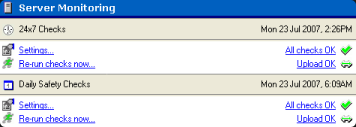
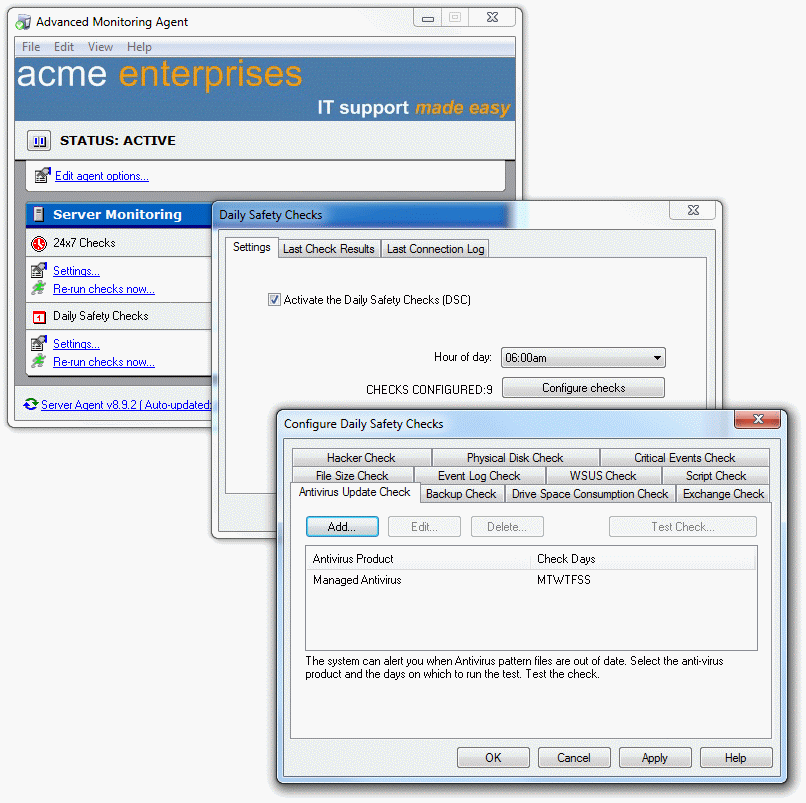
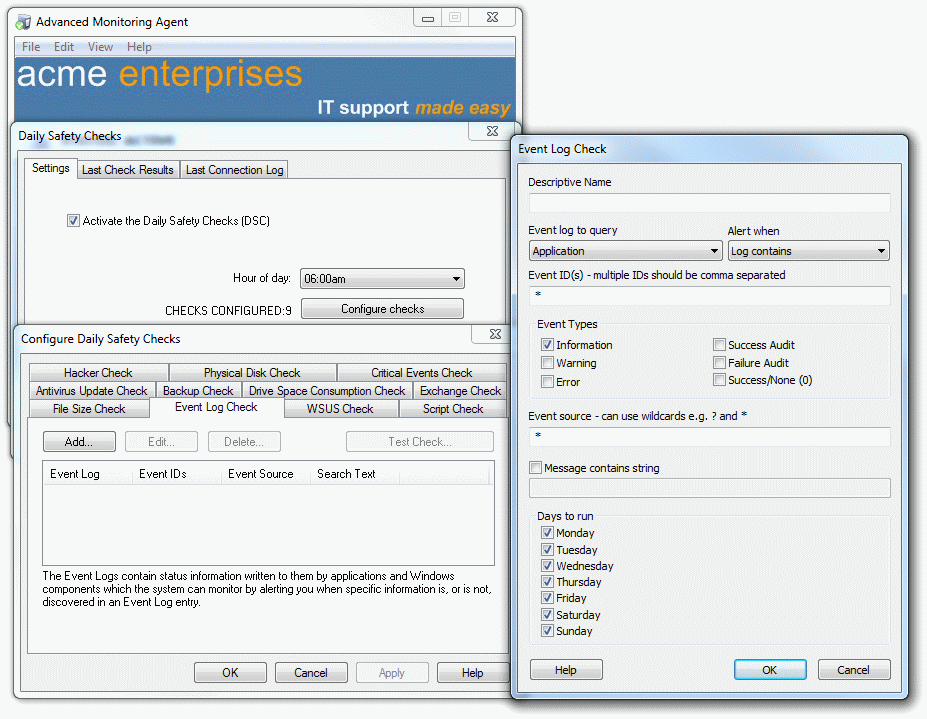
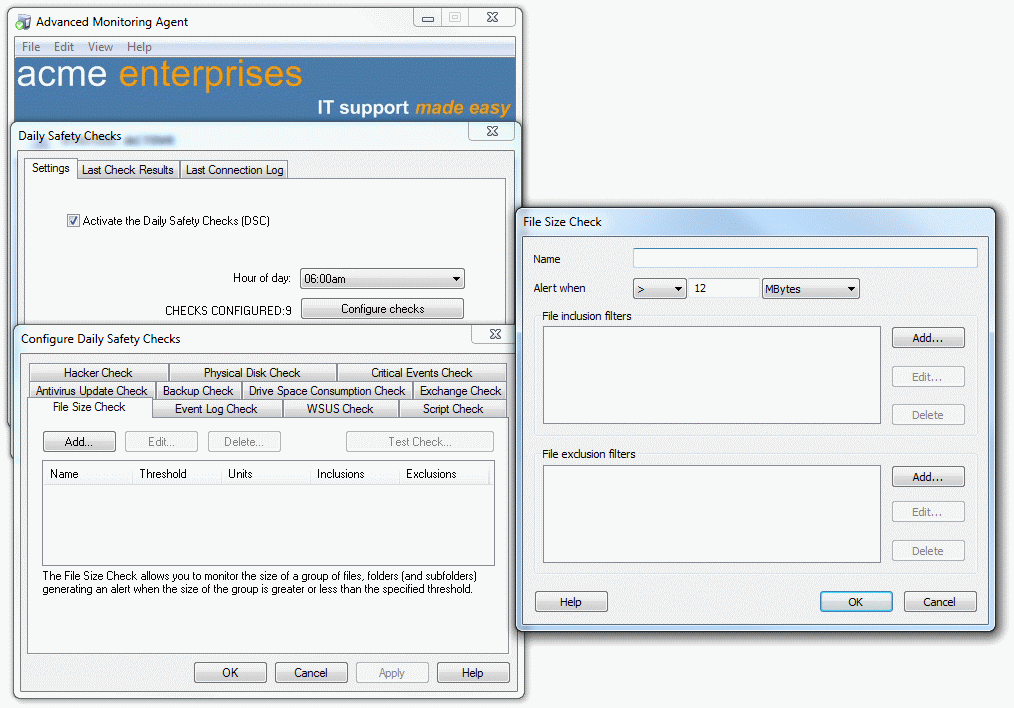
Boost efficiencies with automation and address issues proactively with instant alerts and Daily Health Checks. With GFI MAX RemoteManagement you can automate time-consuming manual checks on event logs, disk space, file sizes, Exchange® and others, to boost efficiencies and cut operational costs |
Stay focused on clients 
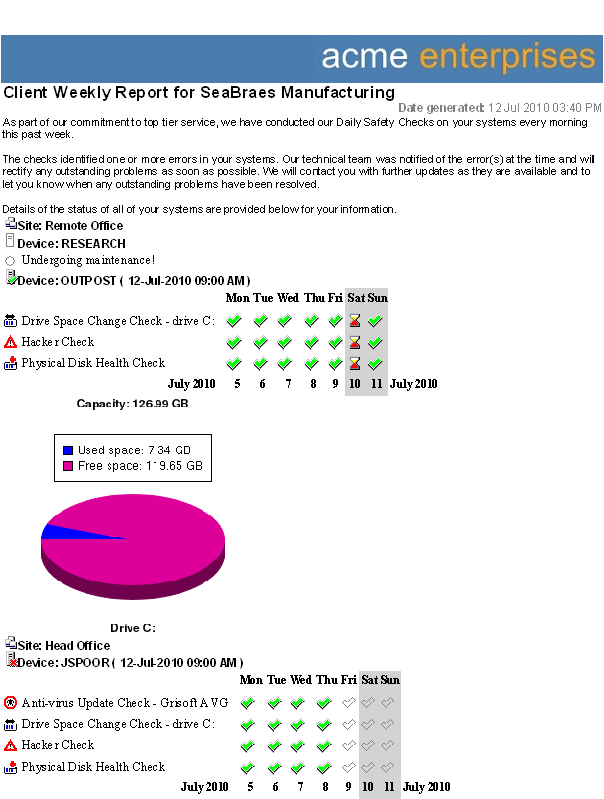
While some other companies may want to sell more complicated monitoring and support packages for big money upfront, GFI MAX RemoteManagement keeps things easy and affordable. It takes just 10 minutes to implement, requires no training, needs no hardware to be installed and maintained. Then, use our reporting tools to spot and illustrate the need for system upgrades. Use the Client Weekly Report to maintain working relationships with clients. |
Win more contracts 
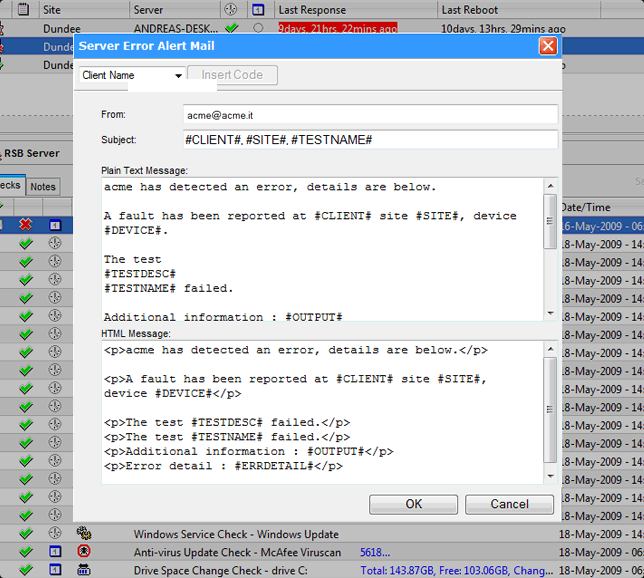
With GFI MAX RemoteManagement’s innovative tools such as its Own-Brand System, Client Portal and Reporting, you can set yourself apart from the competition and win more business.We alert you by email, SMS or dashboard, perhaps before your client even knows they have an issue. Better still, your email or SMS alert gives you insight into the exact cause of the problem so you are able to fix it fast, reduce downtime, and keep your clients happier. |
Benefits:
Big benefits for IT support companies & MSPs
GFI MAX RemoteManagement delivers key benefits to your business. We help all kinds of IT support companies deliver managed services and revenue-generating IT support services for break-fix and support bank clients.
Easy and affordable: How GFI MAX RemoteManagement benefits Your business
Managed services
We make it easy with our evolutionary (not revolutionary) approach to delivering fixed contract IT support.
Built for all business modelsGFI MAX RemoteManagement is designed for all IT support models: Break-fix, support bank and managed services.
Cut costsBoost efficiencies with automation and address issues proactively with instant alerts and Daily Health Checks.
Build recurring revenuesSell new services using GFI MAX RemoteManagement and build a recurring revenue stream.
Sell more upgradesUse GFI MAX RemoteManagement’s reporting tools to spot and illustrate the need for system upgrades. Use the Client Weekly Report to maintain working relationships with clients.
Win more contractsWith GFI MAX RemoteManagement’s innovative tools such as its Own-Brand System, Client Portal and Reporting, you can set yourself apart from the competition and win more business.
Boost service levelsReceive proactive alerts and deliver an exceptional service that helps keep clients loyal.
Stay focused on clientsImplement GFI MAX RemoteManagement in just 10 minutes and stay focused on your clients, not your internal systems.
Today, over 5,000+ IT support companies and Managed Service Providers are building recurring revenues and delivering exceptional IT support with GFI MAX RemoteManagement.
Features:
GFI MAX RemoteManagement - Features
| Server monitoring
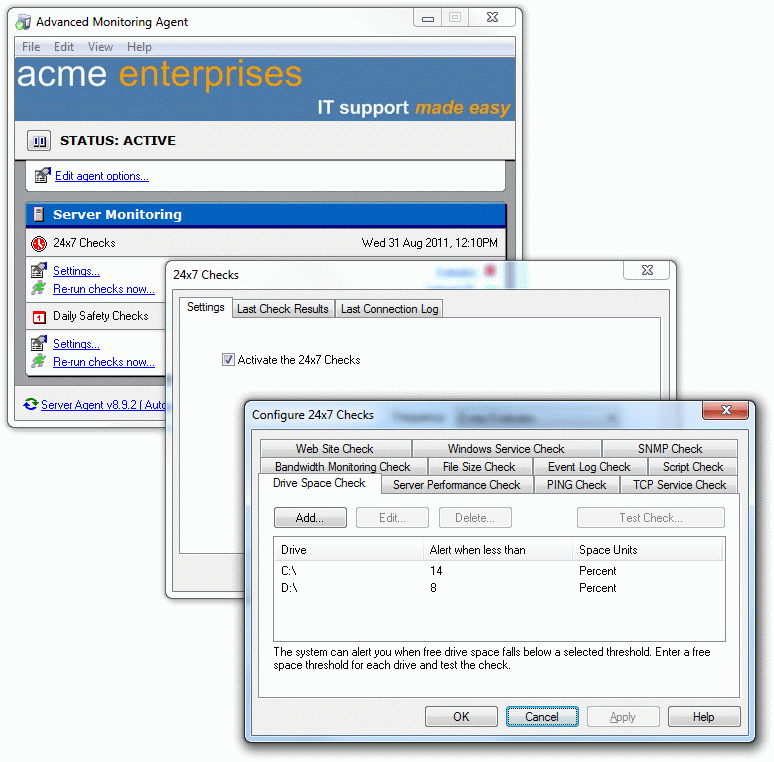
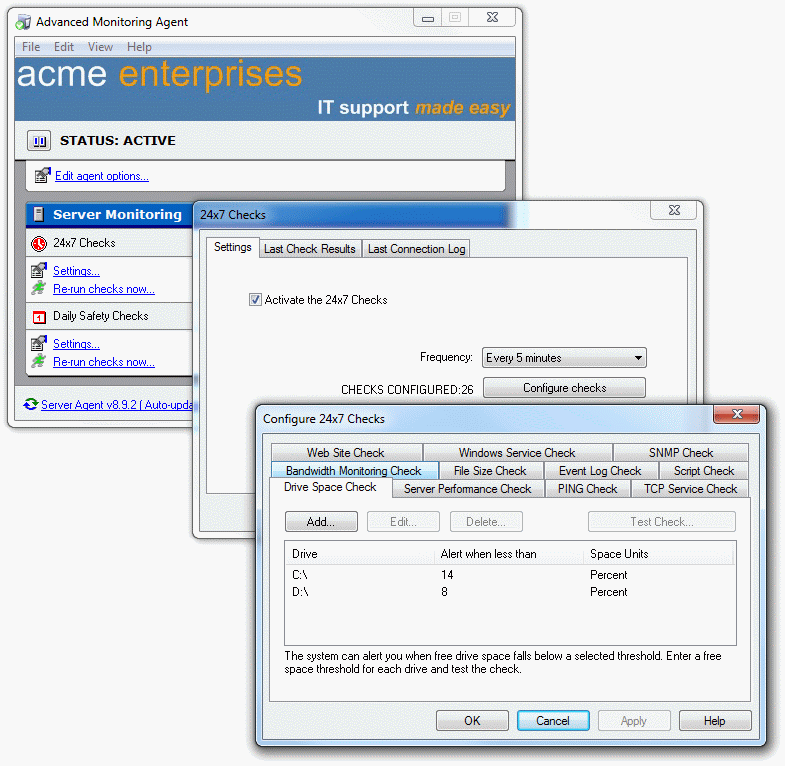
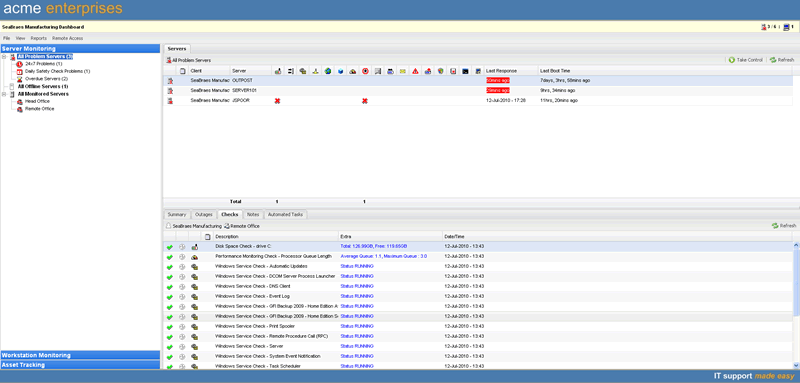
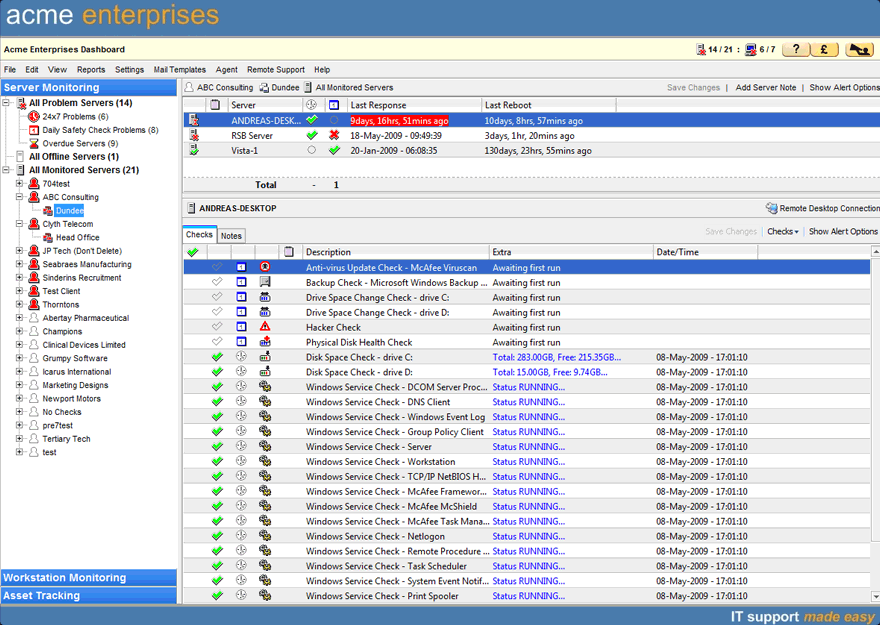
Easily and effectively monitor and manage the health of one of the most critical business systems – the server. GFI MAX RemoteManagement Server Monitoring helps you avoid the risks of expensive remedial action and reputational damage through proactive monitoring of server security, hardware and disk, performance, applications and bespoke software. |
Network monitoring
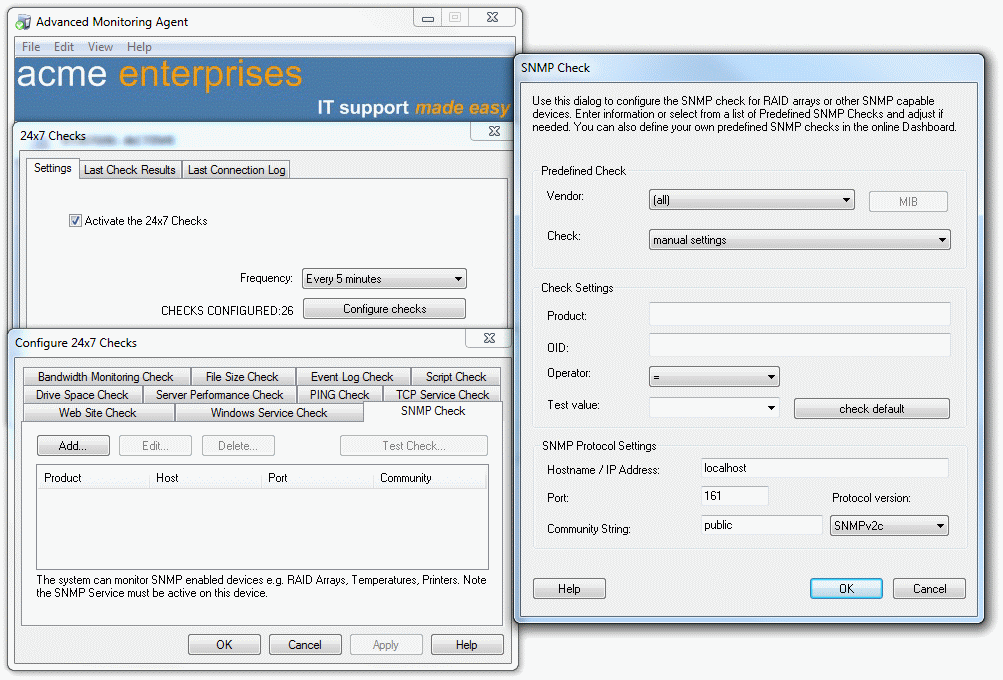
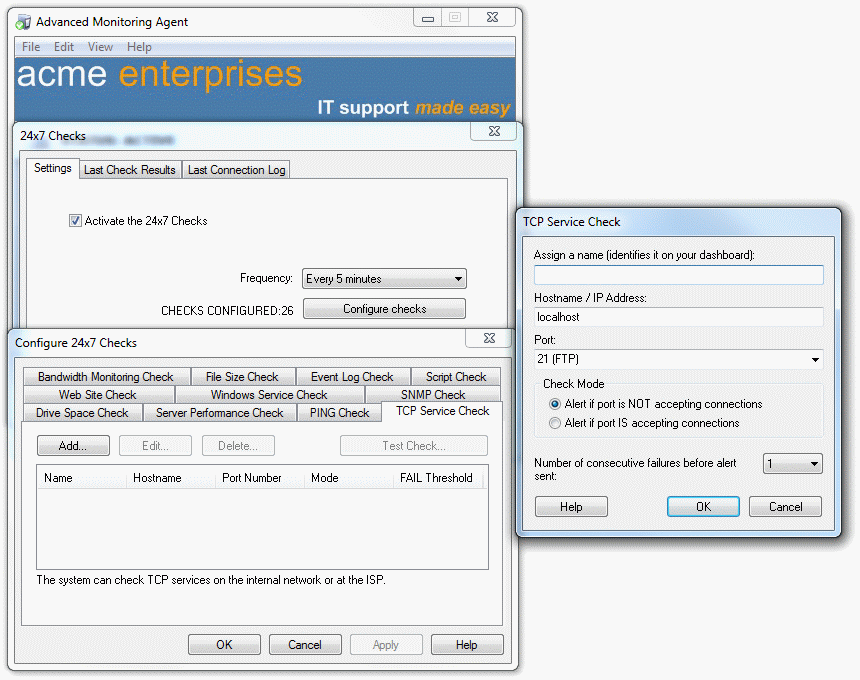
GFI MAX RemoteManagement provides a comprehensive range of Network Monitoring and Performance Management solutions. These help you manage network performance more effectively with SNMP monitoring, network device connectivity checks, TCP service monitoring and network security. |
| Website monitoring
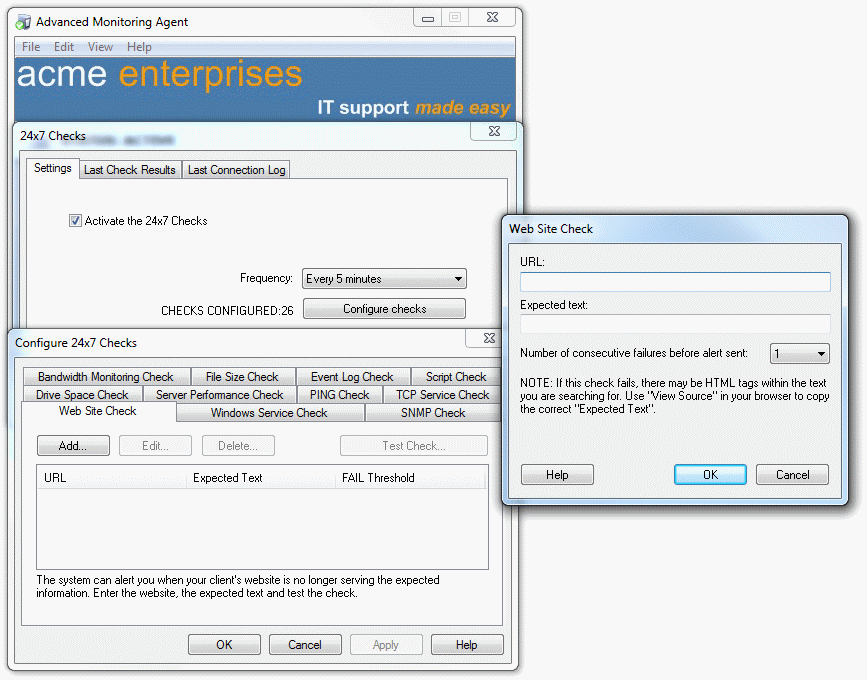
GFI MAX RemoteManagement Website Monitoring tools provide an easy-to-use and effective way of delivering maximum uptime. It is an invaluable low-cost solution for any business. |
Workstation monitoring
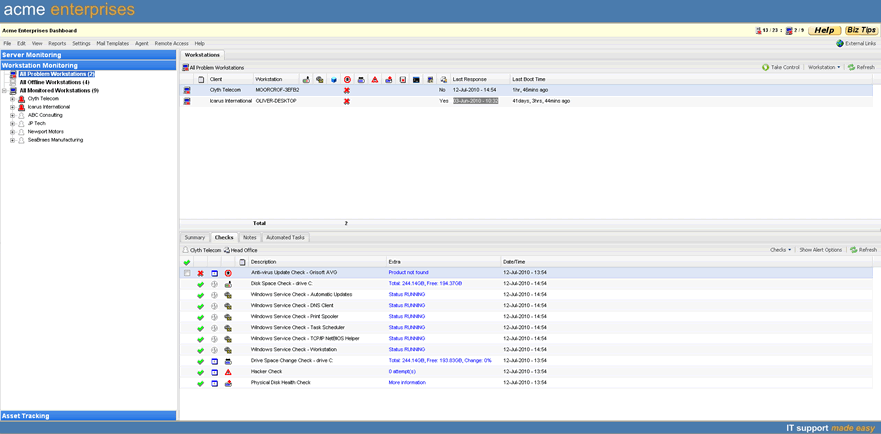
With GFI MAX RemoteManagement’s Workstation Monitoring you can spot periodic workstation problems. |
| Patch management
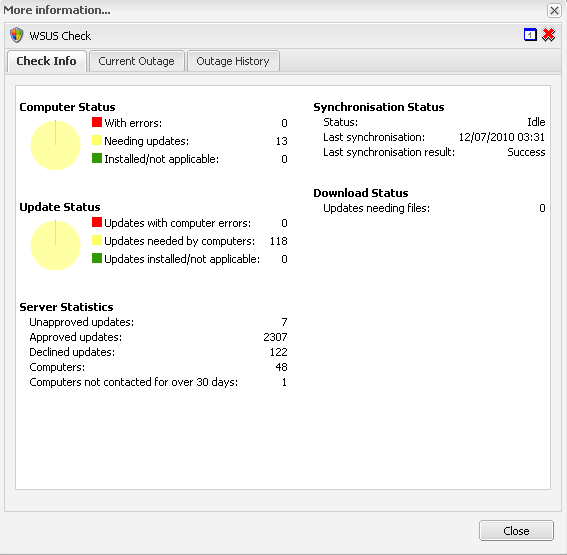
GFI MAX RemoteManagment’s Security Patch Management is for Microsoft Windows and Office applications and other applications. Adobe Reader, Adobe Flash Player, Mozilla Firefox, Mozilla Thunderbird, Java are all supported. |
Reporting
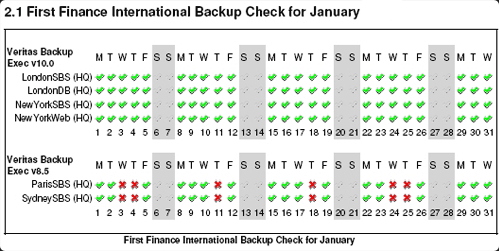
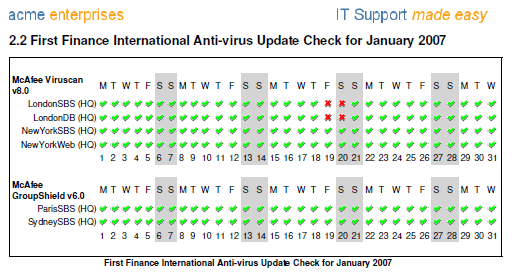
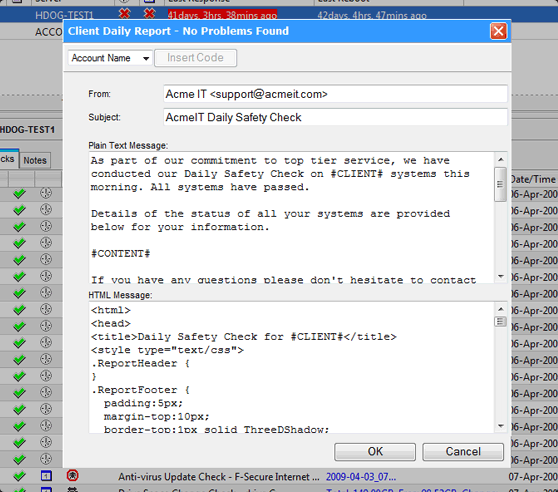
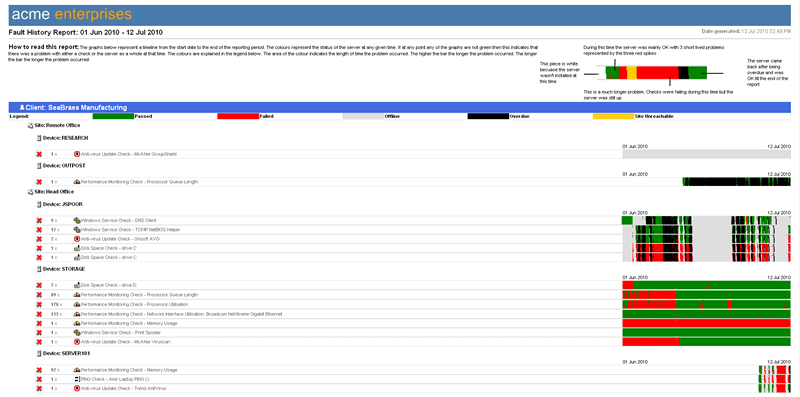
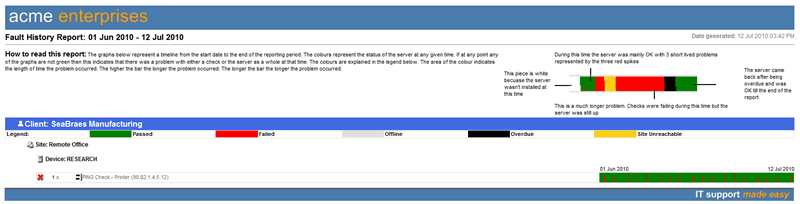
GFI MAX RemoteManagement Reporting tools produce professional, graphical reports that you can use to spot trends in system performance. Use these reports to demonstrate the need for upgrades or replacements. |
| Managed antivirus
GFI MAX Managed Antivirus lets you deploy, monitor, manage, report and automatically fix virus threats by quickly and easily configuring an antivirus agent on servers and workstations. Receive alerts in the Dashboard and reduce your workload with automatic remedial action. |
Total systems branding
The entire GFI MAX RemoteManagement system can be branded with your own logo and straplines. This helps you impress users with ‘your’ advanced system and in turn win more business. |
| Integration with a range of PSA, help desk, ticketing and other systems
GFI MAX RemoteManagement Integration allows you to quickly and easily integrate your Professional Services Automation (PSA) tools, help desk, ticketing and other systems with GFI MAX RemoteManagement. Integration can really help you run your operation more efficiently. |
Remote access
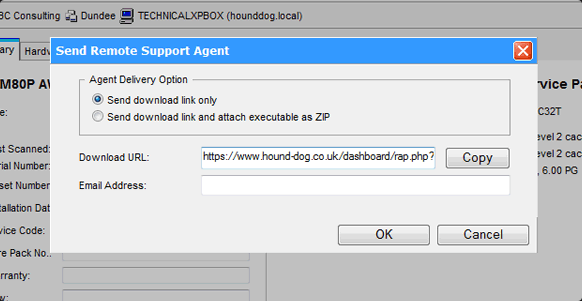
GFI MAX RemoteManagement’s ‘Take Control’ feature allows one-click remote support for servers and workstations. Accessed through the dashboard, you can perform both attended and un-attended work on servers and workstations without leaving your desk. |
| Alerting and viewing
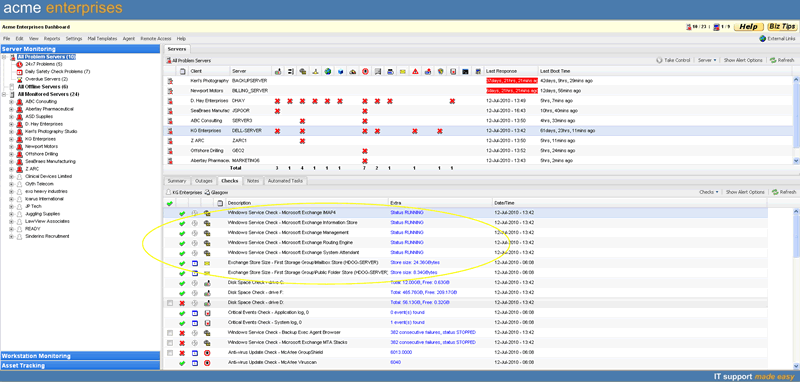
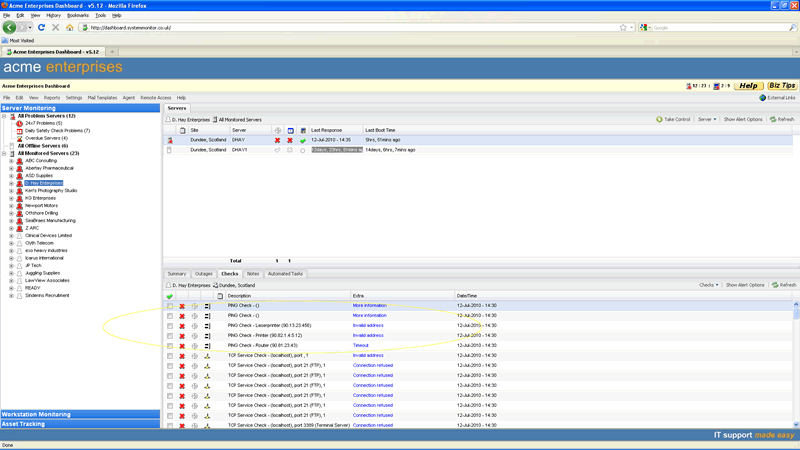
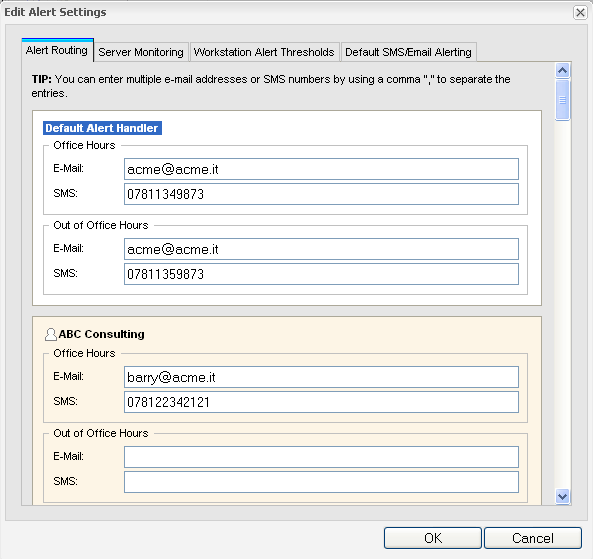
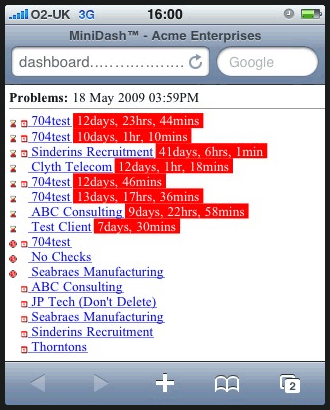
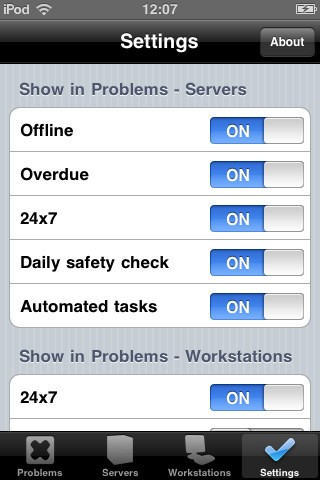
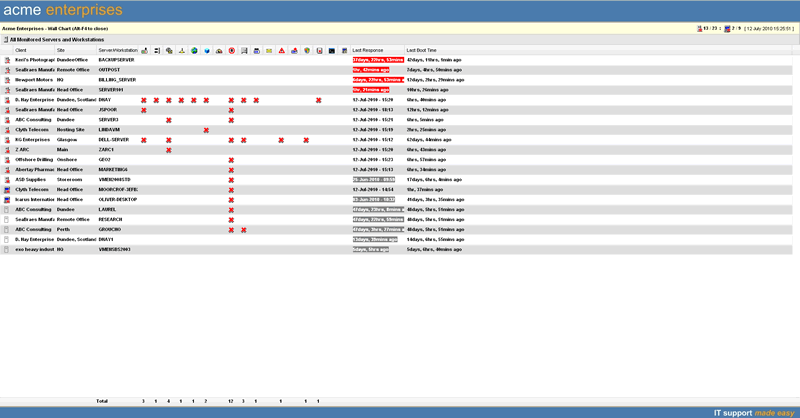
GFI MAX RemoteManagement Alerting and Viewing options help you stay on top of the networks you manage round the clock, in a way that suits you best. Get alerted to issues with Instant Email and SMS Alerts the moment GFI MAX RemoteManagement detects a problem, and view the status of all your clients on the online Dashboard on your PC, your iPhone/iPad/iPod touch, a cell phone with the MiniDashTM view or on a large screen in your office with the WallChart. |
Asset tracking
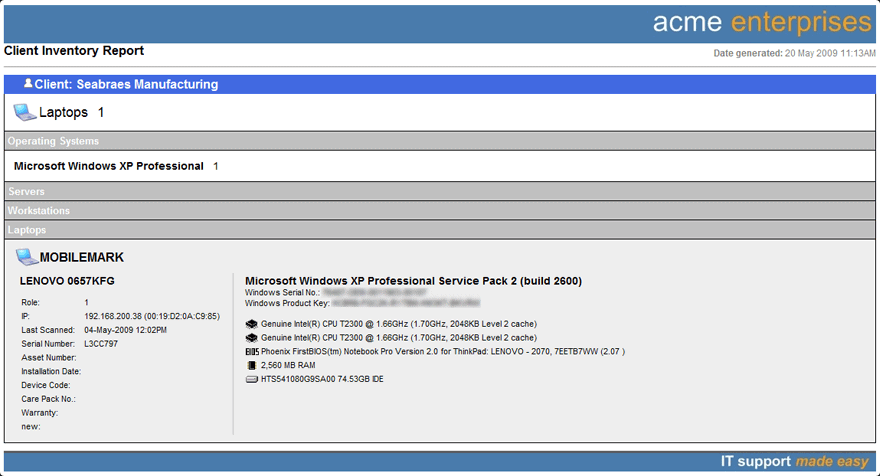
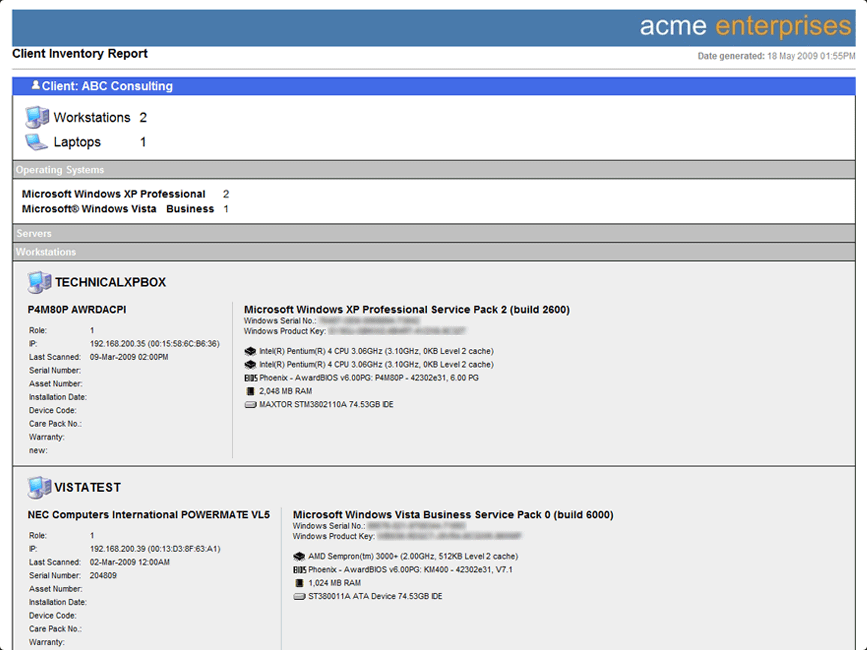
With GFI MAX RemoteManagement’s IT Asset Tracking you can perform automatic scans of your customers’ networks. Fully integrated with your GFI MAX RemoteManagement Dashboard, you’ll be able to view detailed information about your client’s software and hardware assets from one single interface – wherever you are. |
| Managed Online Backup
GFI MAX Managed Online Backup lets you automatically implement backups for your clients. |
Screenshots:
GFI MAX RemoteManagement - Screenshots
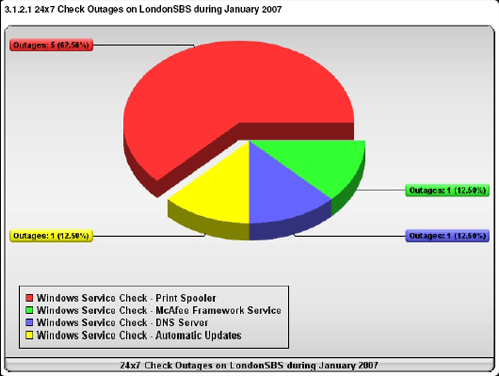
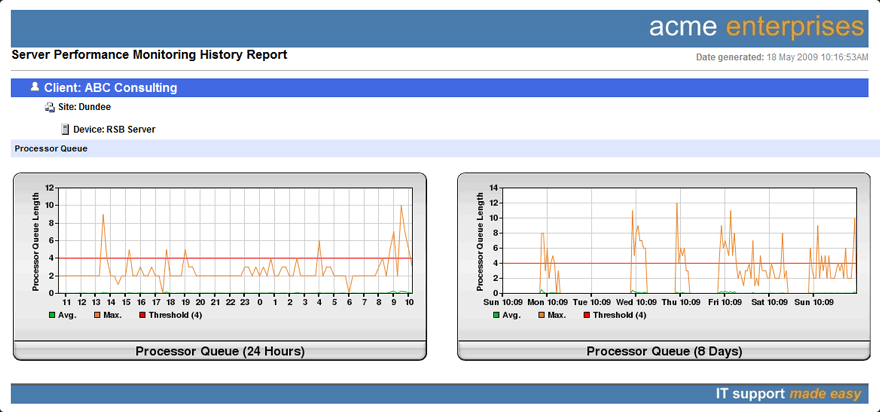
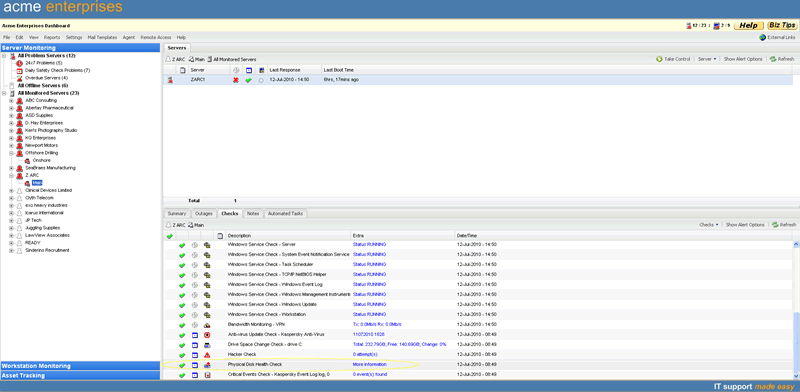
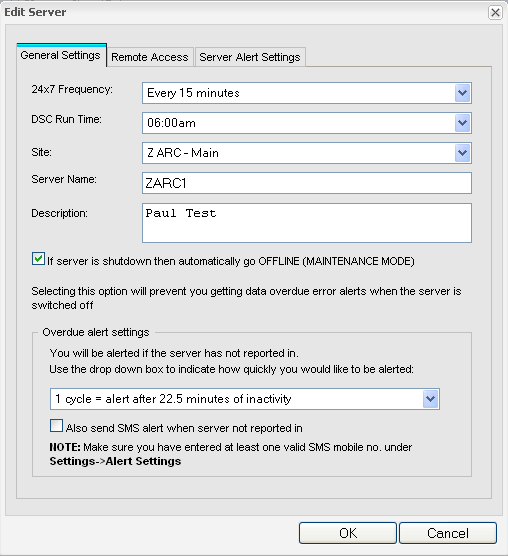
GFI MAX RemoteManagement Frequently Asked Questions (FAQ)s:
System overview FAQs
How does the Monitoring System work?
- Load the Agent on the server
- It makes a number of checks on the server, ISP ports, network devices, and even websites every five or 15 minutes – at your request – with 24x7 Monitoring
- Once per day, the Agent runs a Daily Health Check
- After every check cycle, the Agent sends the info to the central GFI MAX RemoteManagement servers
- These servers parse the information, send alerts to you via email or SMS, publish your Dashboard and MiniDash™
Agent FAQs
What operating systems does the Agent support?
Can the Agent be used on Linux or MAC servers?The Agent can be used on any server running Microsoft Windows (NT, 2000, 2003, 2008) or Microsoft Small Business Server (SBS) 2000, 2003, 2008. It can also be used on any desktop running Microsoft Windows 2000 or higher operating system.
How does the Agent run?Most environments have at least one Windows PC. The advanced monitoring Agent can be configured to monitor Ports, Ping and website content. If the system is configured for SNMP, detailed SNMP information can also be monitored. Customers can use the Advanced Monitoring Agent to monitor anything with an IP address, including Linux devices.
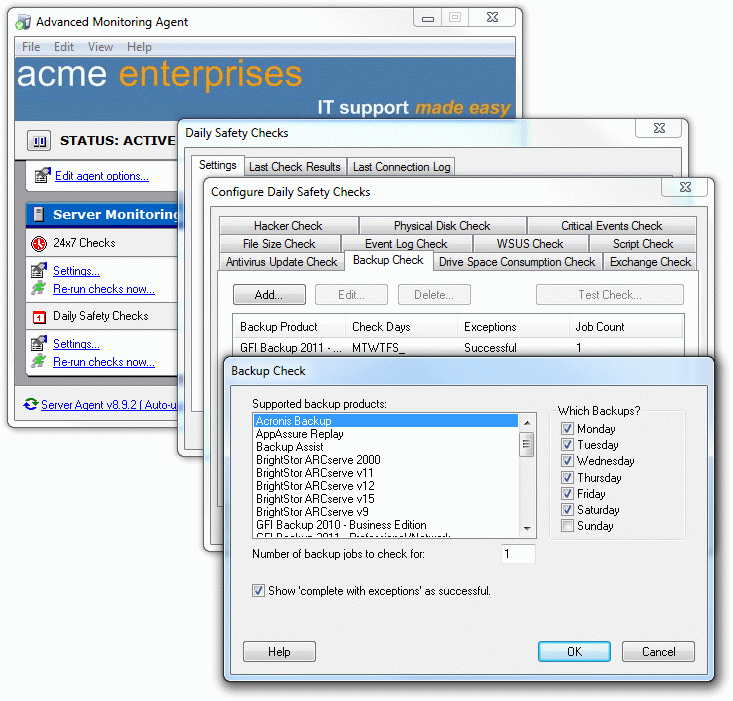
How does the Agent do its job?The Agent runs as a service under Windows. The Agent service name is 'Advanced Monitoring Agent' and there is also the update service 'Advanced Monitoring AutoUpdate.' If your customer ever stumbles across them, there's no reference to GFI MAX RemoteManagement.
Do I need to make changes to the firewall?The Agent accesses a wide range of systems on the server to collect information that would otherwise be discarded. By selectively accumulating this information – and discarding other meaningless data – GFI MAX RemoteManagement is able to alert you when there's an issue that needs your attention.
Can you give us the vital stats on the Agent?Not unless the firewall is currently restricting outgoing https communications.
How does the Agent communicate with the central server?Its load on the server barely registers on Task Manager. Approximately 10MB memory is used when running. It requires 8.2MB of disk space.
How much data is pushed out?All agent communications to the server are encrypted via SSL. Proxy servers (SOCKS5 and HTTP) are accommodated. The Agent makes use of NTLM or basic authentication.
How secure is the Agent?Every five or 15 minutes the Agent sends a packet of 400-600 bytes, depending on the checks you have selected.
Can you monitor PCs?The Agent is only accessible to those with the 'key', the original password sent during sign-up. Also, the customer's server is locked down.
Yes. GFI MAX RemoteManagement's MiniAgent has a zero footprint and can run on distributed PCs without the need to load it and login to each workstation. It monitors core functions, and like all GFI MAX RemoteManagement modules, it consumes a very low amount of resource and never interferes with user tasks, but allows small issues to be addressed immediately, enabling the user to be more productive. Some items on desktop PCs may be worth monitoring as it may help you nip problems in the bud before they cause bigger issues. Disk space or disk growth rates are great examples here.
Central server FAQs
Where are the central servers? How secure are they?
The company's fully redundant central servers are located in one of the world's most advanced hosting facilities. Backup generators, multiple hard drives, dual routers, cooling systems and gel battery power banks give GFI MAX RemoteManagement real redundancy so the fleet of high-end servers will continue to operate regardless of external conditions. Industry-leading 18,000 MBit redundant ISP Connectivity allows for no-nonsense, fast transfers at all times. The result is that GFI MAX RemoteManagement is never susceptible to bottlenecks. Servers are (naturally) protected by 24/7 monitoring, 150+ permanently recording video cameras, safety locks and more to ensure that only authorized personnel can enter the data centre. Your data is always safe and secure.
Dashboard FAQs
Does the Dashboard require any software?
Do I need any software to access the MiniDash on my phone or PDA?No. The Dashboard runs under Internet Explorer or Firefox.
How can we login to our Dashboard without going near GFIMAXIsEasy.com?No. The MiniDash runs on any mobile phone or PDA.
Once you have agreed to deploy GFI MAX RemoteManagement, you can set it up so that you can login through your own website. The system is completely anonymous.
And the rest...
Does GFI MAX RemoteManagement perform IT support?
Is this system secure?No. We are not in IT support. GFI MAX RemoteManagement will never contact your clients. There is no conflict of interest.
Why is it so inexpensive?Yes. GFI MAX RemoteManagement has taken comprehensive steps to ensure client security.
GFI MAX RemoteManagement knows that IT support is a very competitive business. Our users want the benefits GFI MAX RemoteManagement delivers at a decent cost, and we believe the path to success is to give our clients what they want.