
 GFI LanGuard
Network security scanner and patch management
Sorry, this product is no longer available, please contact us for a replacement.
Click here to jump to more pricing!
Overview:
GFI LanGuard allows you to scan, detect, assess and rectify security vulnerabilities in your network and secure it with minimal administrative effort. It gives you a complete picture of your network setup, which helps you maintain a secure network faster and more effectively.
GFI LanGuard is an award-winning solution trusted by customers worldwide to deliver comprehensive network security to millions of computers in their businesses. GFI LanGuard provides a complete network security overview with minimal administrative effort, while also providing remedial action through its patch management features. Easy to set up and use, GFI LanGuard acts as a virtual consultant to give you a complete picture of your network set-up, provide risk analysis and help you to maintain a secure and compliant network state faster and more effectively. GFI LanGuard assists you in patch management, vulnerability assessment, network and software auditing, asset inventory, change management, risk analysis and compliance.
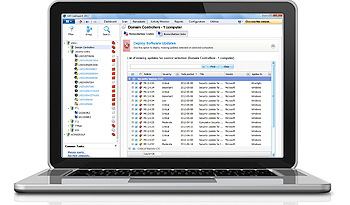
Patch management: Fix vulnerabilities before an attack
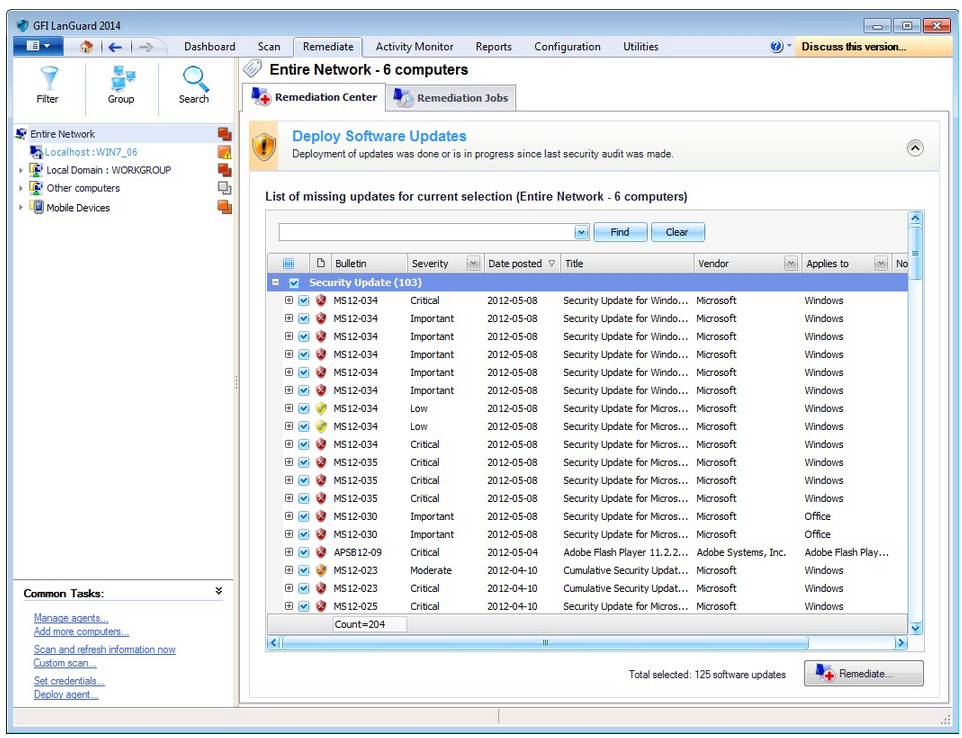
Patch management is vital to your business. Network security breaches are most commonly caused by missing network patches. GFI LanGuard scans and detects network vulnerabilities before they are exposed, reducing the time required to patch machines on your network. GFI LanGuard patches Microsoft, Mac OS X, Linux and more than 50 third-party operating systems and applications, and deploys both security and non-security patches.
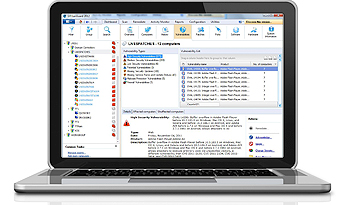
Vulnerability assessment: Discover security threats early
More than 50,000 vulnerability assessments are carried out across your networks, including virtual environments. GFI LanGuard scans your operating systems, virtual environments and installed applications through vulnerability check databases such as OVAL and SANS Top 20. GFI LanGuard enables you to analyze the state of your network security, identify risks to the network, determine its degree of exposure, and address how to take action before it is compromised.
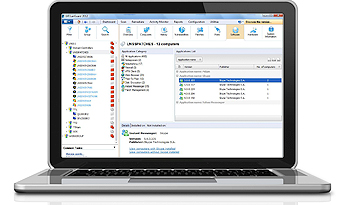
Network auditing: Analyze your network centrally
GFI LanGuard provides a detailed analysis of the state of your network. This includes applications or default configurations posing a security risk. GFI LanGuard also gives you a complete picture of installed applications; hardware on your network; mobile devices that connect to the Exchange servers; the state of security applications (antivirus, anti-spam, firewalls, etc.); open ports; and any existing shares and services running on your machines.
Inventory assessment 
For additional security, GFI LanGuard allows you to create an assets inventory of every device on your network. All servers and workstations, virtual machines or IP-based hardware such as routers, printers, switches and so on are discovered and identified via a network scan. Asset inventories help you identify devices attached to your network that you were unaware of or had forgotten and these, unless properly patched and secure, could become entry points for hackers and malware. |
Change management 
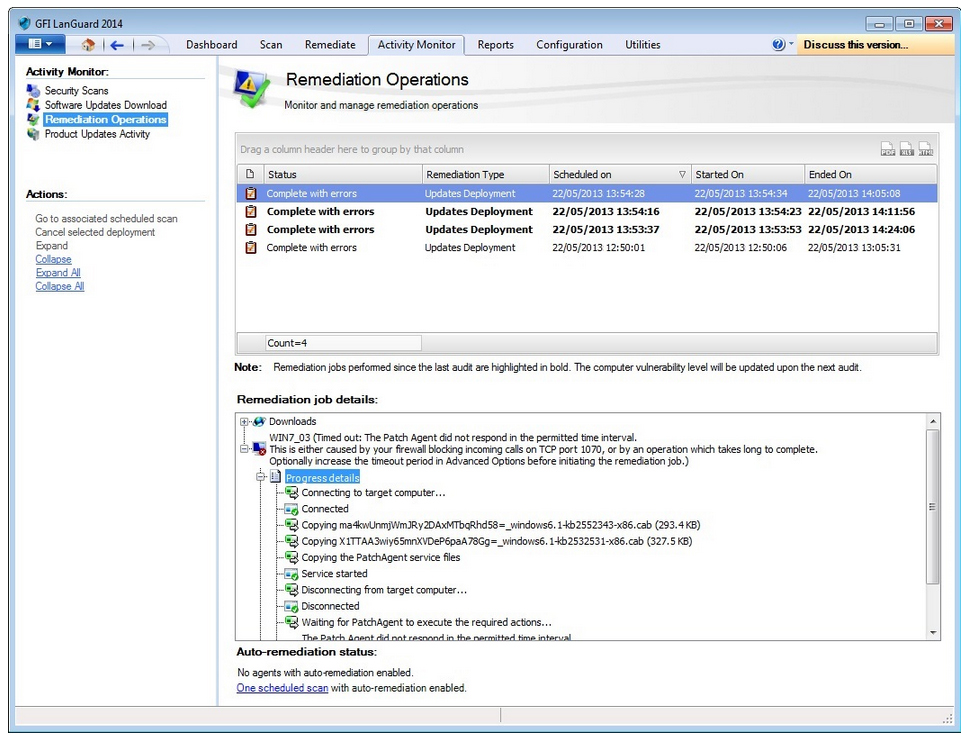
The best way to maintain a secure network over time is to know exactly what’s happening on your network. Changes to configurations that could have security implications, new applications that are installed, services that are started/stopped and so on, are all events that an administrator needs to know about. GFI LanGuard gives you a complete history of network changes that are relevant to the security of your network and sends notifications when these occur. |
TCO reduction 
Reduce total cost of ownership by centralizing vulnerability scanning, patch management and network auditing. |
Compliance 
Helps your organization to gauge the effectiveness of your PCI DSS compliance program while safeguarding your network. All businesses handling cardholder data, regardless of size, have to be fully compliant with PCI DSS, the strict security standards drawn up by the world’s major credit card companies. In providing complete vulnerability management coupled with extensive reporting, GFI LanGuard is an essential, highly cost-effective solution to assist with your PCI compliance program. |
GFI LANGuard QuickVid
What's new in GFI LanGuard?
New features in GFI LanGuard 2015
With this release of GFI LanGuard, vulnerability detection and patch management for core infrastructures over and above the products existing capabilities are further enhanced.
This release delivers:
- Missing updates detection for Apache Webserver, My SQL, VMware Workstation and VMware Player in addition to the extensive list of solutions supported today!
- Vulnerability assessments for D-Link network devices: Detecting vulnerabilities across routers, printers and switches from D-Link. This is in addition to network devices from 13 other leading vendors, including 3Com, Juniper, Cisco, Dell, Netgear, HP, Alcatel, IBM, already supported in previous versions.
- Improved integration with Active Directory: Your computer list is automatically synchronized for vulnerability auditing to what is configured in Active Directory.
These enhancements help you boost protection, keep your core business infrastructure updated as well as continue providing protection from modern attacks.
An example of such attack was reported recently in the media when a DNS hijacking flaw was targeted. If not addressed it could spell trouble for users of routers from various manufacturers.
New features in GFI LanGuard 2015
Vulnerability assessment for smartphones and tablets:
Based on data from the National Vulnerability Database (NVD), Apple iOS is the operating system with the most security vulnerabilities in 2012, surpassing Windows operating systems for the first time. Now, GFI LanGuard offers agent-less vulnerability assessment for all smartphones and tablets that connect to your Microsoft Exchange servers. Apple iOS, Google Android™ and Windows phones are supported.
Patch management for major Linux distributions:
LanGuard 2014 is now a perfect fit for mixed environments because it allows automation of patching from a single console for the entire network, including Windows, Mac OS X and major Linux distributions such as Red Hat Enterprise Linux, Ubuntu, Suse, CentOS and Debian.
Patch management extended with 20+ new third party applications:
Keeping all your systems fully patched is now much easier that it used to be. GFI LanGuard 2014 includes automatic patch management support for a significant number of new third-party applications covering: instant messaging (Pidgin), utilities (CBBurnerXP, ImgBurn, Notepad++, CCleaner), media (VLC, Audacity), documents (LibreOffice), imaging (IrfanView, Paint.Net), online storage/backup (Google Drive, Mozy, Box), FTP clients (WinSCP, Core FTP) and Adobe Creative Suite (Photoshop, Illustrator and InDesign).
Features:
| Patch management for operating systems
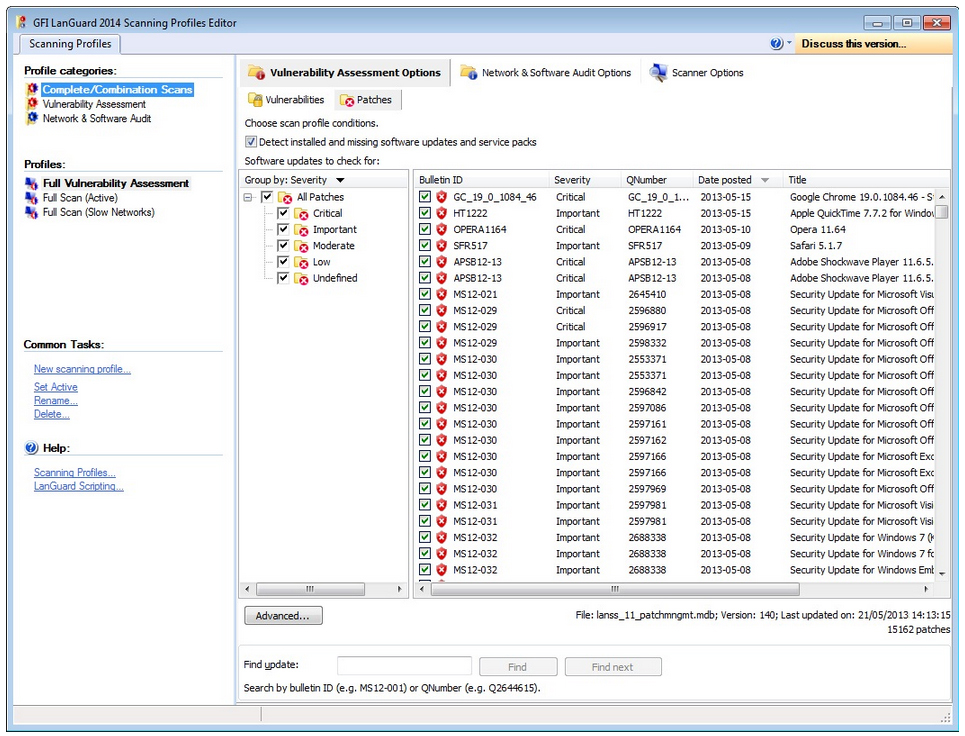
GFI LanGuard's patch management feature scans your network automatically or on demand. You receive all the functionality and tools needed to effectively install and manage security and non-security patches. GFI LanGuard supports machines across Microsoft, Mac OS X and Linux operating systems as well as many third-party applications. GFI LanGuard allows auto-downloads of missing patches as well as patch roll-back, resulting in a consistently configured environment that is protected from threats and vulnerabilities. |
Patch management for third-party applications
GFI LanGuard offers patch management support for third-party software, enabling administrators to detect, download and deploy missing patches for supported applications in the same way they monitor and manage operating systems. GFI LanGuard offers third-party patch management support for many popular applications like Apple QuickTime; Adobe Acrobat, Adobe Flash Player, Adobe Reader and Adobe Shockwave Player; Mozilla Firefox and Mozilla Thunderbird; Java Runtime and others. With GFI LanGuard, it is possible to patch third-party applications and upgrade to their latest versions (e.g., if an old version of Adobe Flash is detected, GFI LanGuard provides an option for upgrading to the latest version or applying all patches for the version in use). GFI LanGuard is the first solution that automates patching for all major web browsers running on Windows systems: Microsoft Internet Explorer, Mozilla Firefox, Google Chrome™, Apple Safari and Opera™ Browser. |
| Vulnerability assessment
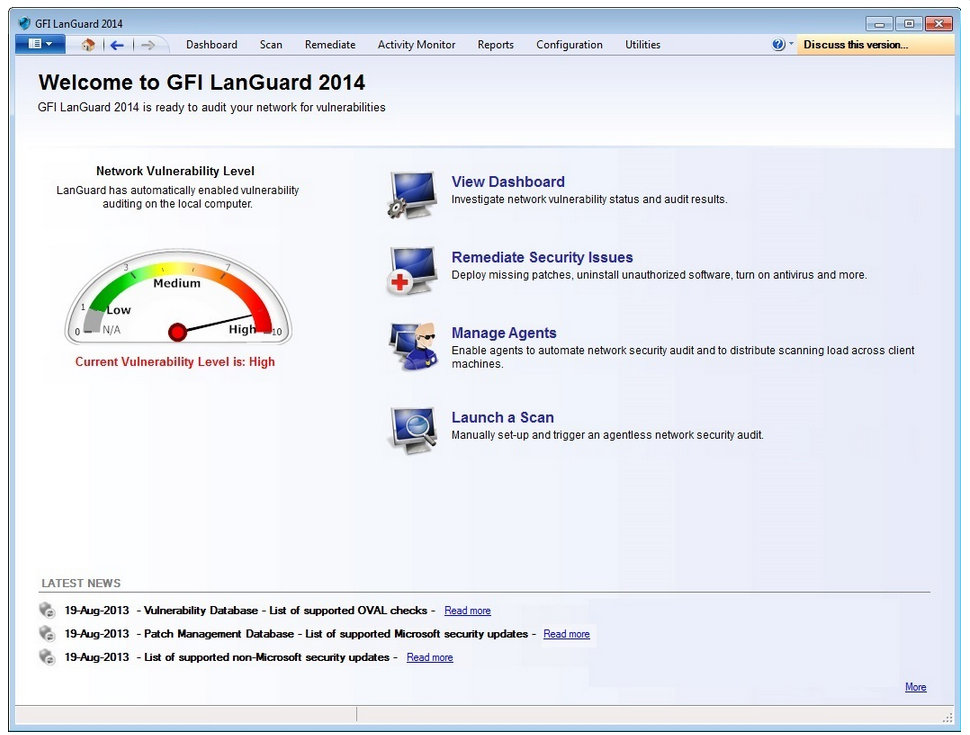
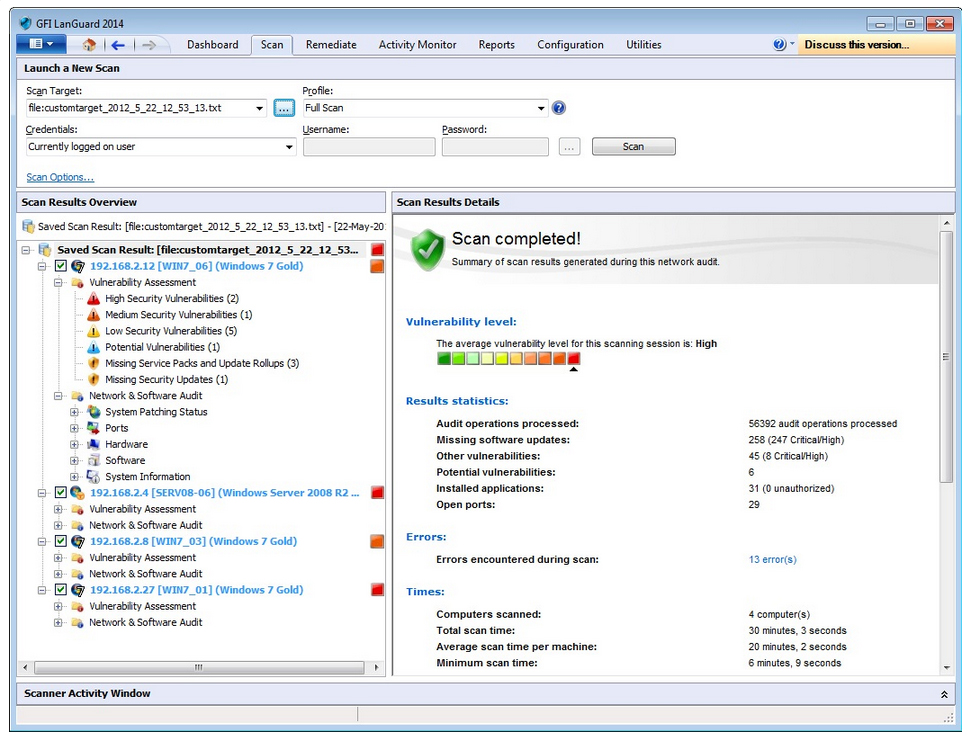
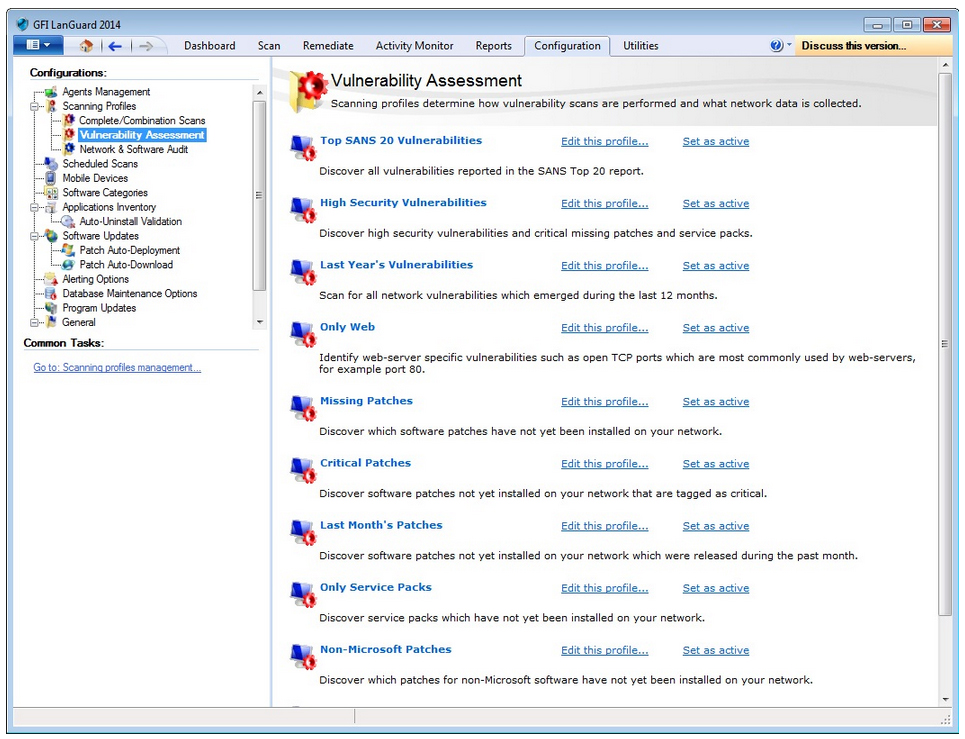
During security audits, more than 50,000 vulnerability assessments are conducted. With GFI LanGuard, you can perform multi-platform scans (e.g., Windows, Mac OS, Linux; and iOS, Android™ and Windows phone devices that connect to the Exchange servers) across all environments, including virtual machines, and analyze your network’s security setup and status. GFI LanGuard gives you the power to identify and correct any threats before hackers can exploit them. GFI LanGuard scans devices, identifies and categorizes security vulnerabilities, recommends a course of action, and gives you the tools to solve the problem. It comes with a graphic threat level indicator – an intuitive, weighted assessment of the vulnerability status of a scanned device or group of devices. Wherever possible, a web link or more information on a particular security issue is provided such as a BugTraq ID or a Microsoft Knowledge Base article ID. |
Track latest vulnerabilities and missing updates
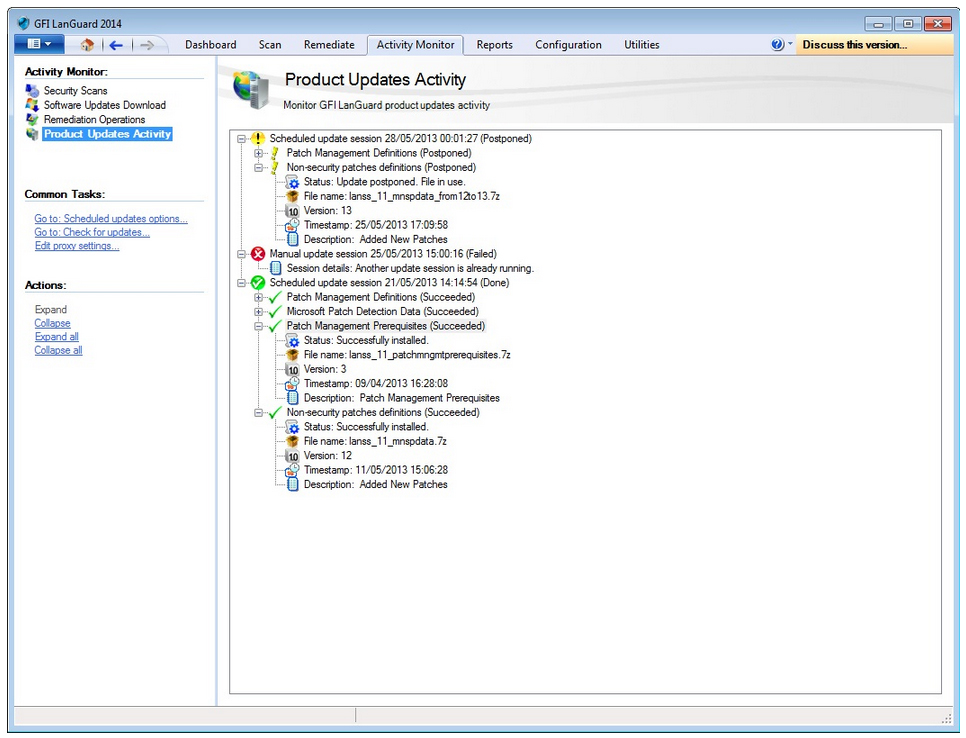
GFI LanGuard ships with a complete and thorough vulnerability assessment database, including standards such as OVAL (5,000+ checks) and SANS Top 20. This database is regularly updated with information from BugTraq, SANS Corporation, OVAL, CVE and others. Through its auto-update system, GFI LanGuard is continually kept up-to-date with information about newly released Microsoft security updates as well as new vulnerability checks issued by GFI and other community-based information repositories such as the OVAL database. |
| Integration with security applications
GFI LanGuard integrates with more than 2,500 critical security applications in the following categories: antivirus, anti-spyware, firewall, anti-phishing, backup client, VPN client, URL filtering, patch management, web browser, instant messaging, peer-to-peer, disk encryption, data loss prevention and device access control.
It also provides reports on their status (e.g., if antivirus is enabled and up-to-date, the firewall is turned on; the status of backup software; a list of instant messaging or peer-to-peer applications installed on your network, etc.). It also rectifies any issues that require attention (e.g., trigger antivirus/anti-spyware update; start antivirus/anti-spyware scans; enable antivirus/firewall; uninstall peer-to-peer, etc.). |
Network device vulnerability checks
As well as running vulnerability checks on computers on your network, GFI LanGuard also supports vulnerability scanning on smartphones and tablets running Windows, Android™ and iOS, plus a number of network devices such as printers, routers and switches from manufacturers like HP and Cisco.
|
| Network and software auditing
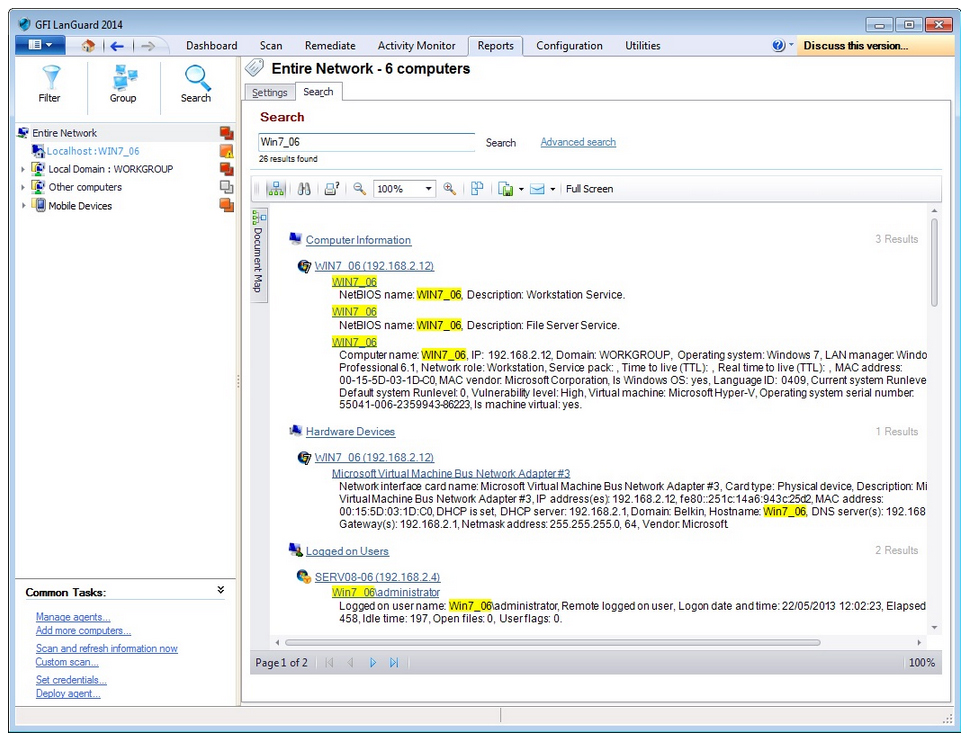
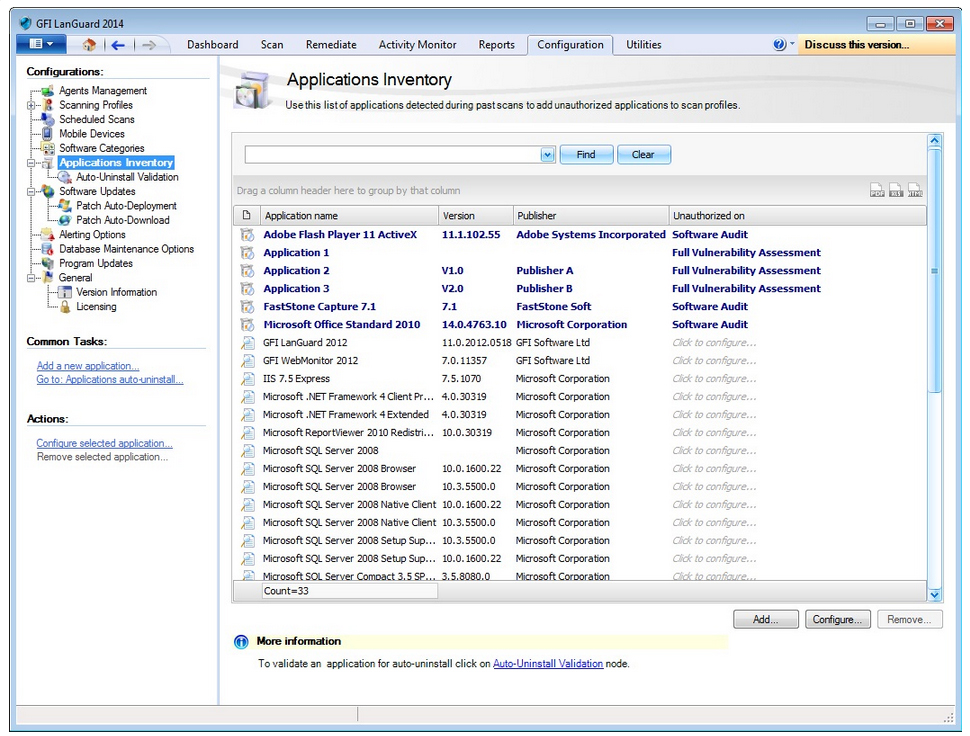
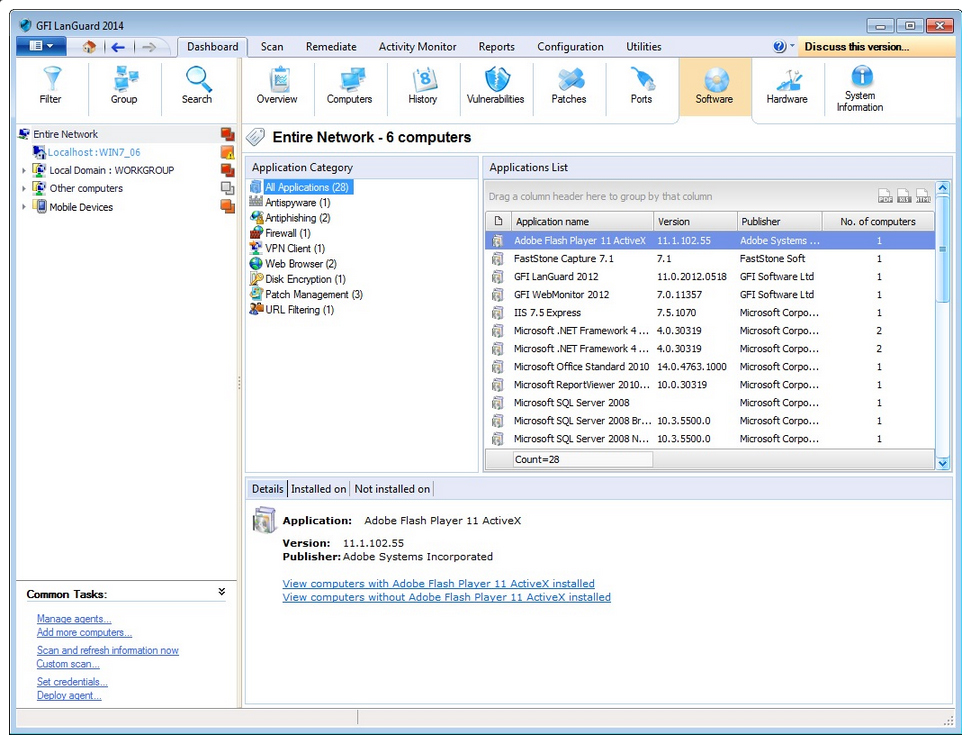
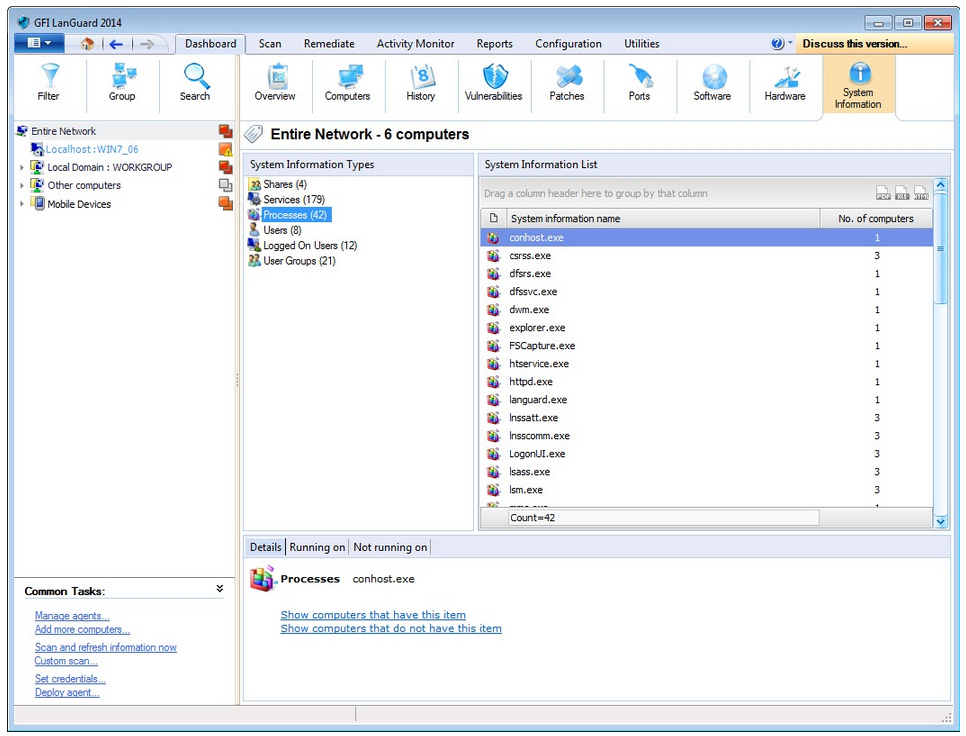
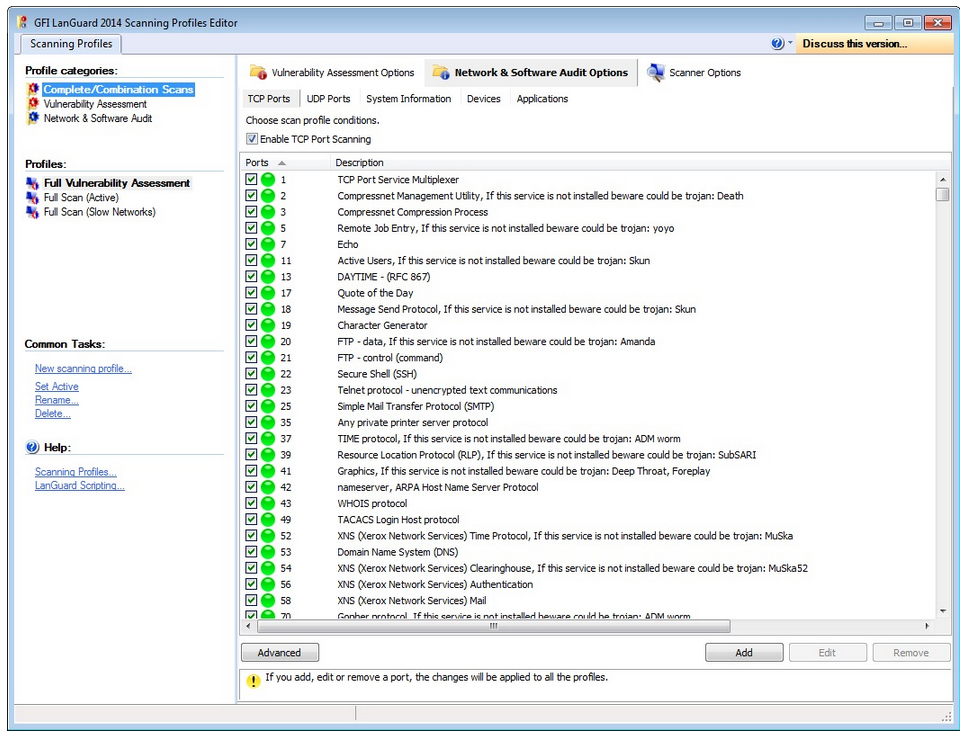
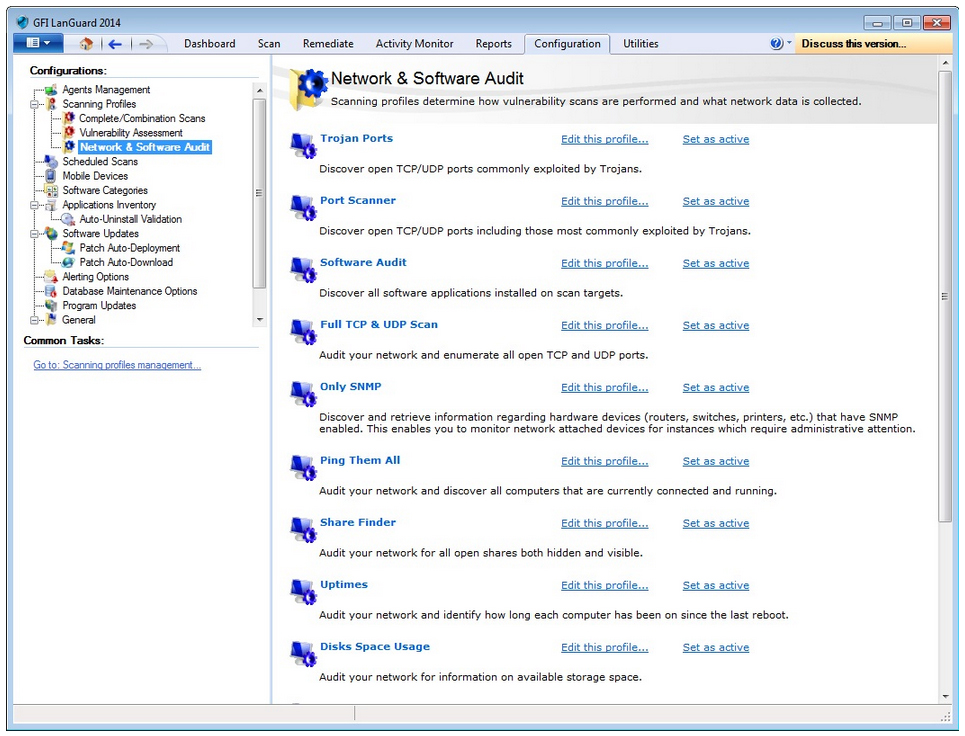
GFI LanGuard’s network auditing gives you a comprehensive view of your network: connected USB devices, smartphones and tablets; software that is installed; any open shares, open ports and weak passwords in use; and hardware information. The solution's in-depth reports give you an important and real-time snapshot of your network's status. You can easily analyze scan results using filters and reports, enabling you to proactively secure your network by closing ports, deleting users or groups that are no longer in use, or disabling wireless access points. GFI LanGuard shows detailed information about the hardware configuration of all the scanned machines on your network. It retrieves a list of all devices from the Device Manager tool from the Windows operating systems, including motherboard, processors, memory, storage devices, display adapters and many more. Using its network history view, you can now check whether any hardware was added or removed since the last scan. |
Powerful interactive dashboard
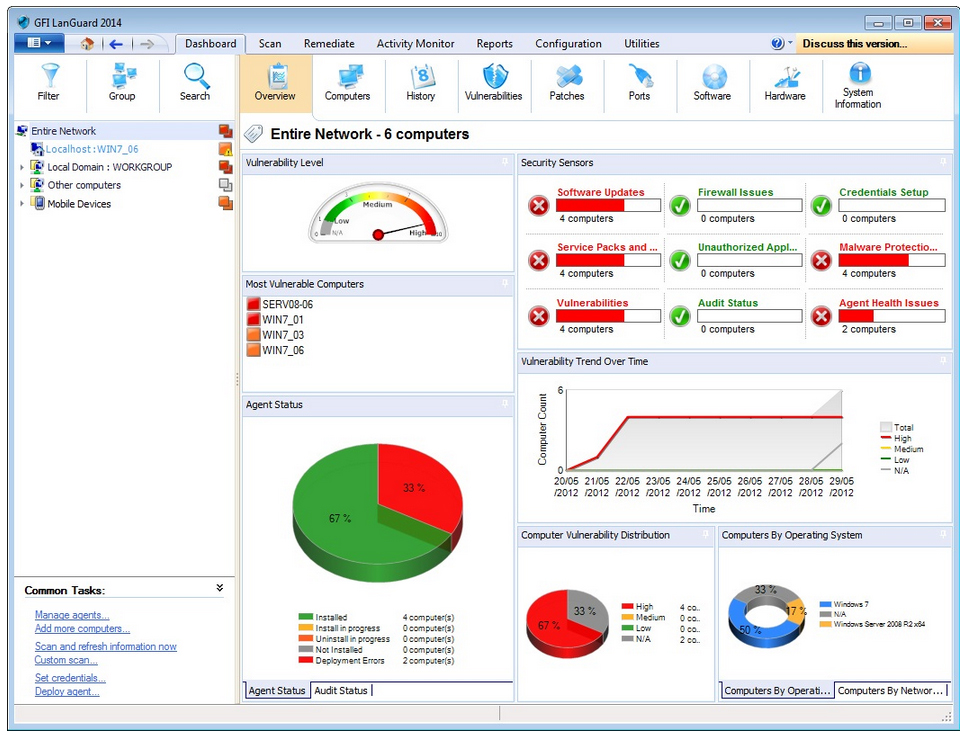
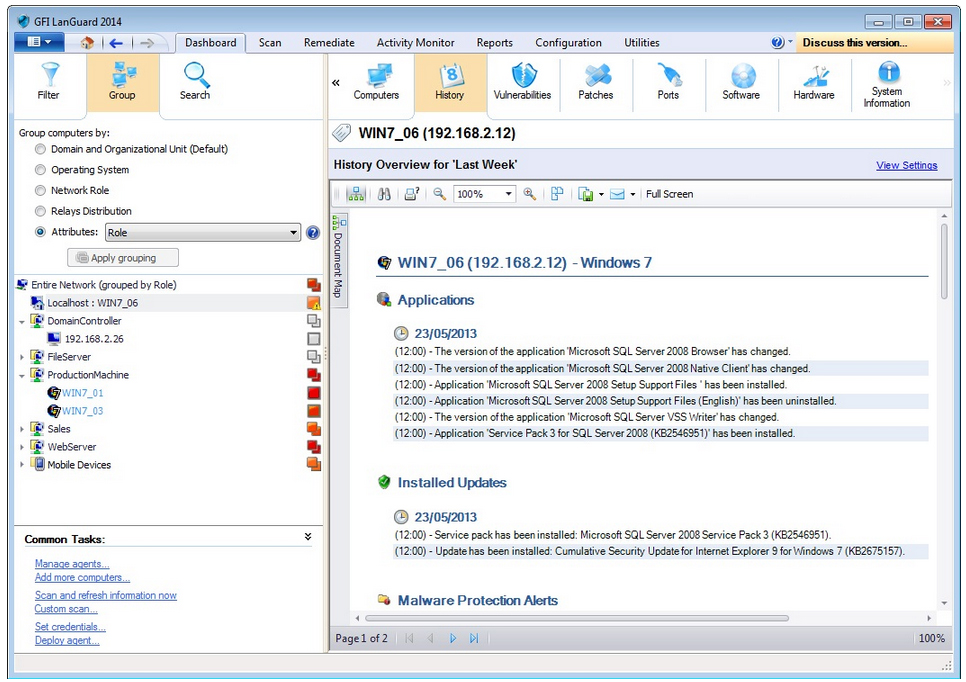
GFI LanGuard provides a summary of the current network security status and a history of all relevant changes in the network over time. It also drills down through information, from network-wide security sensors to individual security scan results. |
| Support for virtual environments
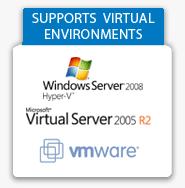
Organizations that use or plan to use virtualization on their network can install and use a range of GFI products with confidence. GFI LanGuard supports and runs on the most common virtualization technologies in use, namely VMware, Microsoft Virtual Server, Microsoft Hyper-V, Citrix and Parallel. It also detects virtual machines hosted by the scanned computer.
|
Helps you comply with PCI DSS and other regulations
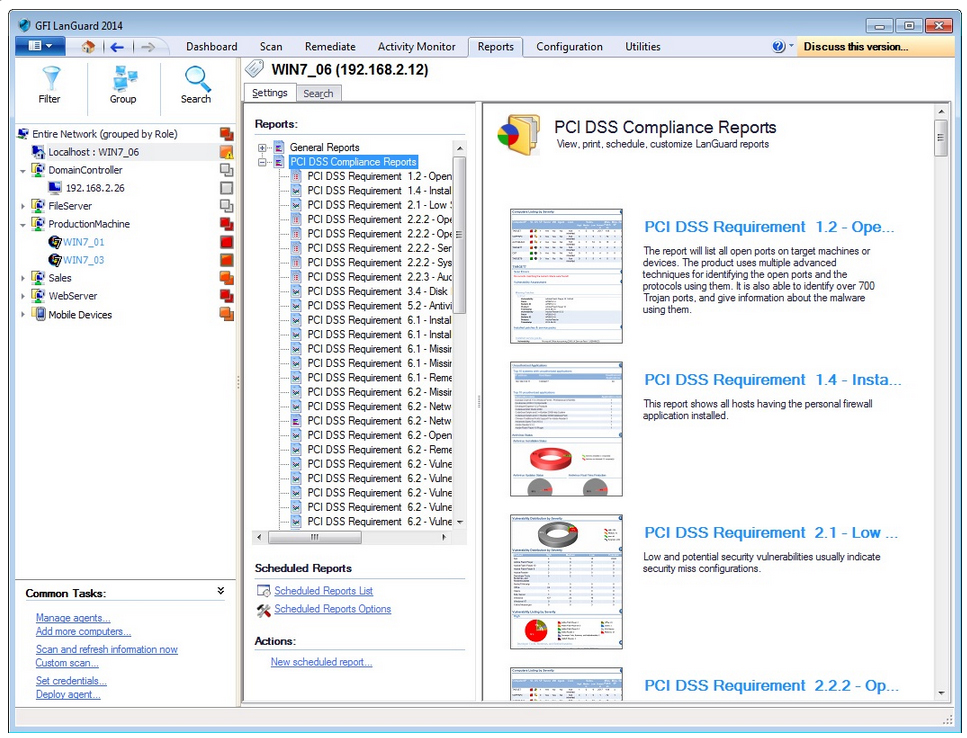
All businesses handling cardholder data, regardless of size, have to be fully compliant with strict security standards drawn up by the world’s major credit card companies. GFI LanGuard provides complete vulnerability management coupled with extensive reporting. That makes GFI LanGuard an essential, highly cost-effective solution for your organization to safeguard your network and gauge the effectiveness of your PCI DSS, HIPAA, SOX, GLB/GLBA or PSN CoCo compliance program. |
| Powerful reporting
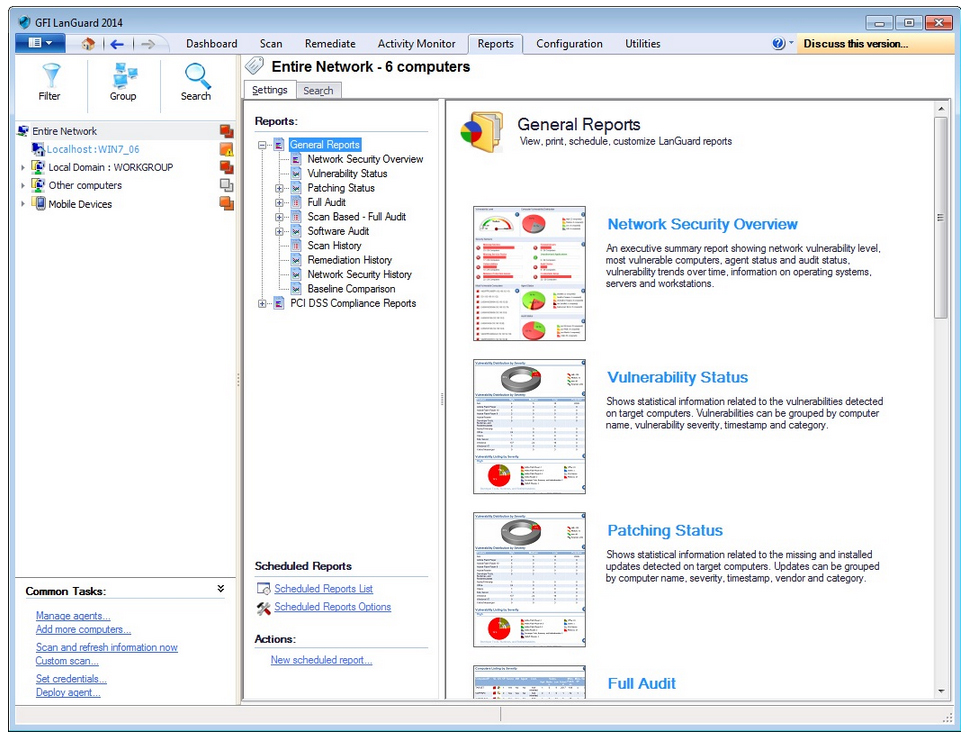
Multiply the value of GFI LanGuard with powerful reporting – its reports are designed to satisfy the requirements of both management and technical staff. These reports can be exported to popular formats like PDF, HTML, XLS, XLSX, RTF and CVS, and can be scheduled and sent by email. They can also be used as a template to create new custom reports and are fully re-brandable. |
Agent technology
The agent technology enables automated network security audits and distributes the scanning load across client machines. The administrator simply needs to define the network perimeter and provide credentials to enable automatic network discovery, agent deployment and auditing of the client machines. Manual intervention is necessary only when fine-tuning is required. This feature provides the following benefits:
An agent may also be designated a “relay agent” in order to distribute the remediation load across the network. |
Other features:
- Powerful dashboard that processes security audits to provide a summary of network security status.
- Integration with over 2,500 critical security applications ensuring latest updates and latest definitions are in place.
- Extensive reporting, including technical, managerial and compliance standard-specific reports (PCI-DSS, HIPAA, SOX, etc.)
- Wake-on-LAN support – powering computers on before, and off after, scanning – saving energy and maximizing convenience.
Screenshots:
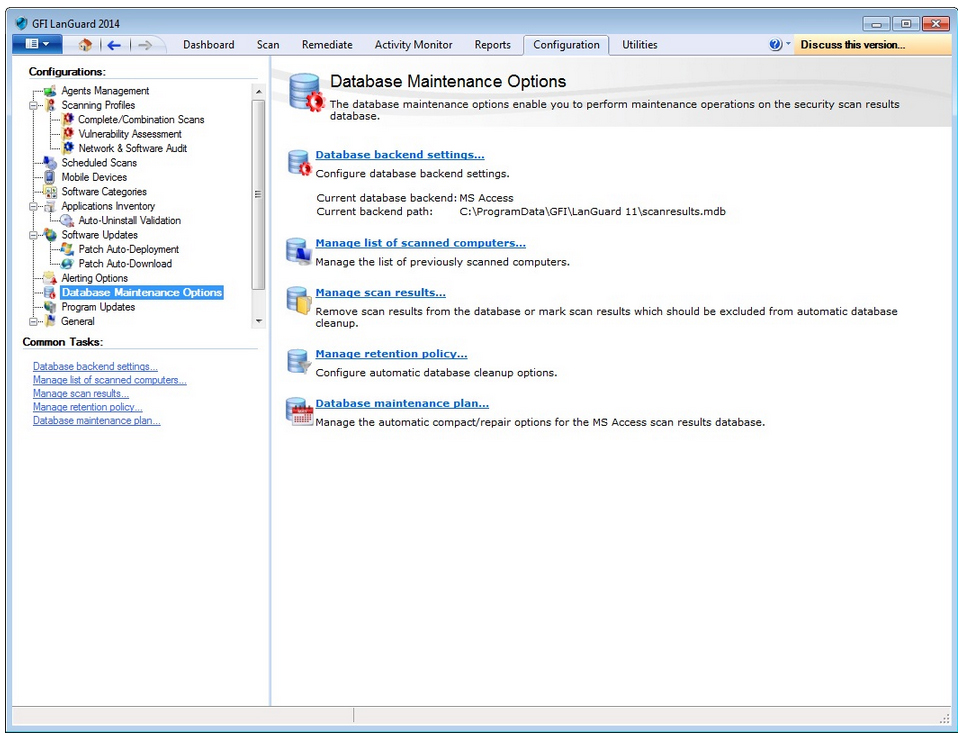
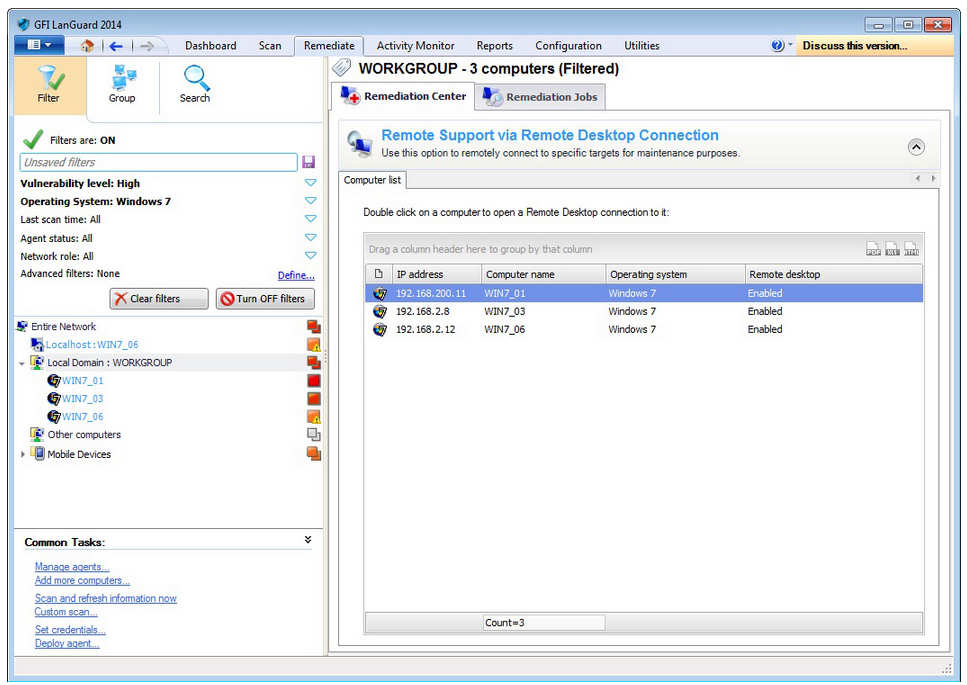
GFI LanGuard - Screenshots
System Requirements:
System requirements: Hardware
Hardware requirements depend on network size. Refer to table below for the minimum specifications according to your network size.
| 1 to 100 | 100 to 500 | 500 to 3000* | |
|---|---|---|---|
| Processor | 2 GHz Dual Core | 2.8 GHz Dual Core | 3 GHz Quad Core |
| Physical Storage | 5 GB | 10 GB | 20 GB |
| Memory | 2 GB | 4 GB | 8 GB |
| Network bandwidth | 1544 kbps | 1544 kbps | 1544 kbps |
*Note: if you are looking to manage 2000+ seats of GFI LanGuard we recommend that you contact us for pricing as well as suggestions regarding the proper management and deployment of this solution.
System requirements: Software
Supported operating systems (x86 or x64):
- Microsoft Windows Server 2012 Standard
- Microsoft Windows Server 2008 Standard/Enterprise (including R2)
- Microsoft Windows Server 2003 Standard/Enterprise
- Microsoft Windows 8 Professional/Enterprise
- Microsoft Windows 7 Professional/Enterprise/Ultimate
- Microsoft Windows Vista Business/Enterprise/Ultimate
- Microsoft Windows XP Professional (SP2 or higher)
- Microsoft Small Business Server 2011
- Microsoft Small Business Server 2008 Standard
- Microsoft Small Business Server 2003 (SP1)
Supported databases
- Microsoft Access
- Microsoft SQL Server 2000 or later
- MSDE/SQL Server Express Edition
Other server components
The following components are required to be installed on the server where GFI LanGuard is installed:
- Microsoft .NET Framework 3.5
Target computer components
The following components are required to be installed on target computers for GFI LanGuard to be able to scan them:
- Secure Shell (SSH) - Required for UNIX based scan targets. Commonly included as part of all major Unix/Linux distributions.
- Windows Management Instrumentation (WMI) - Required to scan Windows-based scan targets. Included in all Windows 2000 or newer operating systems.
- Enable File and Printer Sharing.
- Enable Remote Registry.
GFI LanGuard agents
Supported operating systems (x86 or x64):
- Microsoft Windows Server 2012 Standard
- Microsoft Windows Server 2008 Standard/Enterprise (including R2)
- Microsoft Windows Server 2003 Standard/Enterprise
- Microsoft Windows 8 Professional/Enterprise
- Microsoft Windows 7 Professional/Enterprise/Ultimate/Home Premium
- Microsoft Windows Vista Business/Enterprise/Ultimate/Home
- Microsoft Windows XP Professional (SP2 or higher)
- Microsoft Small Business Server 2008 Standard
- Microsoft Small Business Server 2003 (SP1)
- Microsoft Windows 2000 Professional/Server/Advanced
-SP4
-Internet Explorer 6 SP1 or higher
-Windows Installer 3.1 or higher
GFI LanGuard agent footprint
The target scan machines should cater for the minimum required resources specified below:
- RAM: 25MB
- Agent disk space: 600MB
GFI LanGuard Relay Agent
GFI LanGuard Relay Agents act as cache stores for GFI LanGuard program updates and patches, allowing for reduced network bandwidth consumption between the GFI LanGuard Server and client computers.
A computer is eligible as Relay Agent when:
- It has good uptime (an offline Relay Agent incapacitates its clients)
- It has a fast network connection to its clients
- It has enough disk space for caching
System requirements: Hardware
| 1 to 100 clients | 100 to 500 clients | 500 to 1000* clients | |
|---|---|---|---|
| Processor | 2 GHz Dual Core | 2 GHz Dual Core | 2 GHz Dual Core |
| Physical Storage | 5 GB | 10 GB | 20 GB |
| Memory | 2 GB | 2 GB | 4 GB |
| Network bandwidth | 100 Mbps | 100 Mbps | 1 Gbps |
Supported Features per Device, Operating Systems and Application:
| Windows Server Versions | Device Identification and Port Scanning | Vulnerability Assessment | Patch Management | Software Audit | Hardware Audit |
|---|---|---|---|---|---|
| Microsoft Windows Server 2012 Standard | Yes | Yes | Yes | Yes | Yes |
| Microsoft Windows Server 2008 Standard/Enterprise (including R2) | Yes | Yes | Yes | Yes | Yes |
| Microsoft Windows Server 2003 Standard/Enterprise | Yes | Yes | Yes | Yes | Yes |
| Microsoft Small Business Server 2011 | Yes | Yes | Yes | Yes | Yes |
| Microsoft Small Business Server 2008 Standard | Yes | Yes | Yes | Yes | Yes |
| Microsoft Small Business Server 2003 (SP1) | Yes | Yes | Yes | Yes | Yes |
| Microsoft Windows 2000 Server | Yes | Yes | Yes | Yes | Yes |
| Windows Client Versions | |||||
| Microsoft Windows 8 Professional/Enterprise | Yes | Yes | Yes | Yes | Yes |
| Microsoft Windows 7 Professional/Enterprise/Ultimate/Home Premium | Yes | Yes | Yes | Yes | Yes |
| Microsoft Windows Vista Business/Enterprise/Ultimate/Home | Yes | Yes | Yes | Yes | Yes |
| Microsoft Windows XP Professional (SP2 or higher) | Yes | Yes | Yes | Yes | Yes |
| Microsoft Windows 2000 Professional (SP4) | Yes | Yes | Yes | Yes | Yes |
| Windows Third Party Applications | |||||
| Microsoft Office | - | Yes | Yes | - | - |
| Microsoft Exchange | - | Yes | Yes | - | - |
| Microsoft SQL Server | - | Yes | Yes | - | - |
| Microsoft Visual Studio | - | Yes | Yes | - | - |
| Other Microsoft applications | - | Yes | Yes | - | - |
| Java Runtime Environment | - | Yes | Yes | - | - |
| Adobe Flash Player | - | Yes | Yes | - | - |
| Adobe Reader | - | Yes | Yes | - | - |
| Adobe AIR | - | Yes | Yes | - | - |
| Adobe Shockwave Player | - | Yes | Yes | - | - |
| Mozilla Firefox | - | Yes | Yes | - | - |
| Apple Safari | - | Yes | Yes | - | - |
| Apple QuickTime | - | Yes | Yes | - | - |
| Apple iTunes | - | Yes | Yes | - | - |
| Opera Browser | - | Yes | Yes | - | - |
| Other vendors | - | Yes | Yes | - | - |
| Linux Distributions | |||||
| Mac OS X 10.5 and higher | Yes | Yes | Yes | Yes | Yes |
| Red Hat Enterprise Linux 5 and higher | Yes | Yes | Yes | Yes | Yes |
| CentOS 5 and higher | Yes | Yes | Yes | Yes | Yes |
| Ubuntu 10.04 and higher | Yes | Yes | Yes | Yes | Yes |
| Debian 6 and higher | Yes | Yes | Yes | Yes | Yes |
| SUSE Linux Enterprise 11 and higher | Yes | Yes | Yes | Yes | Yes |
| openSUSE 11 and higher | Yes | Yes | Yes | Yes | Yes |
| Other distributions | Yes | Yes | - | Yes | Yes |
| Virtual Machines (with supported operating systems) | |||||
| Vmware | Yes | Yes | Yes | Yes | Yes |
| Microsoft Hyper-V | Yes | Yes | Yes | Yes | Yes |
| Microsoft Virtual PC | Yes | Yes | Yes | Yes | Yes |
| Oracle VirtualBox | Yes | Yes | Yes | Yes | Yes |
| Citrix Xen | Yes | Yes | Yes | Yes | Yes |
| Parallels | Yes | Yes | Yes | Yes | Yes |
| Network Devices | |||||
| Cisco | Yes | Yes | - | - | - |
| HP | Yes | Yes | - | - | - |
| Other vendors | Yes | - | - | - | - |
| Mobile Devices | |||||
| Google Android | Yes | Yes | - | - | - |
| Apple iOS | Yes | Yes | - | - | - |
| Windows Phone | Yes | Yes | - | - | - |
Documentation:
Download the GFI LanGuard Data Sheet (PDF).
Pricing Note:
- Pricing includes ReportPack.
- Software Maintenance Agreements - A Software Maintenance Agreement is highly recommended for all products. This includes free software version upgrades, as well as email and phone support during office hours. A Software Maintenance Agreement must be purchased within 30 days from the date of product purchase and costs 20% of the published full product end-user list price per year. The minimum Software Maintenance Agreement fee per year is $99.
- To order an upgrade, additional users or other add-ons not listed here to an existing product, please contact us.