
 GFI EventsManager
Centralized event log monitoring and management
Sorry, this product is no longer available, please contact us for a replacement.
Click here to jump to more pricing!
Overview:
Listen to your data - Log data analysis and IT monitoring made easy
The huge volume of log data generated is an invaluable source of information for system administrators. Managing it effectively helps ensure a reliable network, secure systems and high availability, while aiding organizations with compliance. Real-time network-wide log data management and analysis is needed to achieve adequate security, business continuity and reliability, but with hundreds of thousands of log entries being generated daily, managing them is a challenge.
GFI EventsManager eases the burden on administrators and reduces costs. It enables increased uptime by collecting, normalizing, analyzing, categorizing and consolidating log data from multiple sources across the network. It also offers real-time, checkbased active IT infrastructure and operations monitoring, making these monumental tasks manageable and allowing a faster, more targeted response to any issue as it arises.
The unique combination of log data analysis with active IT monitoring not only shows you what the problem is, but also helps in identifying the cause of the problem, all from the same console.
Log data analysis for SIEM
Good security strategies include real-time event log monitoring for critical security incidents and periodic analysis of security-relevant logs. This enables you to detect suspicious activity and respond quickly. Monitor security-relevant policies, mechanisms (e.g., authentication, authorization, etc.), activity (e.g., privileged user activity) and applications (e.g., IDS, IPS, firewall, etc.) in real time.
Complete IT infrastructure monitoring and management
Unplanned system downtime ranges from a minor nuisance to a major catastrophe. Monitor the availability, functionality, performance and use of your IT assets – everything from network devices, workstations and servers to applications, business, infrastructure services and network protocols.
Log data consolidation for compliance
Most data security standards and regulations require that all relevant log data is managed, collected, consolidated and safely stored so that companies can prove accountability for the actions occurring in their workplace. GFI EventsManager provides three-layer log data consolidation accessible through two-factor authentication, forensic investigations capabilities and compliance reporting.
Network security 
Detect intruders and security threats and enhance your information system security by monitoring events in realtime. |
Achieve compliance 
An invaluable companion in achieving compliance with various regulations and acts including SOX, PCI DSS, Code of Connection, HIPAA, data protection laws and others. |
Compatibility 
Supports a wide range of event types such as W3C, Windows events, Syslog, SQL Server and Oracle audit logs. |
Monitor system health 
Proactively helps to detect which events will lead to disaster, such as potential hardware failures, and provides an early warning to give you the power to take corrective action before the crash. |
Forensic investigation 
When something goes wrong, GFI EventsManager serves as a main reference point. |
Centralized log repository 
Collects and archives logs generated by most of your network systems, servers and applications. |
Makes sense of logs 
Automatically processes and archives event logs, collecting and highlighting the information you need to know about the most important events occurring in your network so you are never caught off guard. |
User-friendly 
Easy to install, configure and run, out-of-the-box intelligence for processing logs. |
What's new in GFI EventsManager 2013?
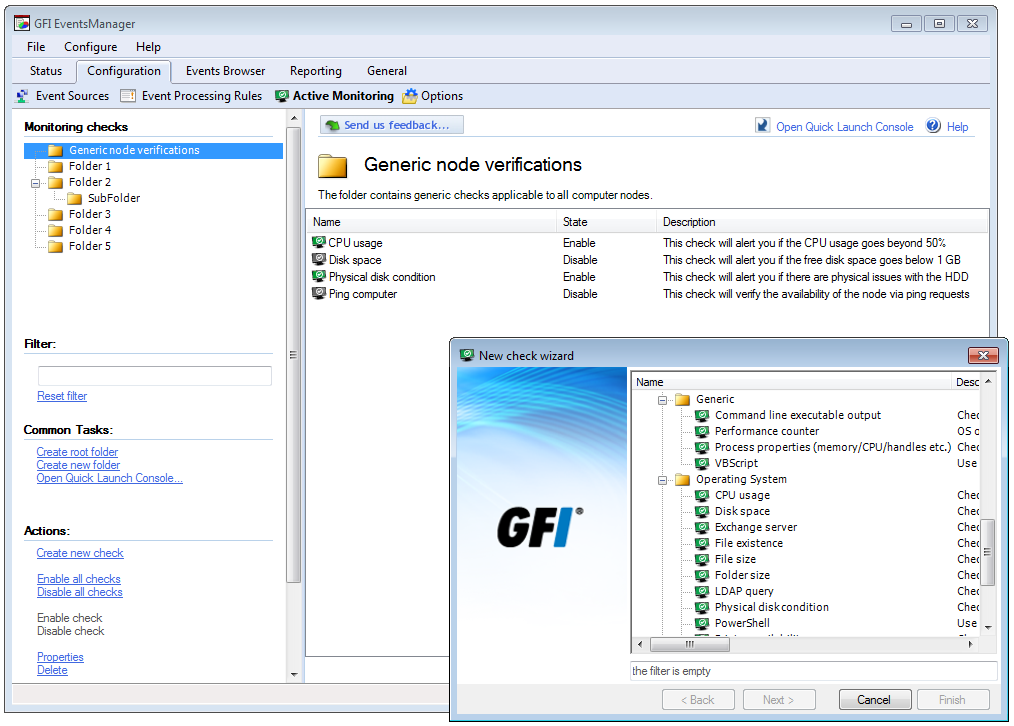
In this release of GFI EventsManager, we have added active network and server monitoring, which adds advanced monitoring checks to track the health and performance of network infrastructure, applications and services, helping you identify and remediate issues quicker than ever.
Some of the new features in GFI EventsManager 2013 include:
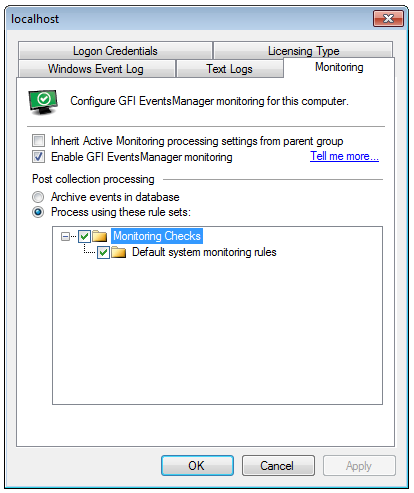
- Active network and server monitoring based on monitoring checks is now available and can function in conjunction with the log based monitoring system in order to provide a complete and thorough view of the status of your environment.
- The unique combination of active network and server monitoring through log-based network and server monitoring provides you not only with incident identification but also with a complete set of logs from the assets that failed, making problem investigation and solving much easier.
- Enhanced console security system helps complying with best practices recommendations that imply access to data on a “need-to-know” basis. Starting with this version, each GFI EventsManager user can be assigned a subset of computers that he/she manages and the console will only allow usage of the data coming from those configured computers while the user is logged in.
- New schema for parsing XML files, available by default, that enables monitoring of XML–based logs and configuration files.
- New schema for parsing DHCP text logs that enables monitoring of DHCP IP assignment.
- More flexibility for storing events: the new database system has been updated to include physical deletion of events for easier maintenance and collection to remote databases.
- Hashing of log data for protection against attempts at tampering with the logs coming from outside the product, enables enhanced log consolidation and security.
- New reports for J Sox and NERC CIP compliance.
Features:
| Wide support for log sources
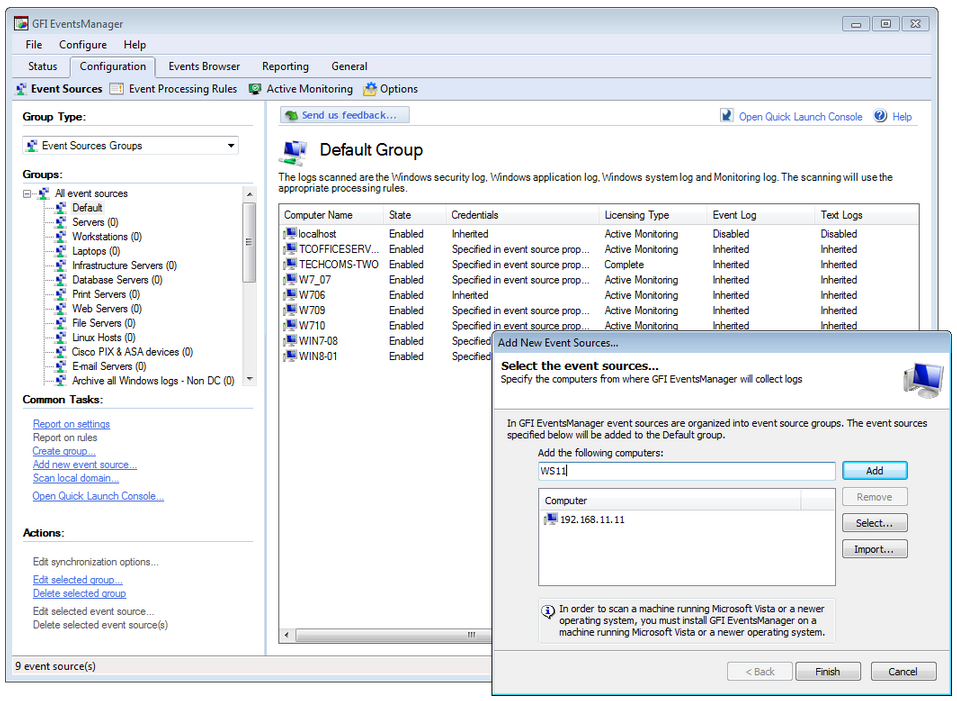
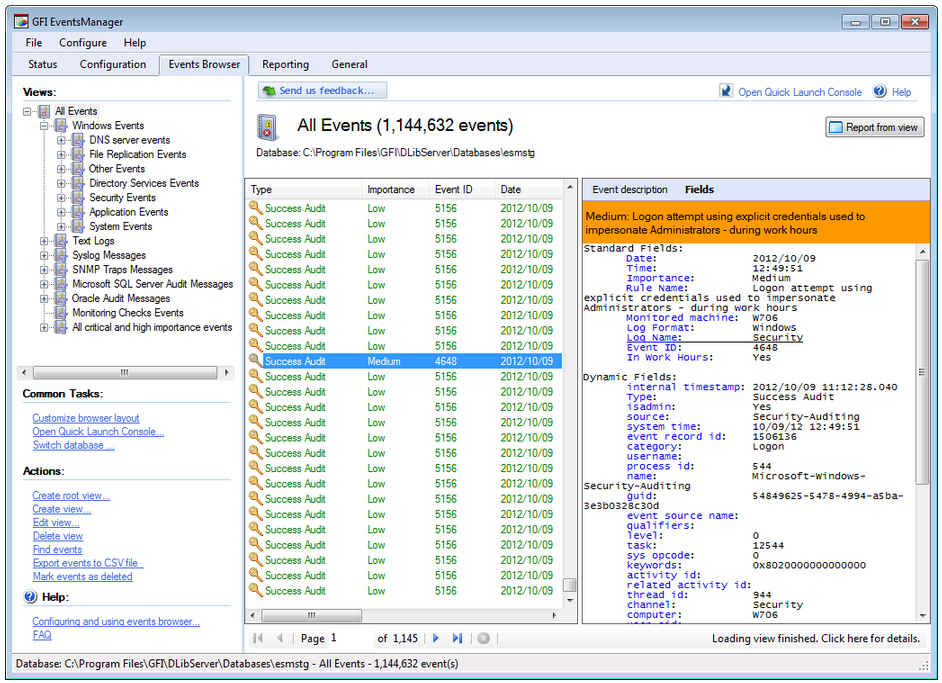
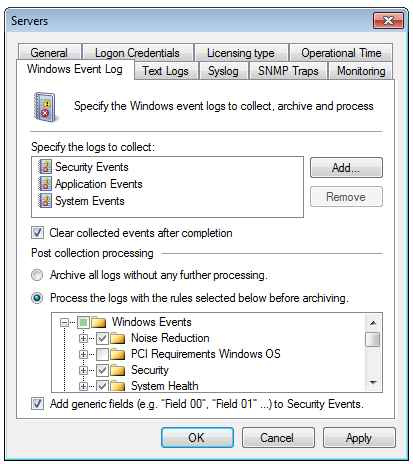
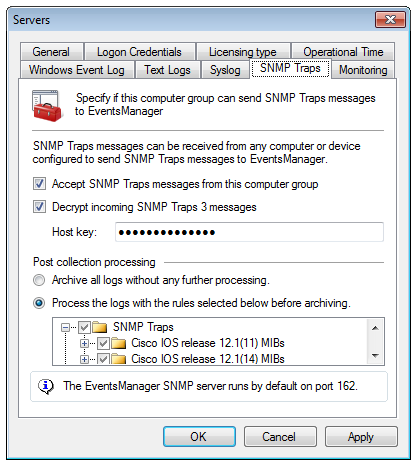
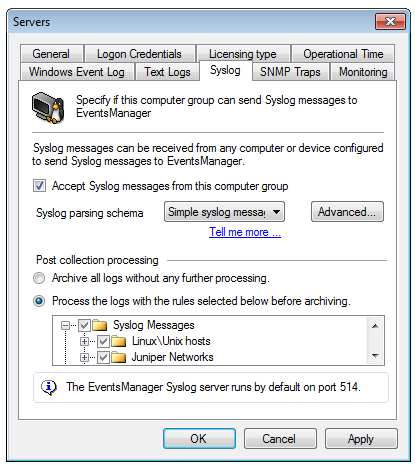
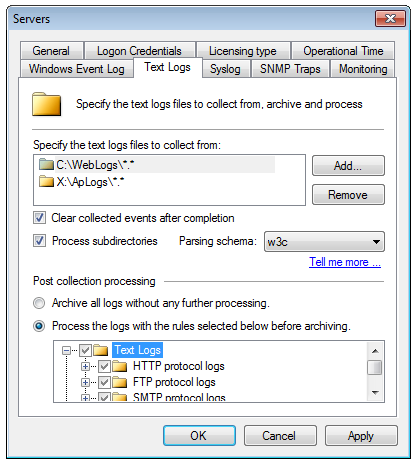
As a network administrator, you have experienced the cryptic and voluminous log data that makes log analysis a daunting process. GFI EventsManager handles this task by decoding it and presenting it in a simple, easy-to-read format. This log data processing solution provides network-wide control and management of Windows event logs (generated by Windows servers, workstations and Microsoft applications); W3C logs (generated by IIS, ISA, MS Exchange and others); SQL Server and Oracle audit logs; Syslog records (generated by Unix/Linux machines) and network devices (such as firewalls, routers, switches or other appliances); simple network management protocol (SNMP) traps (the language spoken by low-level devices such as routers, sensors, firewalls, etc.); and, last but not least, generic text files – enabling support for log data collection of virtually any application or service. |
Compliance reporting
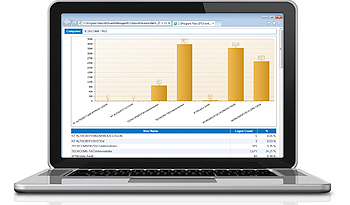
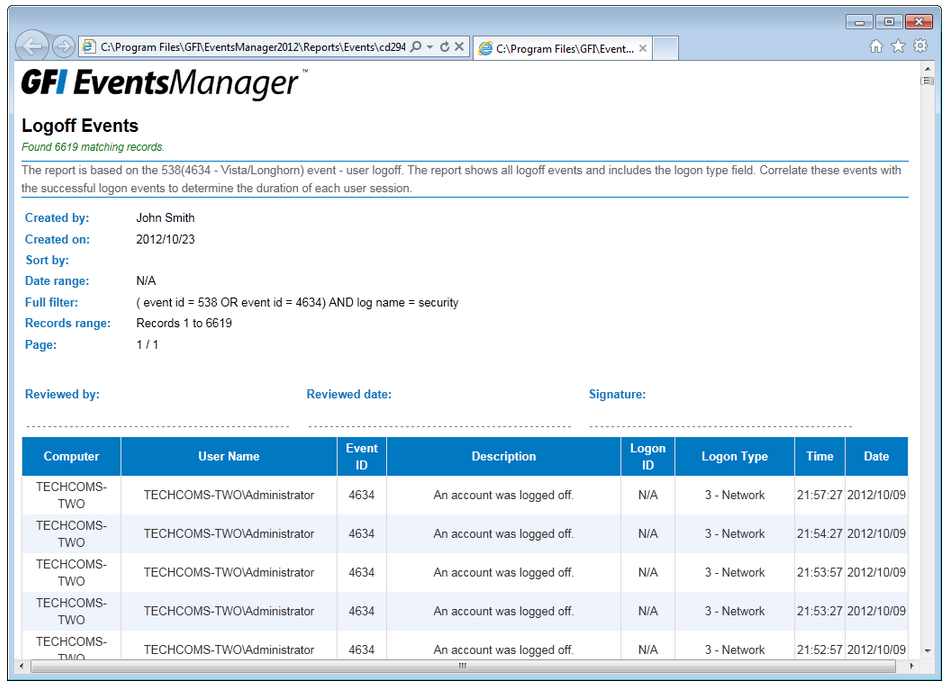
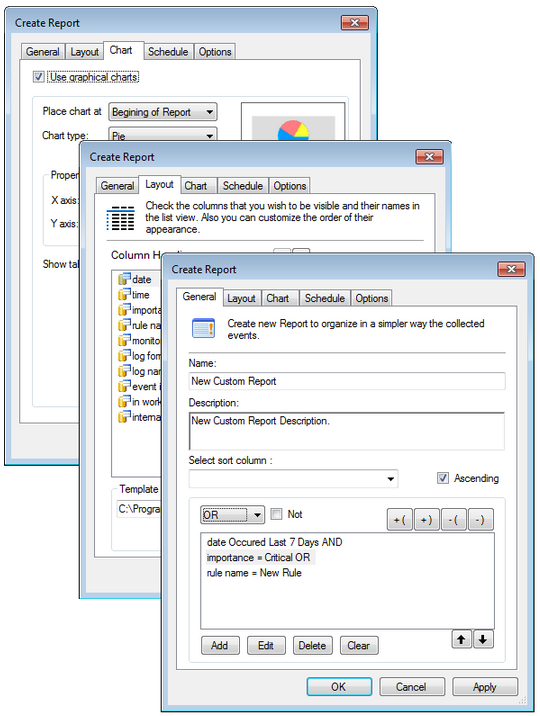
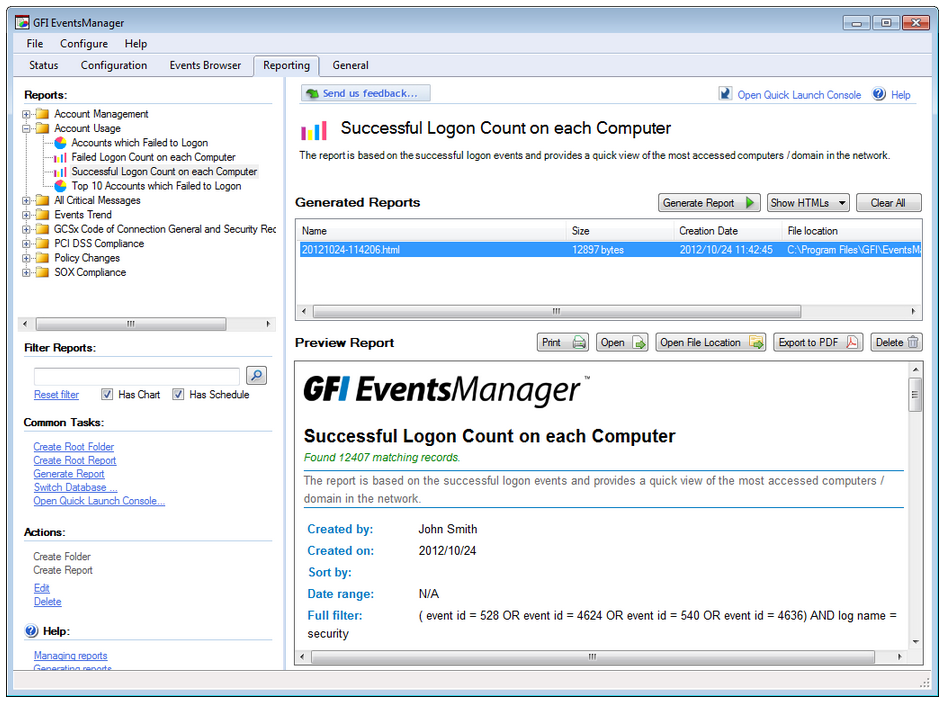
There is often confusion among users as to which event log reports are needed to meet the requirements of different compliance acts. GFI EventsManager contains specific reports for many of the major compliance acts, as well as a suite of other reports focused on account usage and management, policy changes, object access, application management, print server usage, and many others. The reports are flexible and highly customizable; the layout, columns and row filter can all be changed. By offering log data collection, normalization and multi-layered consolidation, GFI EventsManager plays an important role in meeting the log data availability retention and reviewing requirements of various regulatory bodies and acts. These include Basel II, PCI Data Security Standard, Sarbanes-Oxley Act, GrammLeach-Billey Act, HIPAA, FISMA, USA Patriot Act, Turnbull Guidance 1999, UK Data Protection Act, EU DPD. |
| Simple interface
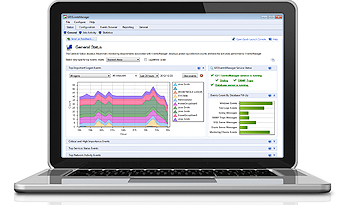
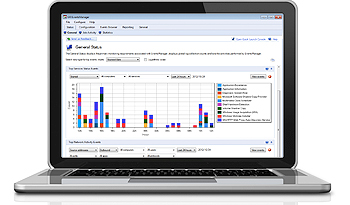
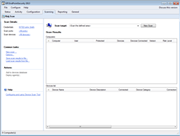
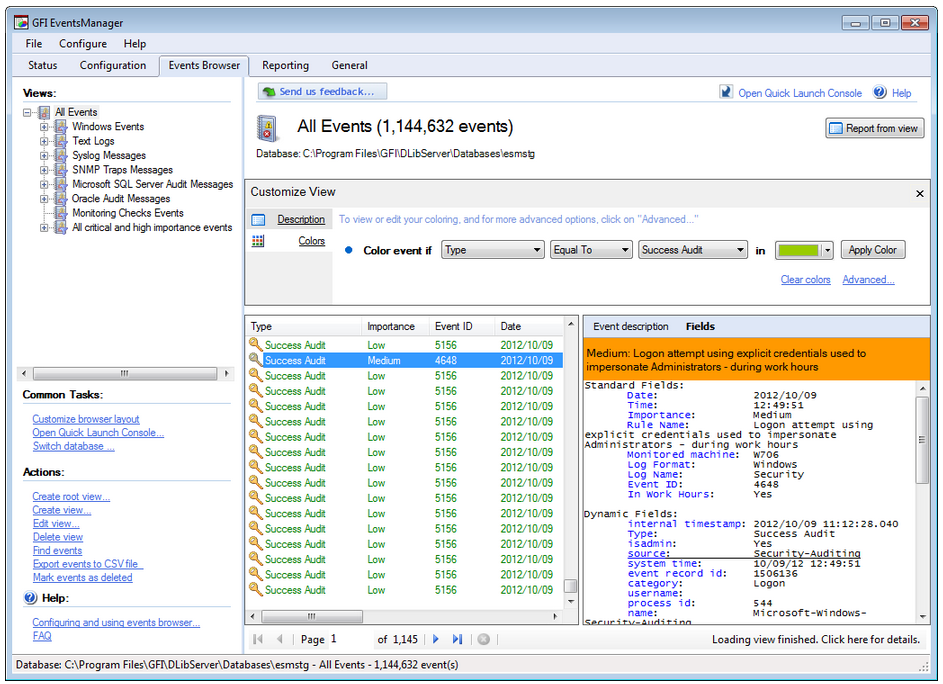
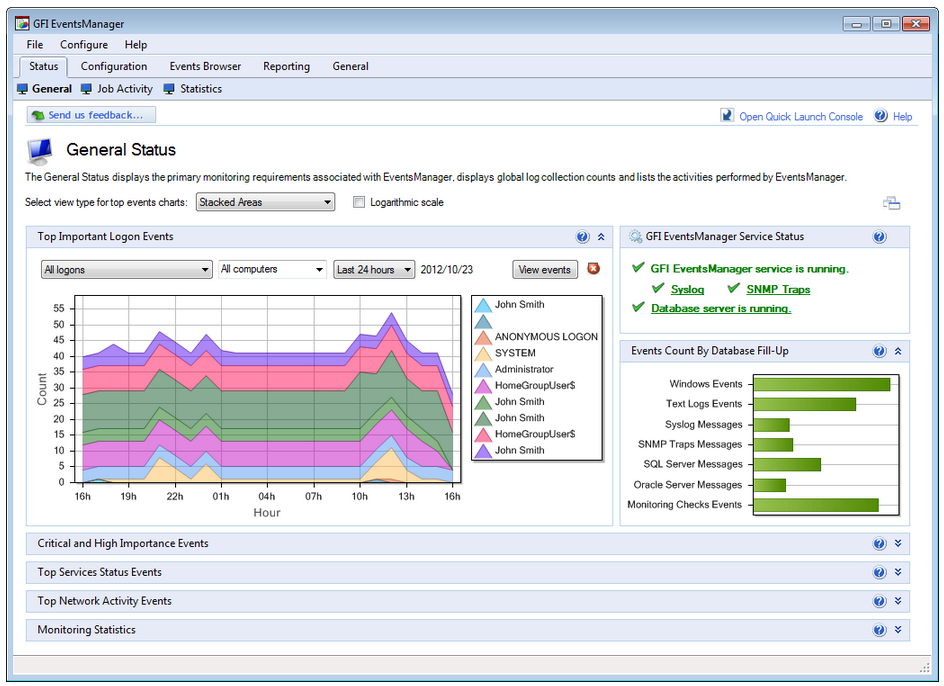
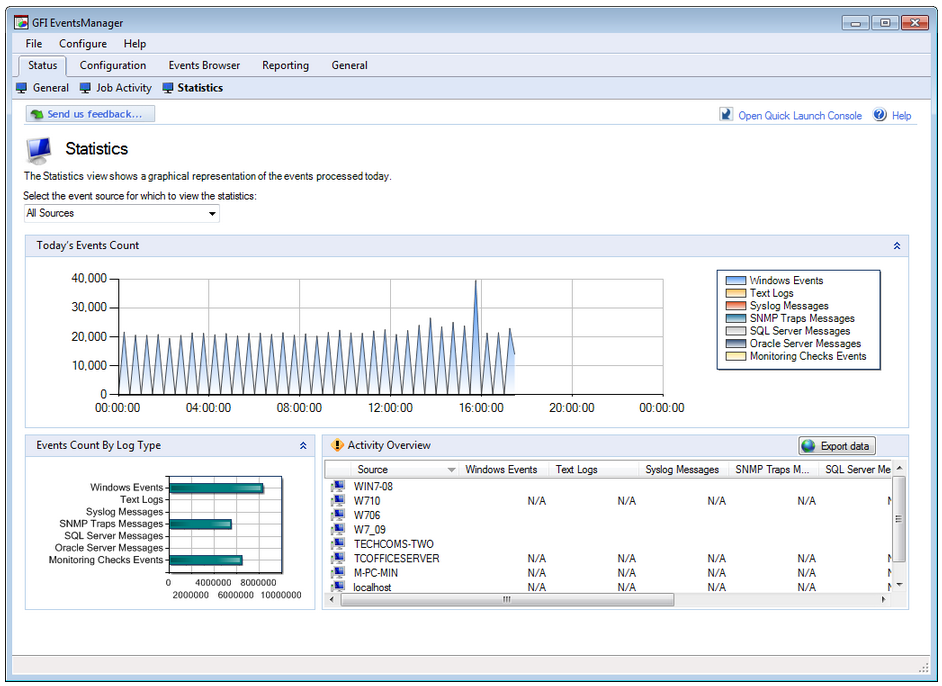
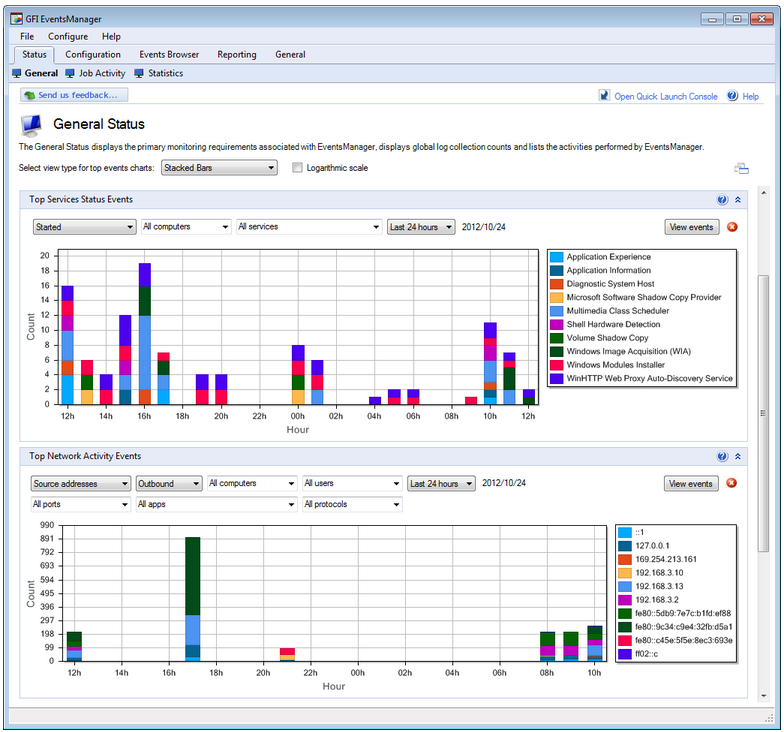
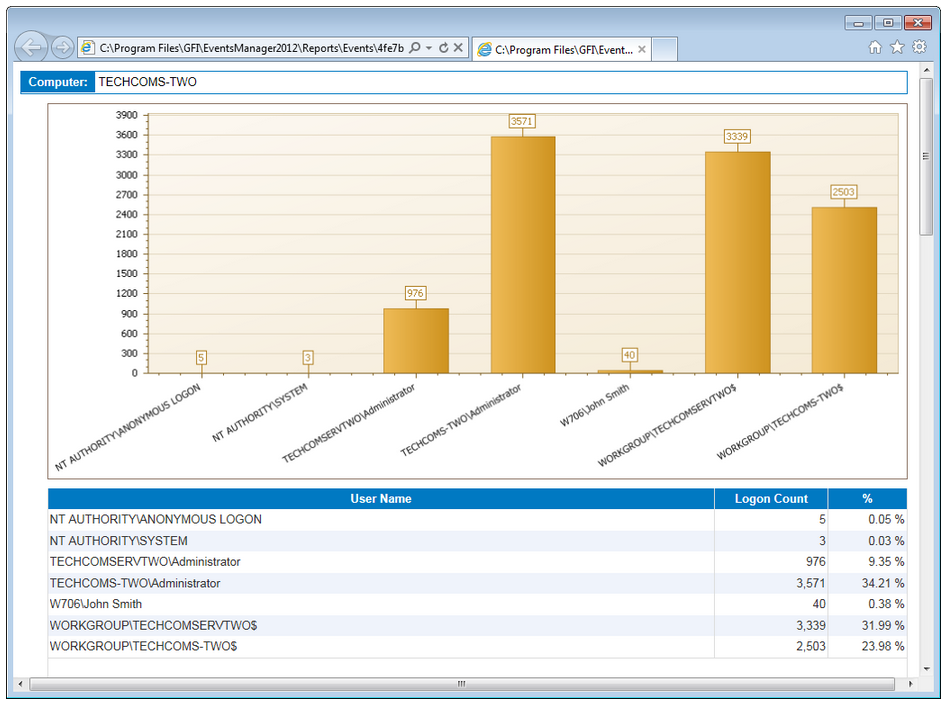
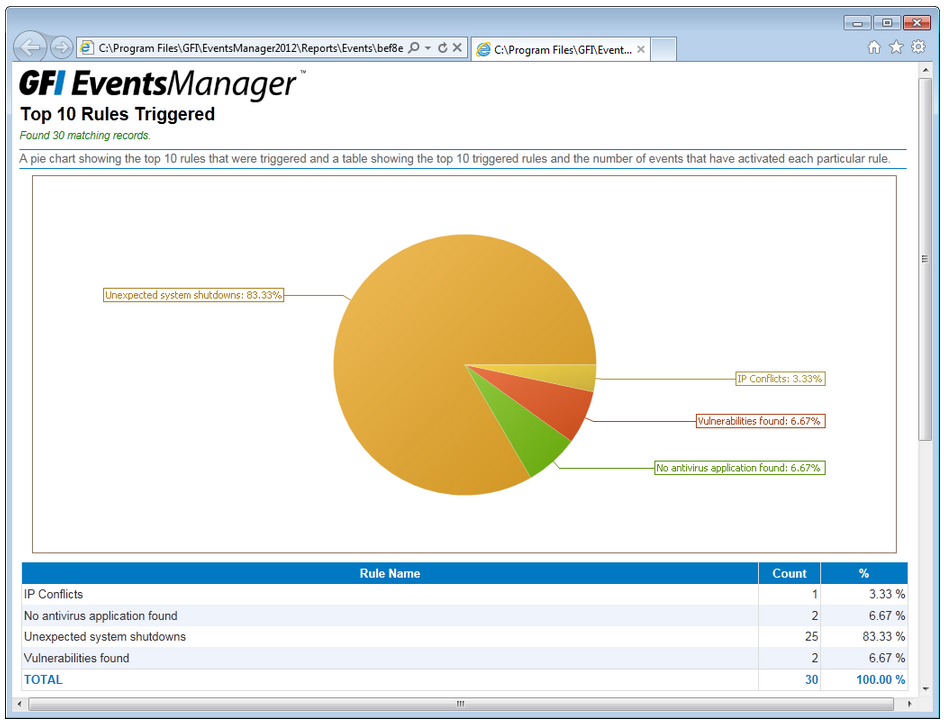
Your network can be the source of considerable log data. Unless you can make sense of the information, however, it won’t provide you with the knowledge needed to effectively maintain your network. GFI EventsManager has an integrated dashboard that offers filtering-enabled charts; they provide a single point of contact with all the data you need to work efficiently. Event log monitoring charts include the top critical and high importance rules triggered within a certain period of time: the top 10 users who fail to log on, or users who log on during and outside working hours; the service status across your network; and the number of log records stored in the database per log type. There’s also a comprehensive graph based on Windows events that shows network connections at application and user level (available for Vista™ and newer Windows systems only). It also shows a panel containing the monitoring statistics, fed with data from the check-based, active monitoring engine. The dashboard is highly customizable. Separate windows highlighting different and the most important real-time data from the logs can be automatically arranged on the desktop. |
Granular control of log data
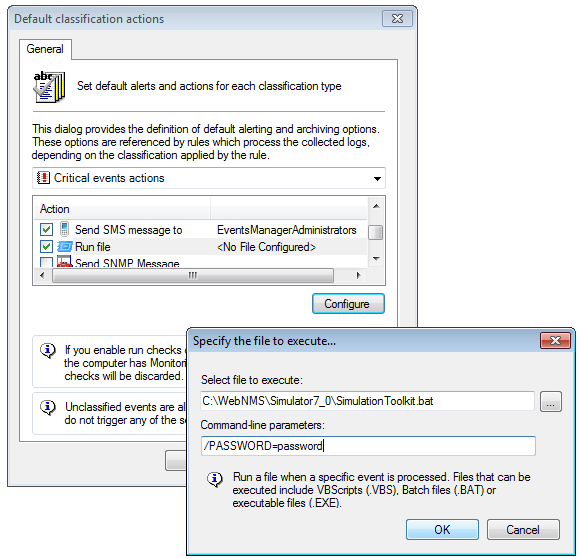
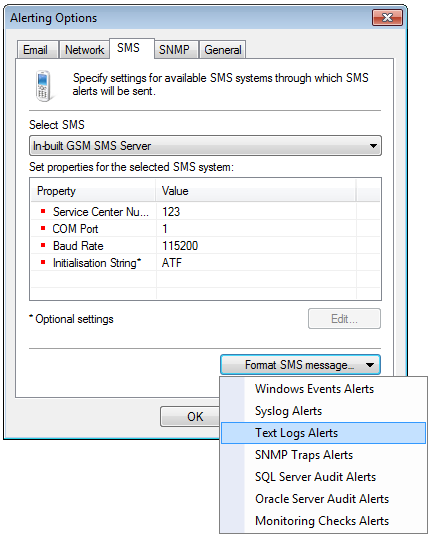
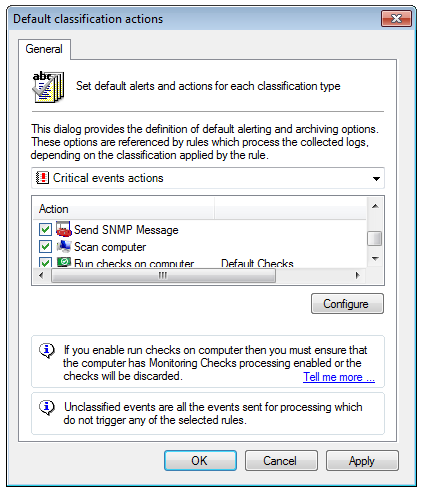
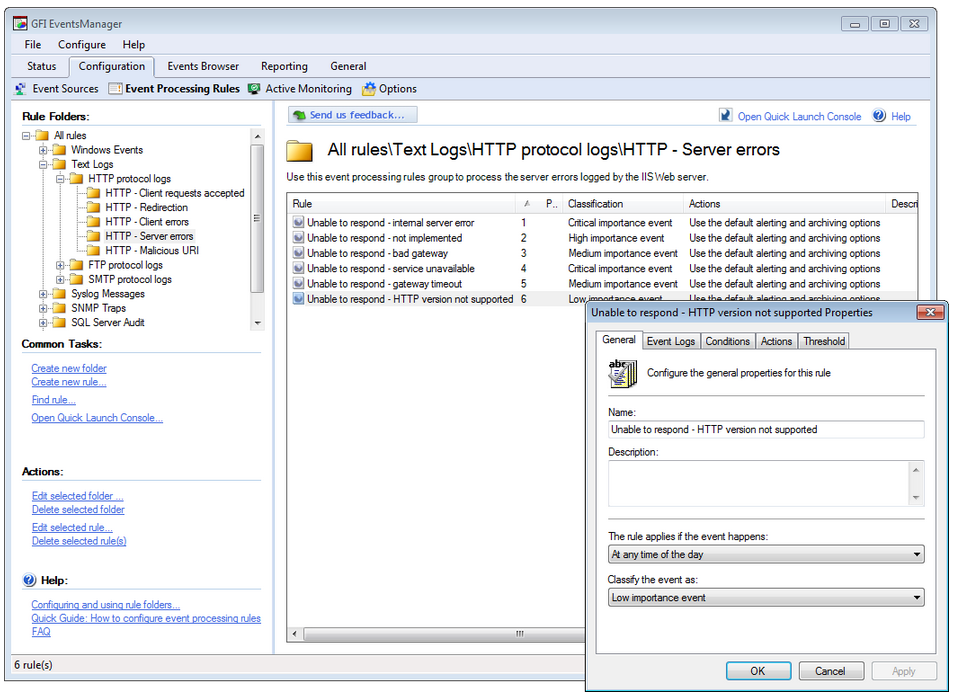
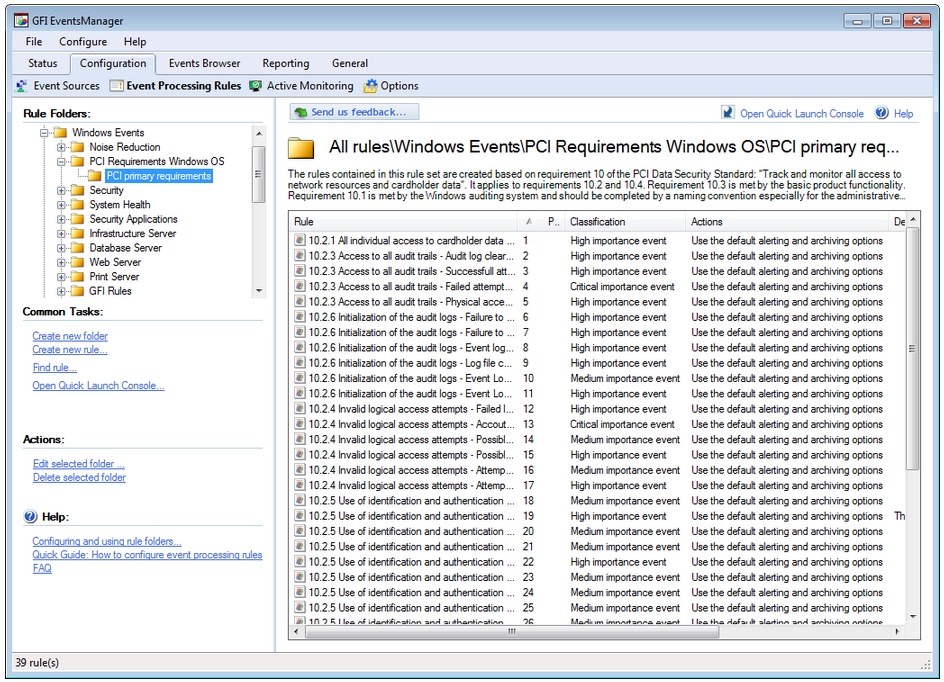
GFI EventsManager offers rule-based, deep and granular control of log data, with out-of-the-box support for operating systems, applications and network devices, and classification of security information. It also helps you categorize log data coming from a wide range of systems and devices through the centralized logging and analysis of various log types, including Windows events, Syslog, W3C and SNMP traps that are generated by network resources. Administrators can use default categorization rules or even create custom rules at a deep and granular level, enabling them to quickly identify and categorize information that is considered important for specific environments. Depending on the category, administrators can also configure active alerting profiles that notify or take actions (e.g., run a script or an executable). |
| Safe storage of log data
Most of the industry standards, security best practices, or regulations covering network data management require that logs are kept in a secure manner that guarantees their accuracy and integrity. At the same time, access to the log data needs to be controlled to avoid disclosure of sensitive information or tampering attempts. GFI EventsManager provides three layers of log data consolidation: encryption of the log data store using strong AES algorithm; hashing of log entries to prevent and identify attempts to tamper with log data at the binary level; and controlled and audited access to log data using the GFI EventsManager console. Access to the log data is granted based on two-factor authentication: one using the Windows credentials which need to have administrative privileges and the second based on the built-in user role system. All access is granted on a need-to-know basis. GFI EventsManager users can only work with the data coming from the assets they manage, and all the actions taken are logged and reviewable at a later stage. |
Reactivity and remediation capabilities
An important phase of IT management is incident remediation. GFI EventsManager reacts to security or IT issues by running code or scripts on the remote machines. You can stop services or processes, uninstall applications, reboot machines, disable user accounts, close network connections, flush caches, notify others, trigger third-party tools or custom code automatically and in real time. GFI EventsManager integrates with GFI LanGuard, providing the ability to trigger vulnerability scans or patching operations whenever a security threat is detected – and then aggregate the results of these actions in the reporting framework. |
| Log processing rules and scanning profiles
GFI EventsManager ships with a pre-configured set of log processing rules that enables you to quickly and easily filter and classify log records that satisfy particular conditions. These templates make it simple to choose columns for reporting, as well as to perform column mappings. The supplied templates are also fully customizable. Scanning profiles enable you to configure a set of event log monitoring rules that are then applied to a specific computer or group of computers. Profiles provide a centralized way of tuning event log processing rules. You can, for example, set rules that only apply to workstations in a particular department. You can also create separate complementary profiles that provide additional and more specialized event log rules on a computer-by-computer basis, giving you more control over your data. |
Works in highly distributed environments
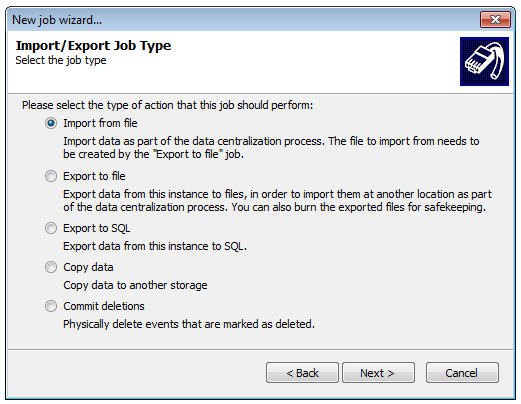
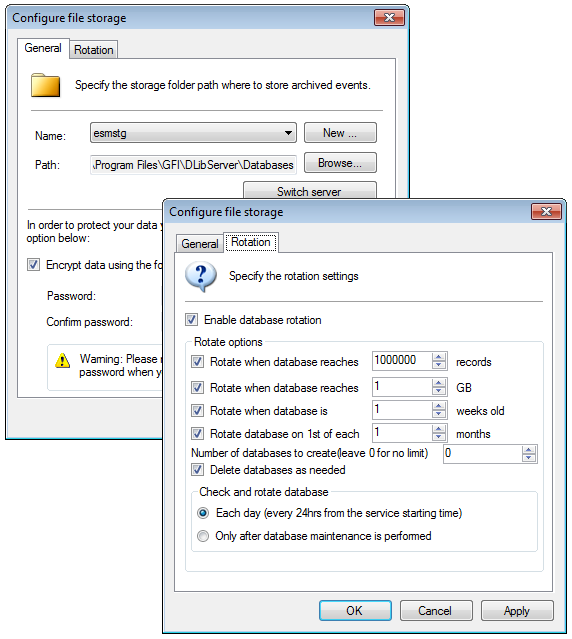
Sometimes your workstations and servers are not neatly located in one central location. Your organization might be spread across the country, or even across the globe. So how can you collect data and monitor scattered workstations? GFI EventsManager has the answer. GFI EventsManager collects event log data from installations on multiple sites and locations across your network, compiling them into one central database using the Database Operations function. This enables you to easily monitor thousands of workstations and servers across the network without impacting bandwidth or storage use. It integrates and centralizes any log records collected and processed so you can back up and restore log records on demand. Through database operations you can manage the size of the database – without the need for manual intervention – by centralization and by exporting log records and backing them up as needed. |
| Unique combination of active checks and debug logs collection
Incident investigation is an important part of the IT management process. It usually involves analyzing various data to identify the cause of problems detected during the incident detection phase so they can be addressed as part of the incident remediation phase. GFI EventsManager not only detects issues actively using real-life checks, but also brings the relevant debugging information to the same console. You no longer have to investigate debug logs on each computer; you can perform the job from the same console that provides your alerts. With minimal effort, you can gain a solid understanding for the cause of the problem. |
Security information and event management
GFI EventsManager is able to analyze security-related log data in real time. This way you can detect security incidents and analyze them in detail to find out who is responsible for them. At the same time, you can monitor the configuration, availability and functionality of security-related mechanisms, applications and services as well as related privileged user activity. |
| IT infrastructure and operations monitoring and management
Using GFI EventsManager you can actively monitor the availability, functionality, usage and performance of your entire IT infrastructure: network protocols, network devices, network infrastructure, servers, services, endpoints and applications, all in real time and from a single console. You can also monitor firewalls, sensors, routers and the events generated by Microsoft ISA Server, SharePoint, Exchange Server, SQL Server, and IIS, and prevent network disasters from occurring. For example, you can monitor email queues, SMTP gateways, MAPI availability, bad hard disk blocks, disk space and more. The unique integrated combination of active IT monitoring and log data analysis offers a crucial advantage: Not only do you know when a problem appears (via active IT monitoring) but you immediately gain insight into the cause of the problem as well (via log analysis – you have the relevant log data right there), in the same console. |
Regulatory compliance
By offering log data collection, normalization and multi-layered consolidation, GFI EventsManager plays an important role in meeting the log data availability retention and reviewing requirements of regulatory bodies and acts including: Basel II, PCI Data Security Standard, Sarbanes-Oxley Act, Gramm- Leach-Billey Act, HIPAA, FISMA, USA Patriot Act, Turnbull Guidance 1999, UK Data Protection Act, EU DPD. |
| Forensic investigation
Log data is a reference point when something goes wrong, providing a history of detailed information about how electronic systems are used that is often required when you need to carry out forensic investigations due to litigations involving actions carried out via electronic means. GFI EventsManager provides timely in-house forensic investigation capabilities of log data across your network – freeing you of expensive outsourced consultancy and audit costs. |
Deeper granular control of events
GFI EventsManager helps you monitor a wider range of systems and devices through the centralized logging and analysis of various log types. Administrators can gather information at a great level of granularity, process it at extended tags level and then use the it to take decisions without the need of further information management. |
| Analysis of network-wide log data
As a network administrator, you have experienced the cryptic and voluminous logs that make log data analysis a daunting process. GFI EventsManager provides network-wide control and management of log data coming from servers (Windows, Linux/Unix, AIX, Mac OS, etc), endpoints (Windows, Linux/Unix, Mac OS), server roles (web servers, database servers, file servers, application servers, remote access servers, virtualization servers etc), applications (any application creating text logs), network infrastructure devices (routers, switches, firewalls), network security appliances (IDS, IPS solutions), generic network-enabled devices (any SNMP-enabled device) |
|
Other features:
- Real-time 24x7 x 365-day log-data monitoring and alerting
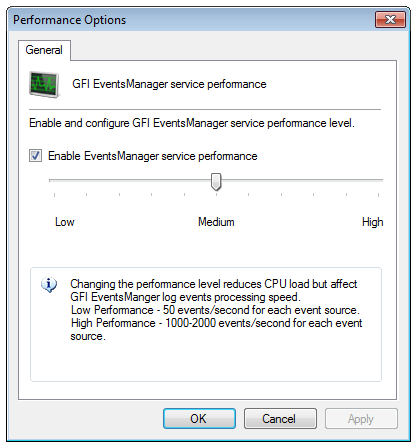
- High-performance scanning and storage engines
- Controlled, audited and granular access to log data
- Collection of log data distributed over a WAN into one central database/and/or auto-archiving of all log entries to files
- Rule-based log data management
- Powerful dashboard
- Advanced event filtering features including one-click rule and filter creation
- Reports on key security information happening on your network
- Support for new devices
- Multi-functionality to meet different corporate requirements
- Removal of 'noise' or trivial events
- Scheduling and automated distribution of reports via email
- Events can be exported into customizable HTML files
- Support for virtual environments.
Screenshots:
GFI EventsManager - Screenshots
System Requirements:
System requirements: Hardware
- Processor: 2.5 GHz dual core or higher
- RAM: 3 GB
- Hard disk: 10 GB of available space
NOTE: Hard disc size depends on your environment, the size specified in the requirements is the minimum required to install and archive events.
System requirements: Software
Supported operating systems
- Windows Server 2012 - Foundation, Essentials, Standard or Datacenter
- Windows Server 2008 - Standard or Enterprise
- Windows Server 2008 R2 - Standard or Enterprise
- Windows Server 2003 SP2 - Standard or Enterprise
- Windows 8 - Standard, Professional or Enterprise
- Windows 7 - Enterprise, Professional or Ultimate
- Windows Vista SP1 - Enterprise, Business or Ultimate
- Windows XP Professional SP3
- Windows SBS 2008
- Windows SBS 2003
Other components
- .NET 4
- Microsoft Data Access Components (MDAC) 2.8 or later
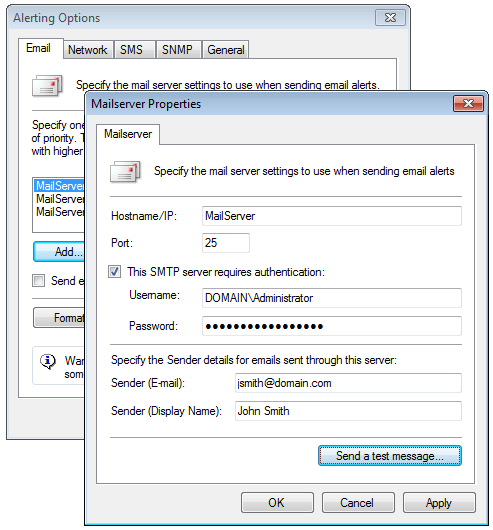
- (Optional) A mail server (If email alerting is configured).
Software requirements - Scanned machine(s)
- For Microsoft Windows event log scanning: Remote registry service must be enabled and source folders must be accessible via Windows shares.
- W3C log scanning: The source folders must be accessible via Windows shares.
- Syslog and SNMP Traps: Sources/senders must be configured to send messages to the computer/IP address where GFI EventsManager is installed.
- Microsoft Windows Vista or later scanning: GFI EventsManager must be installed on a system running Microsoft Windows Vista or later.
Documentation:
Download the GFI EventsManager Data Sheet (PDF).
Pricing Note:
- The Plus Edition includes 10 nodes of Complete and 150 nodes of Active Monitoring.
- The Pro Edition includes 50 nodes of Complete, 300 nodes of Active Monitoring and 300 devices of GFI EndPointSecurity.
- The Premium Edition includes 150 nodes of Complete, 500 nodes of Active Monitoring and 500 devices of GFI EndPointSecurity.
- To order an upgrade, additional Nodes or other add-ons not listed here to an existing product, please contact us.