
 GFI EndPointSecurity
Control use of portable storage devices such as USB drives, iPods and more
Sorry, this product is no longer available, please contact us for a replacement.
Click here to jump to more pricing!
Overview:
Comprehensive control on use of iPods, USB sticks and other portable devices
The proliferation of consumer devices such as iPods, USB sticks, smartphones and other portable devices has increased the risk of data leakage and malicious activity on networks. While most companies have antivirus, firewalls, and email and web content security to protect against external threats, few realize how easy it is for an employee to copy huge amounts of confidential and commercially-sensitive data onto an iPod or USB stick without anybody knowing. There is also a high risk of viruses, malware and illegal software being introduced on the network. A draconian way to prevent this from happening is to lock down all USB ports, but this is neither sustainable nor feasible.
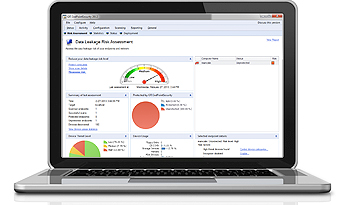
Prevent the risk of data leakage
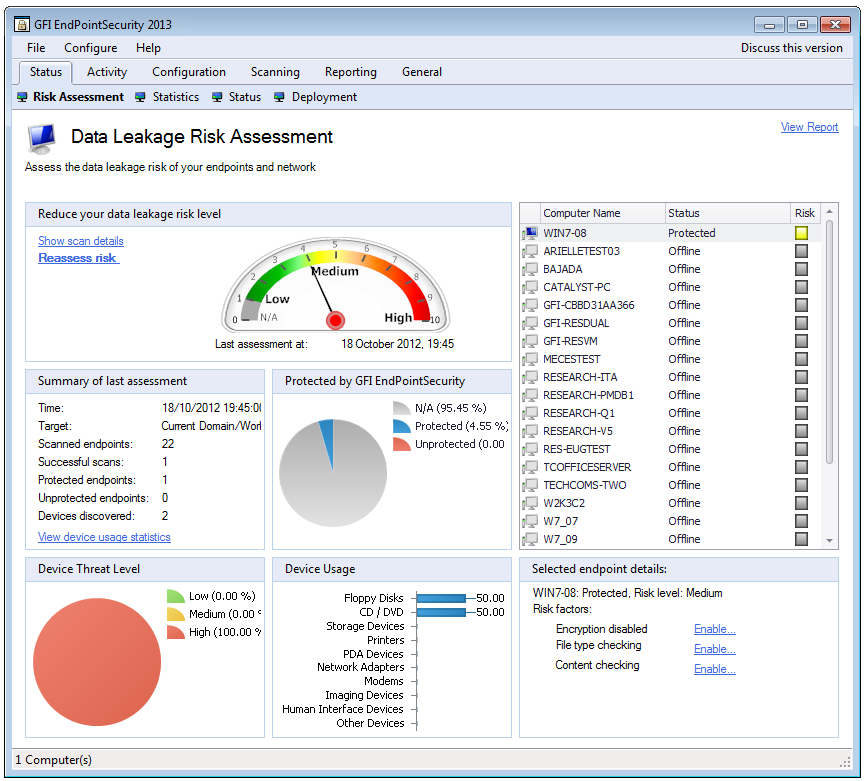
Bring your own device (BYOD) and portable storage device use in the workplace significantly increase the likelihood of your business facing data leakage issues. GFI EndPointSecurity features risk assessment capabilities that identify assets possibly doubling as sources of data leaks. All functionality is built into a dashboard that provides relevant information, suggestions for boosting protection, and shortcuts to common security tasks.
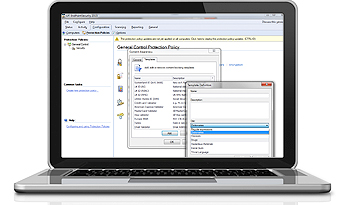
Assess and control information that travels across endpoints
The data awareness module provides another layer of endpoint protection by scanning each relevant file and searching for the most common types of information susceptible to a security breach (e.g. SSNs, PANs, etc.). The module supports inputs in the form of regular expressions and dictionary files. It also contributes to your data loss prevention (DLP) and compliance efforts.
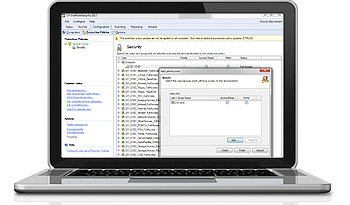
Easily control access to portable storage devices
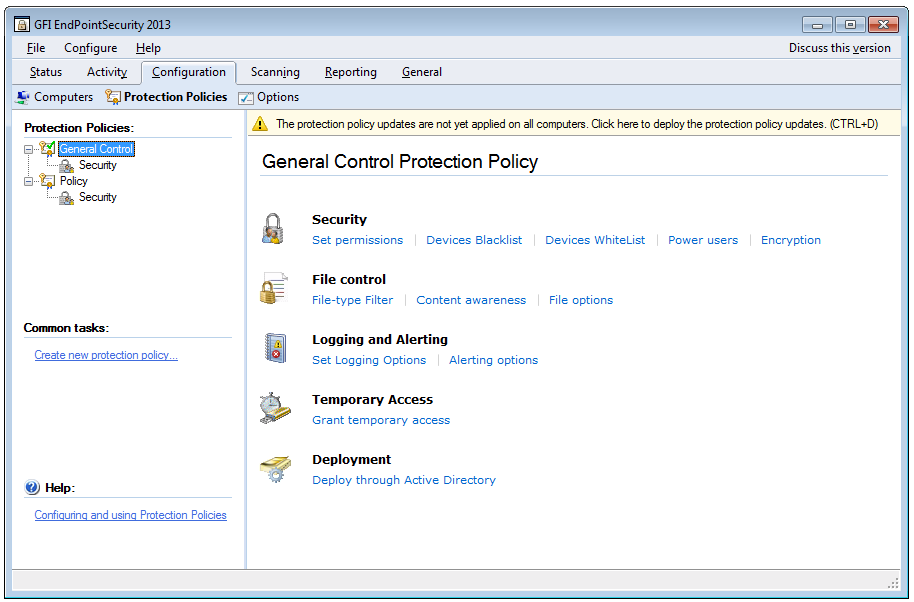
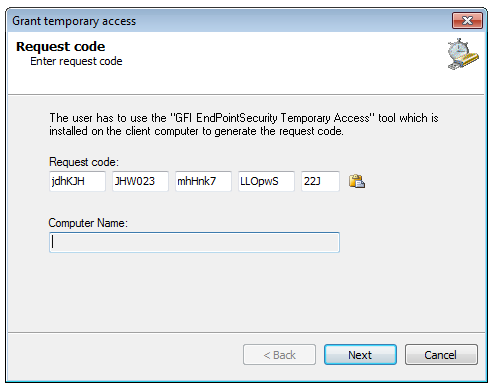
From a single location, easily grant temporary network or workstation access to portable storage devices for a set period of time as well as block devices by class, file extension, physical port or device ID.
Protect your network 
GFI EndPointSecurity helps prevent the introduction of viruses, malware and other unauthorized software to your network by blocking access to a wide variety of devices such as USB sticks, iPods and smartphones. |
Control access 
Prevent data leaks by comprehensively controlling access to portable storage devices with minimal administrative effort. Temporary access can be granted to users for a device (or group of devices) on a particular computer for a particular timeframe. |
Encrypt removable devices 
GFI EndPointSecurity can be set up to enforce encryption on removable USB storage devices. |
Prevent data theft 
Most data theft happens by employees manually transferring it onto devices. Controlling access to computers helps you prevent this. |
Take control of your network 
You can block devices by class, file extensions, physical port or device ID from a single location, while granting temporary device or port access for a stipulated timeframe. |
Centralize monitoring 
View all computers on your network from a single location, and benefit from GFI EndPointSecurity’s detection of connected devices and its ability to perform tasks. |
Automatic protection 
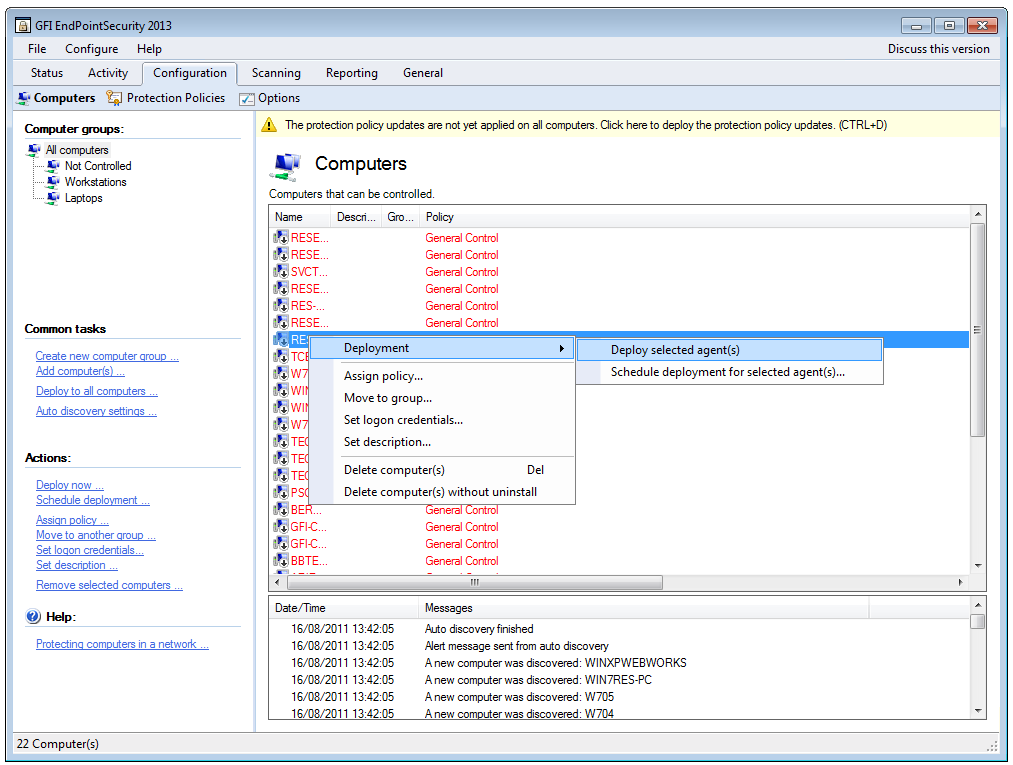
Automatically protects newly detected computers by deploying an agent and a default blocking policy. |
Generates detailed reports 
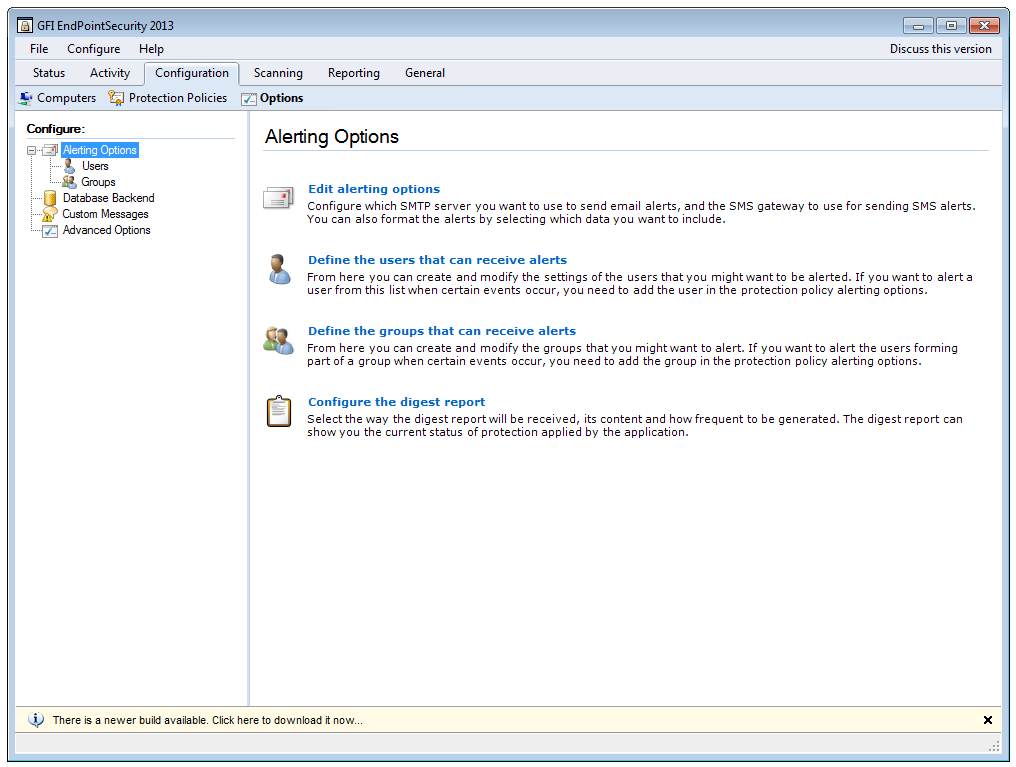
Logs detailed statistics about all activity and can send automatic daily or weekly digests. |
Control portable device access to your network with GFI EndPointSecurity
GFI EndPointSecurity enables administrators to actively manage user access and log the activity of:
- Media players, including iPods, Creative Zen and others
- USB drives, CompactFlash, memory cards, CDs, floppies andother portable storage devices
- iPhone, BlackBerry and Android handhelds, mobile phones, smartphones and similar communication devices
- Network cards, laptops and other network connections.
GFI EndPointSecurity QuickVid
What's new in GFI EndPointSecurity 2013 SR1?
AES-256 encryption
The volume encryption feature of GFI EndPointSecurity now offers AES-256 along with the already existing AES-128.
Permissions for specific device serial numbers
A policy can contain now permissions for specific device serial numbers which are very useful in cases when a specific device having a unique serial number has to be treated differently.
Risk Scanning of Windows 8 and Windows Server 2012 machines
GFI EndPointSecurity adapted to the technology change in the two new operating systems offering now the full scanning functionality for them.
Improved agent protection
The GFI EndPointSecurity agent protection was improved to block users trying to tamper with the agent and gain access to devices.
New recognized archive types
The GFI EndPointSecurity now recognizes most of the known archive types and check files inside them to offer increased protection. The following archive types are identified: 7z, arj, bz2, bzip2, cab, deb, gz, gzip, iso, jar, lha, lzh, lzma, rar, rpm, tar, wim, xar, xpi, z, zip.
Some of the features in GFI EndPointSecurity 2013 include:
This release of GFI EndPointSecurity 2013 offers better endpoint data loss prevention (DLP) through encryption for USB storage devices and improves overall user experience.
Risk Assessment Capabilities
GFI EndPointSecurity 2013 delivers data leakage risk assessment capabilities at endpoint level on a new dashboard.
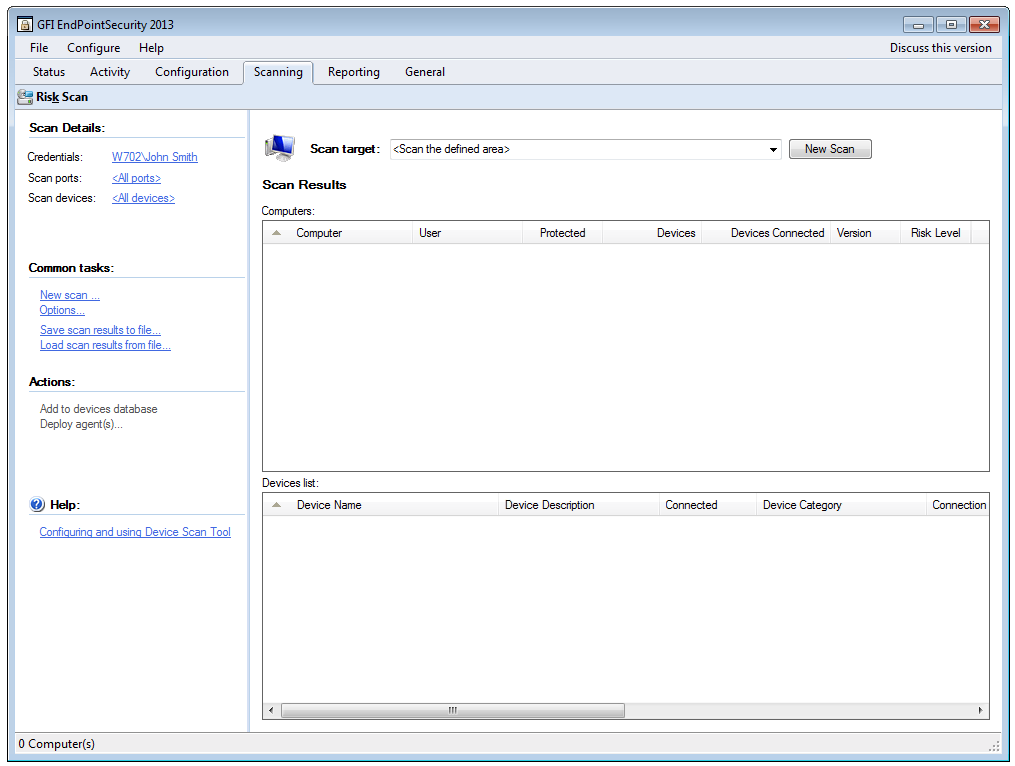
The risk assessment engine takes a number of variables into consideration, including endpoint activity level, the removable devices being used, their own risk level and of course, the measures in place to prevent data leakage (if any). It will then assign a risk level per endpoint and a global risk level per network, both available on a new dashboard designed specifically for this functionality. The dashboard allows users to see more details for each endpoint and provides more information on what is needed in order to reduce the risks levels showing up both for the network and the endpoints themselves. Additionally the dashboard contains links to the most common operations, as well as the actions which need to be performed in order to reduce the risk levels, making it easier for users to operate the product. Risk assessments can be done on request or at scheduled intervals.
Content Awareness
The data awareness module will look into files transiting the endpoints via removable devices and will be able to identify content based on pre-configured (or custom) regular expressions and dictionary files. By default the module will look for security sensitive information such as SSNs, PANs, etc. as well as industry related sensitive information such as names of diseases, drugs, dangerous chemicals, trivial language or ethnic/racist terms.
Supported file types: txt, pdf, doc, docx, xls, xlsx, html, xml
Features:
| Encryption for portable devices
When users connect to your network with a USB device containing unencrypted data, they are prompted to enter a password; GFI EndPointSecurity then encrypts all the contents on the device. After that, data can be accessed normally, with the added benefit of being encrypted using a strong AES 256-bit or 128-bit algorithm. GFI EndPointSecurity includes the Traveler Application, a program that enables users to access encrypted content when they are away from the office and in locations where the GFI EndPointSecurity agent might not be installed. The program can also generate a report of failed attempts to access encrypted portable devices. |
Computer auto-discovery
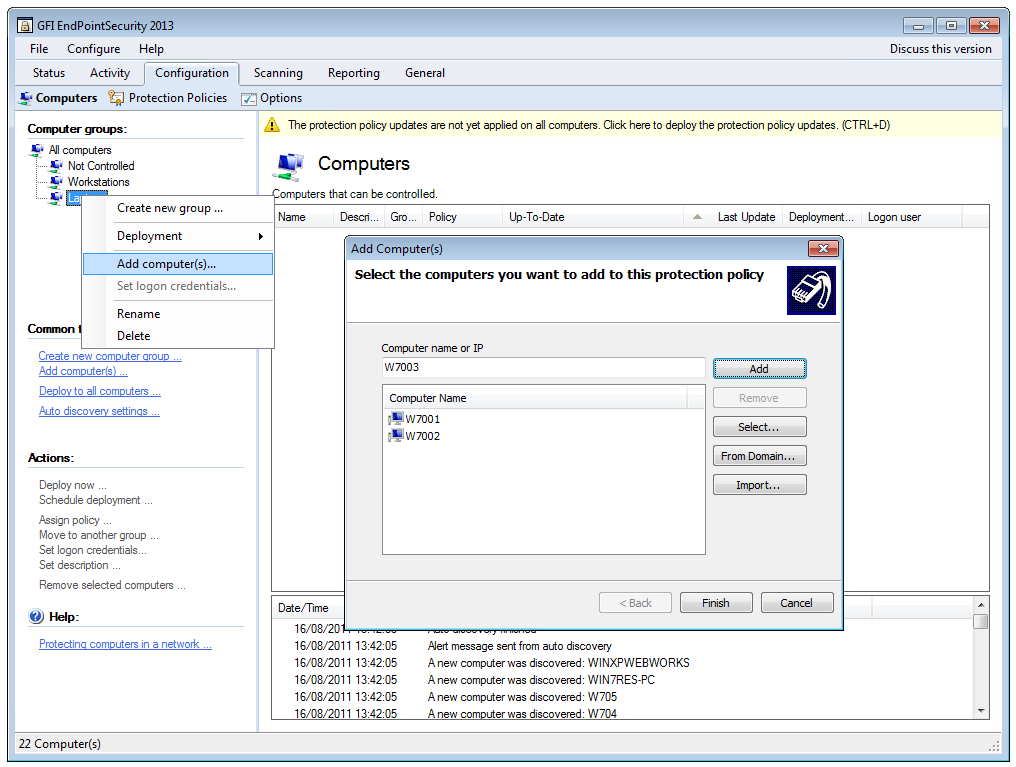
GFI EndPointSecurity monitors the network, detects new computers that are connected to the network, notifies the administrator, and performs various tasks as configured by the administrator. The administrator can, for example, set automatic detection to occur at pre-set intervals such as hourly, daily, weekly, etc. The administrator can also set the scope of the auto-discovery (e.g., only computers detected on the domain or on the entire network). Once computers are detected, the administrator can choose whether to automatically protect them by deploying a pre-defined policy, or simply to be notified that new computers were detected. If auto-protect is selected, as soon as a computer is detected, the product automatically installs the agent and applies the default policy selected by the administrator. |
| Portable device usage reporting
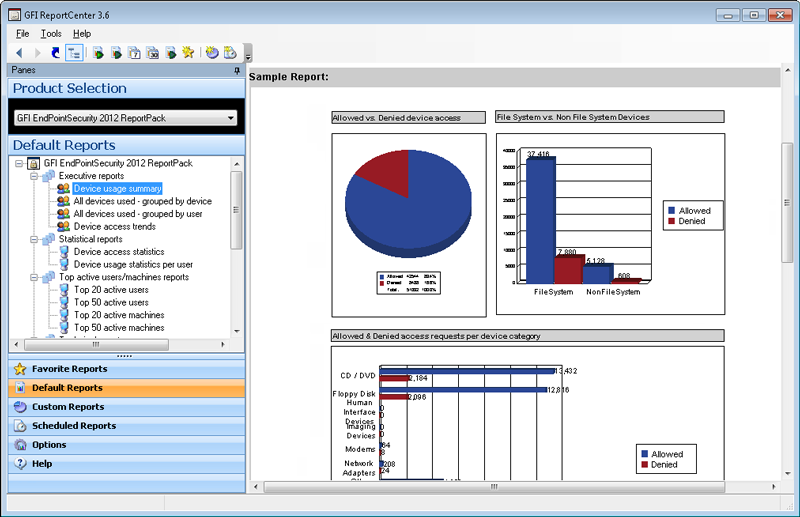
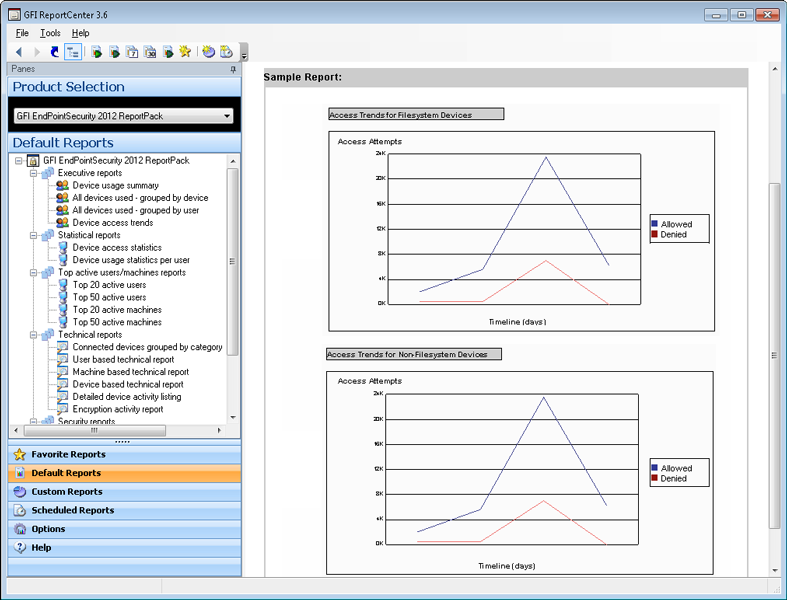
The GFI EndPointSecurity ReportPack is a free powerful reporting package that adds on to GFI EndPointSecurity. It can be scheduled to automatically generate graphical IT level or higher level management reports based on data collected by GFI EndPointSecurity, enabling you to report on portable storage devices connected to the network, user activity, endpoint files copied to and from devices, and much more. The GFI EndPointSecurity ReportPack enables you to create different types of reports, including: executive reports that provide an overview of blocked devices and portable storage device usage trends; statistical reports that provide portable device access and usage statistics; technical reports that provide a list of file names copied to and from your network by user device; and reports that list the top 20 users, machines, devices and applications that peaked connection activity. |
Group-based protection configuration
Categorize computers into protection groups. For each group, you can specify the level of protection and permitted portable device access. The ability to group your networked computers is a powerful feature. You can group an entire department together and manage those users as a single entity. Configuration of GFI EndPointSecurity is simple and leverages the power of Active Directory. It does not require the administrator to remember and track policies deployed to specific computers. GFI EndPointSecurity is unlike many other portable device control products that require cumbersome machine-by-machine administration, forcing you to make the changes on a per-machine basis and then update the configuration on each machine before the settings take effect. |
| Status monitoring and alerts
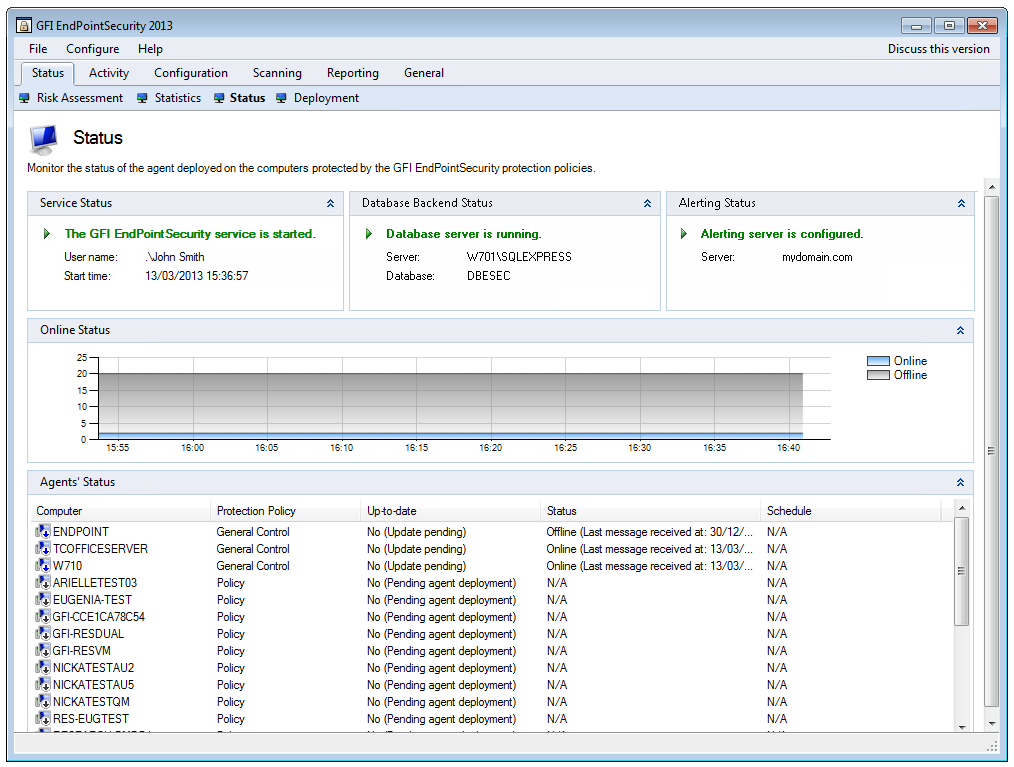
GFI EndPointSecurity provides real-time status monitoring through its user interface. It displays statistical data through graphical charts, the live status of the agent, and more. GFI EndPointSecurity also enables you to send alerts when specific devices are connected to the network. Alerts can be sent to one or more recipients by email, network messages and SMS (text) notifications delivered via an email-to-SMS gateway or service. |
Activity logs
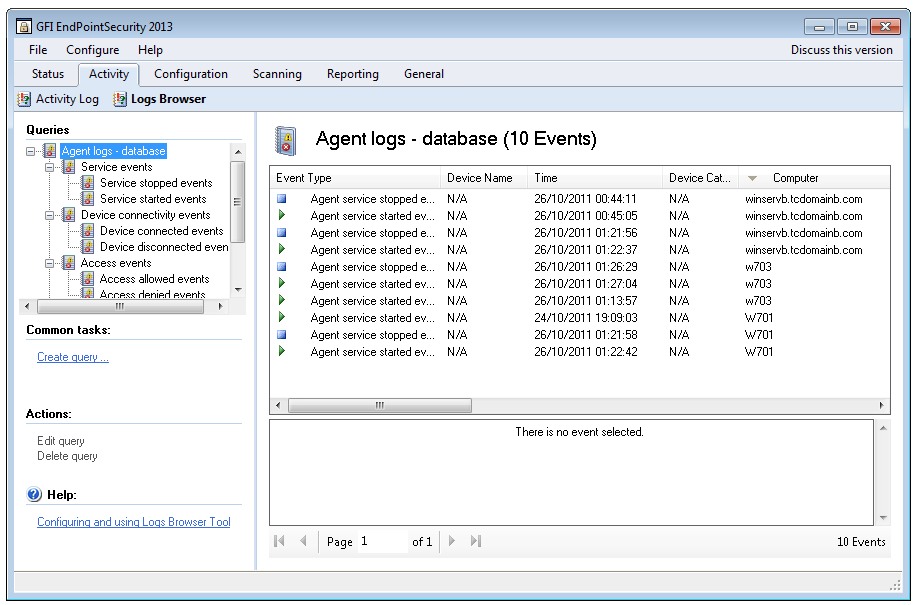
USB sticks pose a significant threat to your business environment. They are small, easily hidden and can store up to 128 GB of data. Even plugging a digital camera into a USB port gives users access to storage on a secure digital (SD) card. SD cards are available in 128 GB capacity and more, giving them the power to externally carry your data or import infected software onto your network. Beyond blocking access to portable storage media, GFI EndPointSecurity logs device-related user activity to both the event log and to a central SQL Server. A list of files accessed on any device is recorded every time an authorized user plugs in. |
| Agent deployment
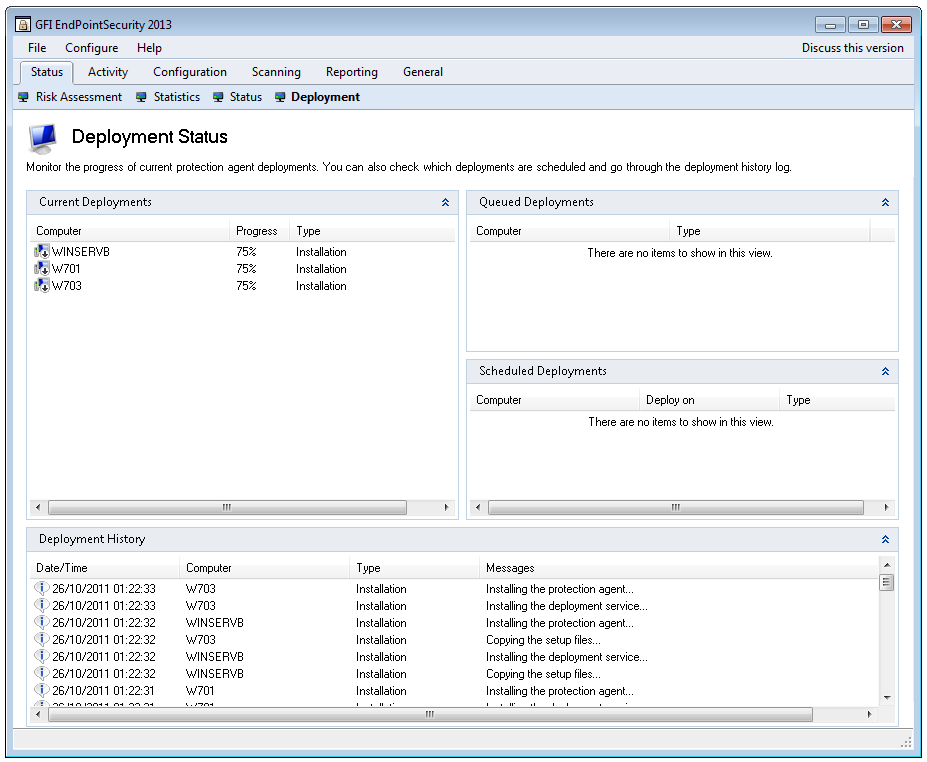
GFI EndPointSecurity provides administrators with the ability to automatically schedule agent deployment after a policy or configuration change. If a deployment fails, it is rescheduled until deployed successfully. The GFI EndPointSecurity remote deployment tool can deploy its security agent network-wide in a few minutes and facilitates Active Directory deployment through MSI. |
Whitelisting and blacklisting
GFI EndPointSecurity enables you to grant or deny access to a range of portable device classes, as well as block files transferred by file extension, physical port and the factory ID that identifies each device. It is also possible to specify users or groups, and manage their access to portable storage devices. Grant permissions that include never allowing a device access, periodic access for certain devices, and full device access at all times. GFI EndPointSecurity enables administrators to define a device whitelist and a blacklist that allows only company-approved devices while effectively and easily blocking all others. |
| Supports Windows 8
The agent used to control machines features a number of security elements to render it tamper-proof. Users are unable to uninstall the agent since it is not published as an installed application. As additional security, uninstall can only be accomplished if a special 128-character ID to unlock the uninstaller is registered. A sample of the other security features includes encryption of the configuration file used by the agent; the automatic regeneration of registry keys and critical files if altered; and an emergency block mode if the configuration file is corrupt, leaving access to the driver possible only by a system reinstall or using the recovery console. |
Prevent internal data theft and malware infection
Unfortunately, many businesses ignore or are unaware of the threat until something actually happens. According to research conducted by eMedia on behalf of GFI in the US, few medium-sized businesses consider portable storage devices to be a major threat while less than 20% had implemented software to address this risk. The key to managing portable device use is to install an endpoint security solution that gives administrators control over what devices are in use, have been used and by whom, as well as an in-depth knowledge of what data has been copied. It is also important to control sensitive data when it needs to be taken outside the company's premises on a portable device. |
| Control portable device use on your network
GFI EndPointSecurity™ enables administrators to actively manage user access and log the activity of:
|
How it works
To control access, GFI EndPointSecurity installs a hidden, small footprint agent on the machine. This agent can be deployed to machines network-wide with just a few clicks. |
| Manage user access and protect your network against the threats posed by portable storage media
Using GFI EndPointSecurity you can centrally disable users from accessing portable storage media, preventing users from stealing data or bringing in data that could be harmful to your network, such as viruses, trojans and other malware. Although you can switch off portable storage devices such as CD and/or floppy access from the BIOS, in reality this solution is impractical: You would have to physically visit the machine to temporarily switch off protection and install software. In addition, advanced users can hack the BIOS. GFI EndPointSecurity allows you to take control over a wide variety of devices. |
Log the activity of portable device access to your network
In addition to blocking access to portable storage media, GFI EndPointSecurity logs device-related user activity to both the event log and to a central SQL Server. A list of files that have been accessed on a given device is recorded every time an authorised user plugs in. |
| Encrypt portable devices
Users can be given permission to store data on USB devices as long as it is encrypted. Access to this data outside the company network can be strictly controlled by a purpose-built traveler application, which is included with GFI EndPointSecurity. |
Data aware control of files transiting endpoints via removable devices
Along with real file type detection, GFI EndPointSecurity also delivers content verification based on regular expressions or dictionary files. This enables the detection of security- sensitive information present in popular document formats. The product ships with a number of predefined templates that detect potential leaks of credit card numbers, personal identification numbers and so on. |
Other features:
- Centralizes network monitoring, detects connected devices and performs various related tasks
- Policy creation wizard
- Daily/weekly digest
- Automatically protects newly detected computers
- Can automatically download and install SQL Express if a database server is not available
- Advanced granular access control, whitelists and blacklists
- Real-time status monitoring and real-time alerts
- Full reports on device usage with the GFI ReportPack add-on
- Easy unattended agent deployment
- Permits temporary device access
- Scans and detects a list of devices that have been used or are currently still in use
- Password-protected agents avoid tampering; and provides Windows 7 support of tamper-proof agent
- Supports Windows 7 Bitlocker To Go
- Sends users custom popup messages when they are blocked from using a device
- Enables the browsing of user activity and device usage logs through a backend database
- Maintenance function allows administrators to delete information that is older than a certain number of days
- Can group computers by department, by domain, etc.
- Supports operating systems in any Unicode-compliant language
- And more!
ReportPack:
Get detailed reports on device usage - including actual filenames transferred to and from devices - with the GFI ReportPack add-on
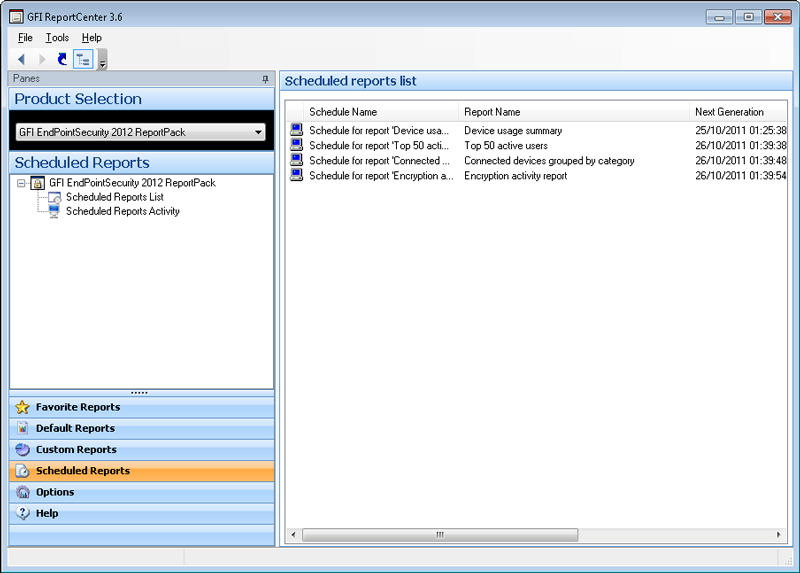
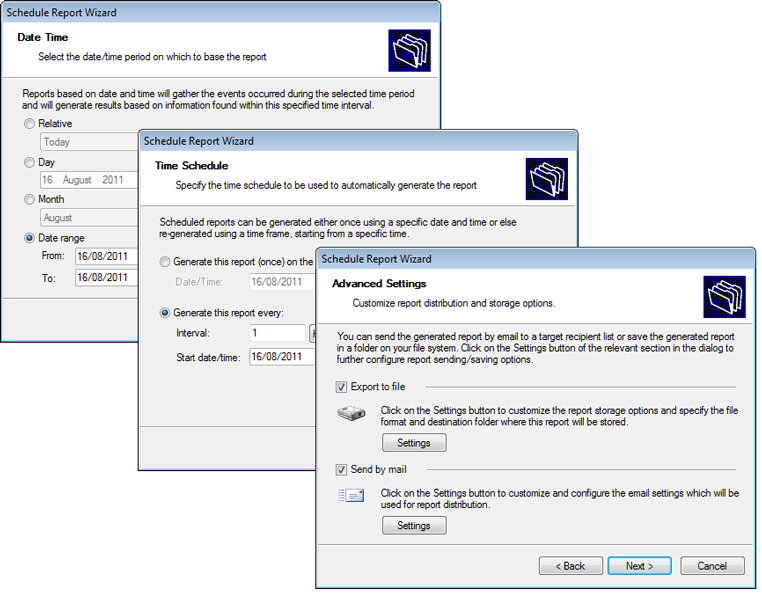
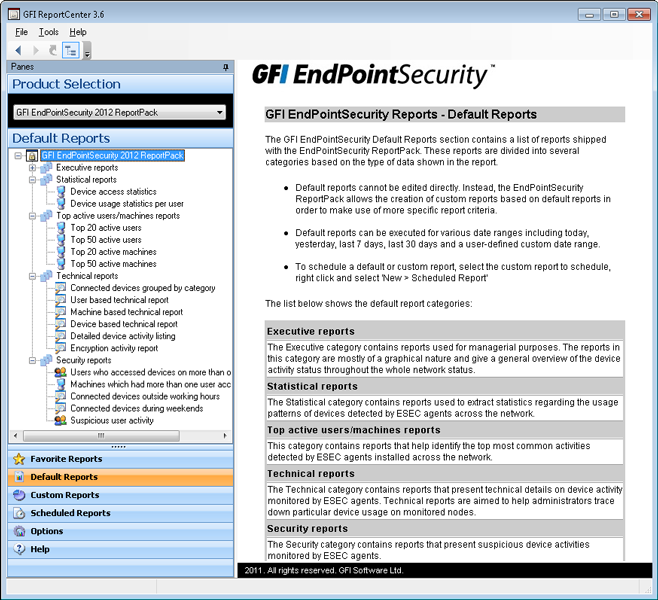
The GFI EndPointSecurity ReportPack is a comprehensive reporting companion that adds-on free to GFI EndPointSecurity. This reporting package can be scheduled to automatically generate graphical IT-level and high level management reports based on data collected by GFI EndPointSecurity, giving you the ability to report on devices connected to the network, device usage trends by machine or by user, files copied to and from devices (including actual names of files copied) and much more.
The GFI EndPointSecurity ReportPack allows you to create different types of reports, including:
Executive reports: Provide an overview of blocked devices and portable storage device usage trends.
Sample Executive reports:
Device usage summary
Users making use of each device
Devices used by each user
Device access trends
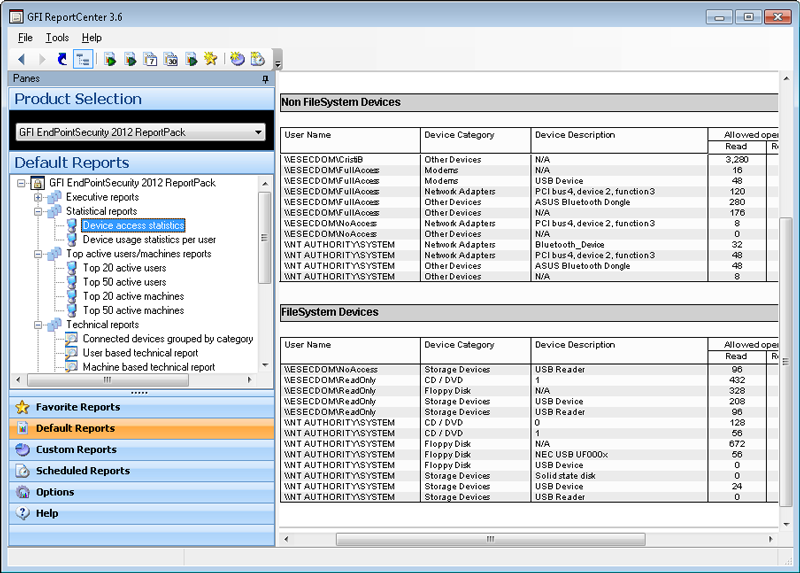
Statistical reports: Provide portable device access and usage statistics.
Sample Statistical reports:
Device access statistics
User-based device usage statistics
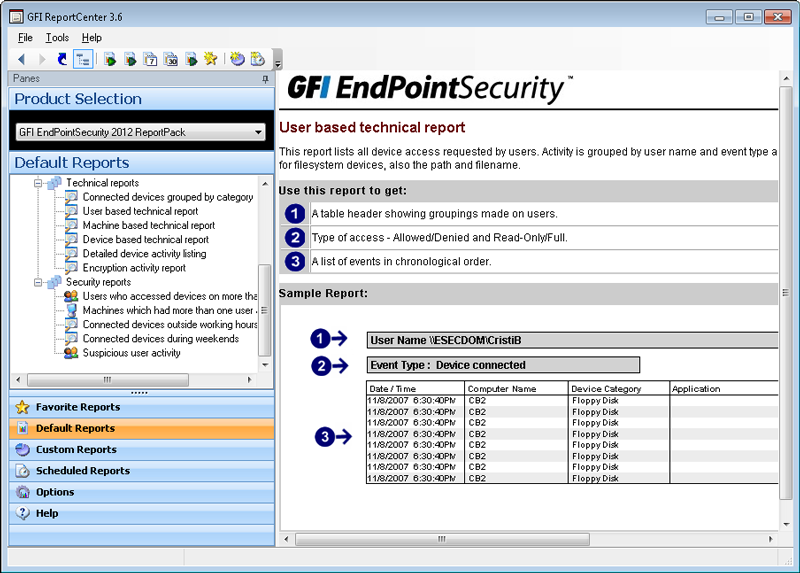
Technical reports: Provide a list of filenames copied to/from your network to devices broken down by user.
Sample Technical reports:
Connected devices grouped by category
User-based technical report
Machine-based technical report
Device-based technical report
Detailed device activity listing
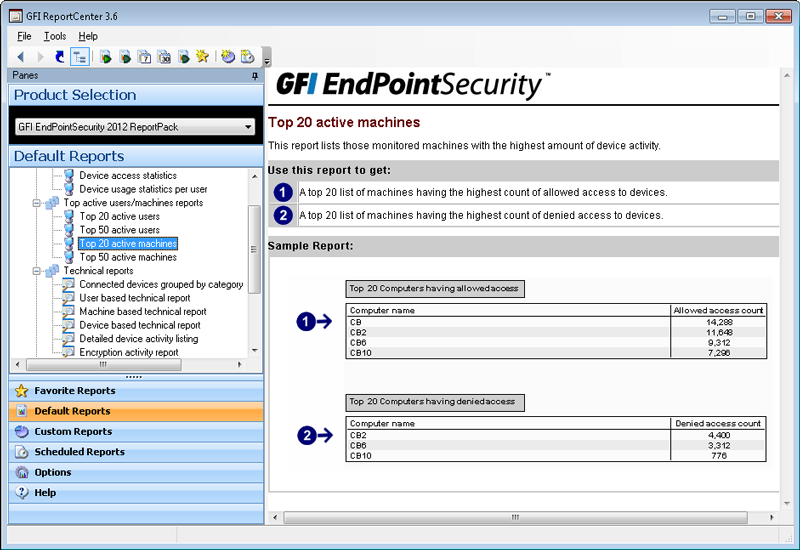
Top 20 reports: List the top 20 users, machines, devices and application which peaked connection activity.
Sample Top 20 reports:
The GFI EndPointSecurity ReportPack is adds-on free to the GFI EndPointSecurity software; please Download and install GFI EndPointSecurity before installing the ReportPack.
NOTE: This ReportPack integrates fully with GFI ReportCenter™.
Screenshots:
GFI EndPointSecurity - Screenshots
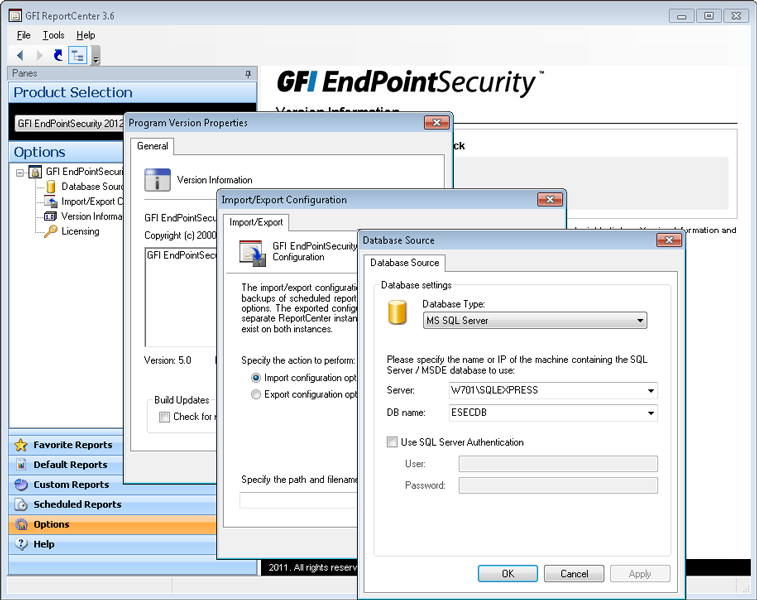
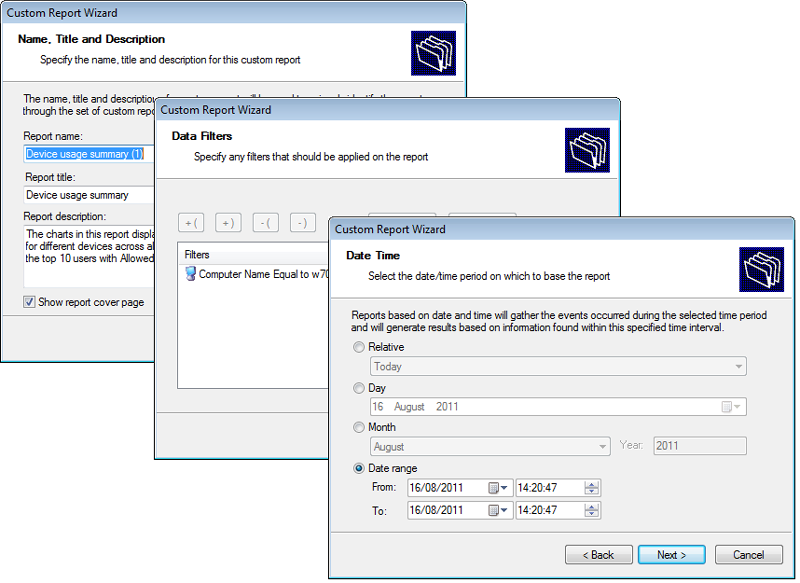
GFI EndPointSecurity - ReportPack screenshots
System Requirements:
System requirements: Hardware
- Processor: 2GHz processor clock speed
- RAM: 512 MB (minimum); 1 GB (recommended)
- Hard Disk: 100 MB of available space
System requirements: Software
Operating system (x64 or x86):
- Microsoft Windows XP Professional
- Microsoft Windows Vista (Enterprise, Business or Ultimate edition)
- Microsoft Windows 7
- Microsoft Windows 8 Professional (x86)
- Microsoft Windows 8 Enterprise (x64)
- Microsoft Windows 2003 Server
- Microsoft Small Business Server 2003
- Microsoft Windows 2008 Server (Standard or Enterprise edition)(SR1 - SR2)
- Microsoft Windows 2008 Server R2
- Microsoft Small Business Server 2008
- Microsoft Windows 2012 Server (Standard or Enterprise edition)
- Microsoft Windows Small Business Server 2012
Other components
- Internet Explorer 5.5 or later
- NET Framework version 2.0
- Database Backend: SQL Server 2000, 2005, 2008
- Port: TCP port 1116 (default)
NOTE 1: The firewall has to be configured to allow connections between the GFI EndPointSecurity machine and computers running the GFI EndPointSecurity Agent.
NOTE 2: GFI EndPointSecurity can only be installed and launched when using administrative privileges.
Agent - Hardware requirements
- Processor: 1GHz processor clock speed
- RAM: 256 MB (minimum); 512 MB (recommended)
- Hard Disk: 50 MB of available space
Agent - System requirements
Operating system (x64 or x86):
- Microsoft Windows Server 2008 R2 x64 (Standard or Enterprise edition)
- Microsoft Windows Server 2008 (Standard or Enterprise edition)
- Microsoft Windows Server 2003 (Standard, Enterprise or Web edition)
- Microsoft Windows 8 Professional (x86)
- Microsoft Windows 8 Enterprise (x64)
- Microsoft Windows 7 (Enterprise, Business or Ultimate editions)
- Microsoft Windows Vista (Enterprise, Business or Ultimate editions)
- Microsoft Windows XP (Professional edition)
- Microsoft Windows Small Business Server 2008 (Standard or Enterprise editions)
- Microsoft Windows Small Business Server 2003
- Microsoft Windows 2012 Server (Standard or Enterprise edition)
- Microsoft Windows Small Business Server 2012
Documentation:
Download the GFI EndPointSecurity Data Sheet (PDF).
Pricing Note:
- The Plus Edition includes 150 devices.
- The Pro Edition includes 300 devices.
- The Premium Edition includes 500 devices.
- To order an upgrade, additional users or other add-ons not listed here to an existing product, please contact us.