
 GFI WebMonitor for ISA/TMG Server
Monitoring, web security and access control

GFI WebMonitor is now available in two versions:
- GFI WebMonitor – as a standalone proxy version which works in most network environments
- GFI WebMonitor for ISA/TMG – a dedicated plug-in for Microsoft ISA/TMG only.
Sorry, this product is no longer available, please contact us for a replacement.
Click here to jump to more pricing!
Overview:
Boost productivity and enjoy proactive web security
If not managed correctly, Internet use at the workplace can result in lost productivity while also posing a huge security threat to your business. With the Internet usage monitoring capabilities it provides, GFI WebMonitor™ helps you boost employee productivity without shutting off their Internet access. It simultaneously enables you to proactively protect your network. GFI WebMonitor is the only Internet usage monitoring software solution you need as it provides multiple layers of protection, giving you peace of mind.
Now with blocking based on reputation. Also includes Facebook Chat blocking.
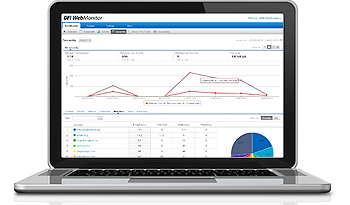
Enhance Internet security
Millions of under-protected computers the world over are infected by website exploits. The malware industry is lucrative and hackers use advanced techniques to lure victims. Risk of infection grows with multiple users. GFI WebMonitor counters this issue by using multiple security engines, three antivirus engines, several anti-phishing feeds, multiple malware protection layers and web reputation protection.
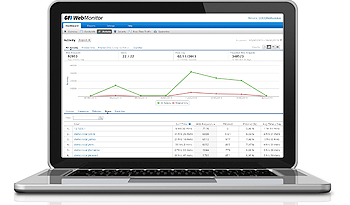
Monitor user Internet browsing activity
Users waste time online in many ways: social networking, viewing video, researching travel, reading blogs, visiting auction, game, sports or news sites – and more. Web monitoring prompts users to instinctively restrict the time they spend on websites – and those who don’t properly manage their time can easily be identified.
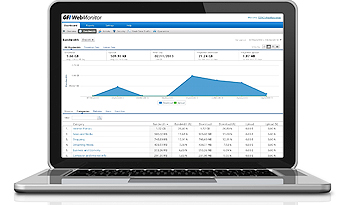
Optimize bandwidth usage
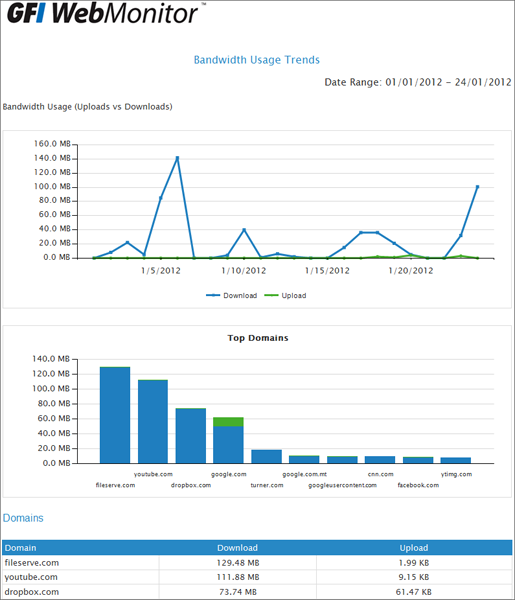
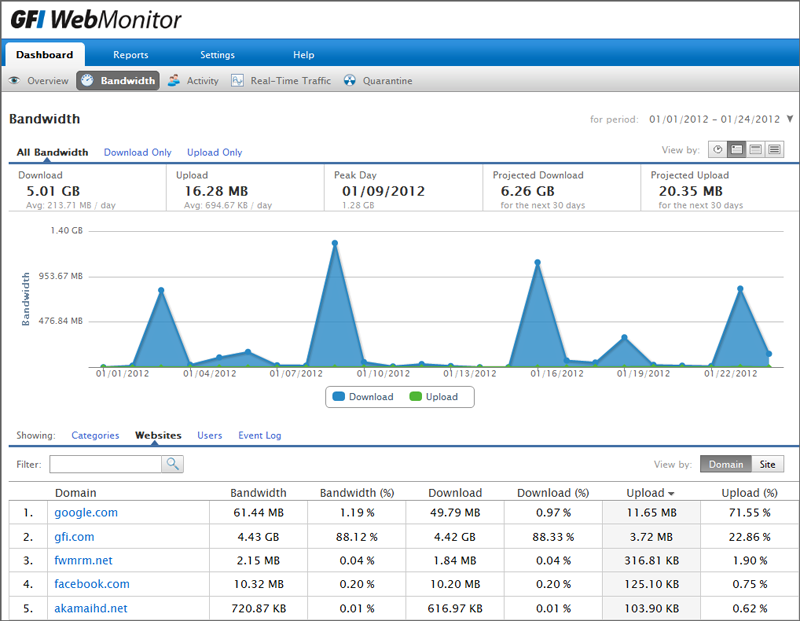
GFI WebMonitor pinpoints bandwidth problems stemming from excess usage by user, website or categories of websites. It then enables you to apply appropriate policies that help mitigate these issues. You can set wide-ranging policies that include blocking large file downloads by a particular user and setting a download limit per day. Your bandwidth, your decisions.
Proactively protect your network 
Control downloadable file types, scan downloads using multiple antivirus engines and block known malicious sites. |
Predict web security risks 
Uses the reputation score of a URL or IP address to predict the security risk involved in visiting a website. |
Increase productivity 
Reduce time wasted by employees online through the granular management of their browsing habits. |
Filter Internet use 
Create and enforce an Internet usage policy to filter websites based on a list of over 280,000,000 domains. |
Maximise available bandwidth 
Set time and bandwidth thresholds, block streaming media, and gain via proxy caching. |
Prevent data leakage 
Block socially-engineered phishing websites and other online scams by controlling Internet access. |
Monitor HTTPS traffic 
Protect against malware masking itself in HTTPS traffic, and block attempts to circumvent web filtering. |
Immediate ROI 
Reap financial rewards immediately by controlling employees' Internet usage and protecting your network through best practices in web security. |
Granular Internet monitoring
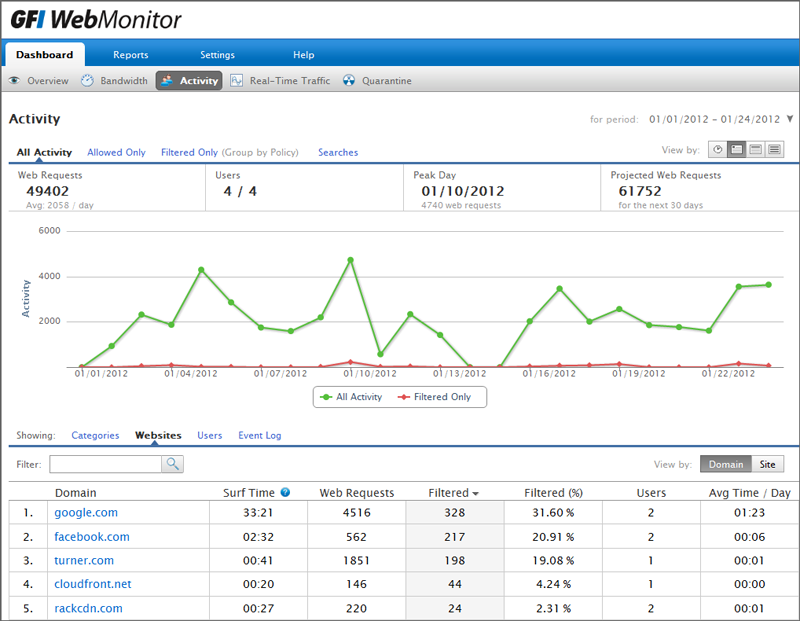
GFI WebMonitor's Internet monitoring capabilities provide visibility into what sites your users are browsing, how much time they are spending and how much bandwidth they're consuming. It also provides interactive drill-down capabilities, showing you the site categories being visited by particular users, how much time and bandwidth is being consumed, and more. Employing internet monitoring software is often the first step towards formulating an effective Internet Usage Policy that meets your specific business needs.
Web filtering with time, bandwidth and category based policies
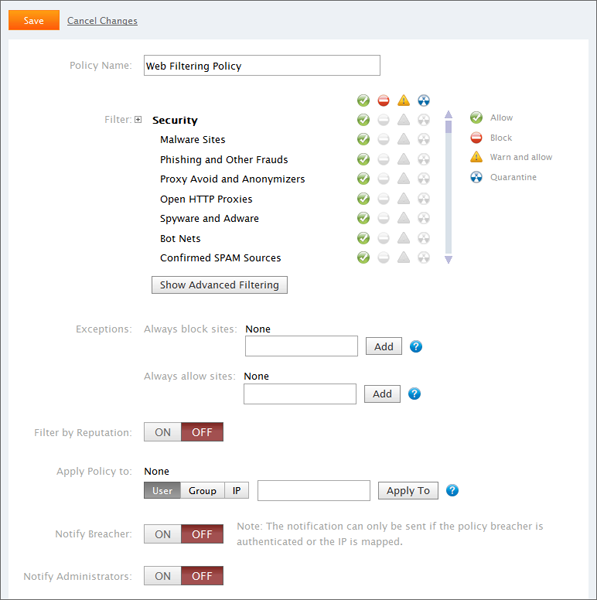
GFI WebMonitor lets you define web filtering and web browsing policies to help enforce an effective Internet Usage Policy. Administrators can allow or restrict access to different website categories as well as setting time or bandwidth thresholds, on a per user or per IP basis. GFI WebMonitor's extensive site categorization database, with coverage of over 280,000,000 domains that are updated daily, enables you to manage what sites your users can browse while blocking access to websites in particular categories, such as adult materials, gaming, personal email, P2P, social networks like Facebook and MySpace, and more.
Web security to protect against viruses, spyware, phishing scams and other malware
GFI WebMonitor is an internet monitoring software that also offers web security features that allow you to define policies which control what type of files your users can download – blocking dangerous file types such as executables and others, like MP3s, on a per-user or per-IP basis. GFI WebMonitor uses multiple antivirus engines to scan all downloads for viruses, spyware and malware, and lowers the risk of social engineering by blocking access to phishing websites. It also allows you to monitor and block MSN/Live Messenger chat sessions and file transfers while its HTTPS scanning ensures that users do not bypass your web security measures by downloading files through an HTTPS-encrypted channel.
GFI WebMonitor™ Product Tour
GFI WebMonitor helps you boost employee productivity without shutting off their Internet access and simultaneously enables you to proactively protect your network. Join us on a tour of its main features.
What's new in GFI WebMonitor 2015
GFI WebMonitor 2015 - Service Release 1 (build 20141121)
Released: November 26, 2014
In this service release of GFI WebMonitor 2015, we have made some modifications to improve the product overall. These changes include:
- Destination hosts can be excluded from proxy authentication, via configuration file.
- Licensed users can be viewed directly from the Licensing Settings page.
- Bug fixes
What's new in GFI WebMonitor 2015?
Released: October the 16th 2014
GFI WebMonitor 2015 is now available as a single offering. The two editions, WebFiltering and WebSecurity, have been discontinued, and all functionality is now available in GFI WebMonitor 2015. It is important to note that the new features in this update are not available to GFI WebMonitor 2013 for ISA/TMG users.
Application control for applications using web protocols
GFI WebMonitor 2015 provides IT admins with laser-focused detection and management of over 700 web applications. This is done through our new application control technologies, comprising signature pattern matching, conversational semantics, Deep Protocol Dissection, Heuristic Analysis, Flow Awareness and association engines, as well as statistical inspection over and above the BrightCloud web filtering engine used in version 2013.
Application control enables IT admins to configure applications (authorized or not) to access the web via HTTP/HTTPs protocols. Control is highly granular and certain use cases are only possible with this technology. For example, admins can block Google Drive without blocking the Google website (and searches) and without blocking port 80 in the firewall (used by Google Drive as well as by web browsers).
Unified policy configuration and management
The new policy engine and UI enables configuration of web filtering and web security policies in the same logic, greatly reducing the number of steps required to build an effective configuration. The main parameters for configuring policies are clearly listed and logically grouped and can be set via a simple drag-and-drop action. The new overview UI gives IT admins a holistic view of policy settings: who are the individuals affected and what the effect will be.
Performance Upgrade
The WebMonitor 2015 engine has been completely re-built to incorporate the latest technologies enabling x64 compilation, better memory management, faster processing and scalability.
Fresh, new look
The revamped user interface delivers a significantly better view of what the product and users are doing. The new UI makes it much easier and faster to executes tasks; for a much better user experience. A new main dashboard with real-time data is now available and the existing drill-down dashboards have a new and more intuitive filtering interface.
Features:
GFI WebMonitor is available in three editions:
- WebFilter edition: Includes time- and bandwidth-based browsing control, as well as website categorization and URL filtering for increased productivity and security
- WebSecurity edition: Includes download control, virus scanning through multiple anti-virus engines and anti-phishing as well as control for most IM clients
- UnifiedProtection edition: Combines both WebFilter and WebSecurity editions
The features below are available in all editions. Features available exclusively in a particular edition are listed further down on this page.
Features of GFI WebMonitor - WebFilter Edition and Unified Protection Edition
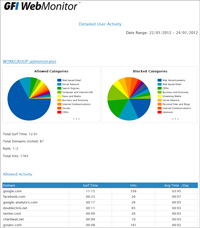
Monitoring what users are searching for in major search engines (Google, Bing, Yahoo!) helps you identify potential issues such as employees making frequent use of job-related searches or researching bomb-making, terrorism and other suspicious activity. Carefully monitoring search engine terms can even provide a good indication of the general mood of the organization. |
Surf time policies – reduce productivity loss With GFI WebMonitor, an administrator can define policies based on surf time. For example, the administrator can allow users to browse news and social networking sites for not more than one hour per day. When users exceed their time allowance threshold, a notification page is displayed informing them that their allowed browsing time has been used up. Such policies can be defined for specific websites or entire categories of websites. |
Bandwidth policies – control bandwidth hogs The administrator can also define policies based on bandwidth thresholds. For example, the administrator can allow users to download a maximum of 100 MB per day from video sharing and online file storage websites such as YouTube or MegaUpload. When users exceed their bandwidth threshold, a notification page is displayed informing them that their bandwidth quota for the defined period has been reached. These policies, too, can be defined for specific websites or entire categories of websites. |
WebGrade ™ category and reputation database with coverage of over 280m URLs GFI WebMonitor allows you to define web browsing policies to restrict access to particular categories of websites,and set time or bandwidth thresholds of your choice, on a per user or per IP basis. Its WebGrade database offers coverage of over 280 million domains and extensive URL coverage across more than 30 languages, with additional websites being added continually. Due to the constantly changing nature of the web, GFI WebMonitor also queries GFI servers for the categorization of URLs that are not found in the local cached database. If a URL is found to be uncategorized, it is processed by the server and added to the database. |
| Enforcing of SafeSearch
With GFI WebMonitor it is possible to mandate SafeSearch on search engines. This option is normally customizable at the user level, i.e., the user can disable it; however, by enabling this feature, the personal option will be overridden so that the one mandated by GFI WebMonitor is used instead. This feature is particularly useful in educational institutions where objectionable material should never make it to the user's browser through search engine result pages. |
WebFilter policy exceptions
Apart from a generic blacklist/whitelist, the administrator can also define site exceptions for each particular policy. A typical example will be to block all news sites except www.cnn.com. |
| Mitigate legal liability
Without the ability to exercise some form of management over what your users are browsing, you leave yourself open to legal liability in a variety of ways. Provide your employees with safe, well managed access to the Internet while on your premises and you will safeguard your company, your employees and your bottom line. |
Website reputation-based filtering
Waiting for a website to be classified as dangerous can be a risky game to play. Proactive protection from Internet threats can save you from being infected and therefore from potentially devastating consequences. GFI WebMonitor provides reputation-based filtering, which uses the reputation score of a website or IP address to predict the security risk involved in visiting that website. A website's reputation is calculated from hundreds of metrics that include infection history, age of establishment, site popularity, site content and many others; a score is then awarded from one (high risk) to 100 (trustworthy). Website reputation-based filtering adds a proactive layer of security as well as enabling flexible Internet access policies. For example,GFI WebMonitor allows you to enable access to "Shopping" websites while simultaneously providing protection by blocking access to low-reputation shopping sites. |
| Policies to block streaming media
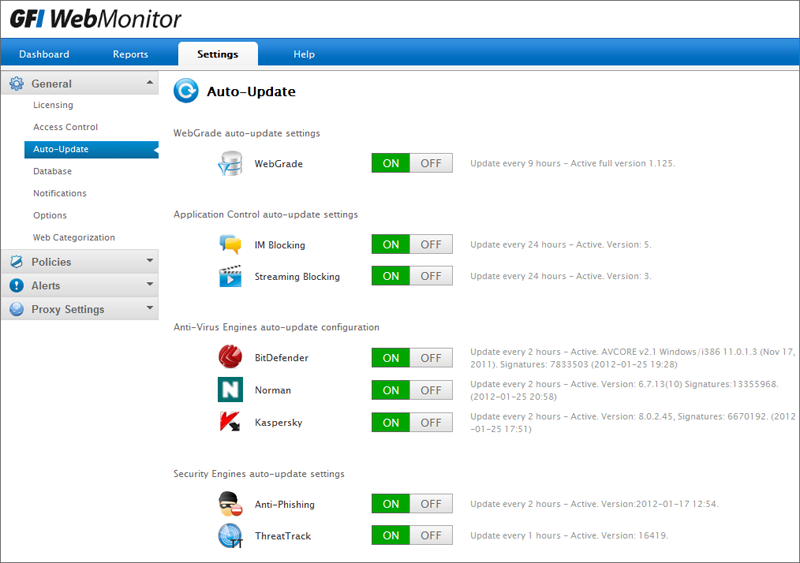
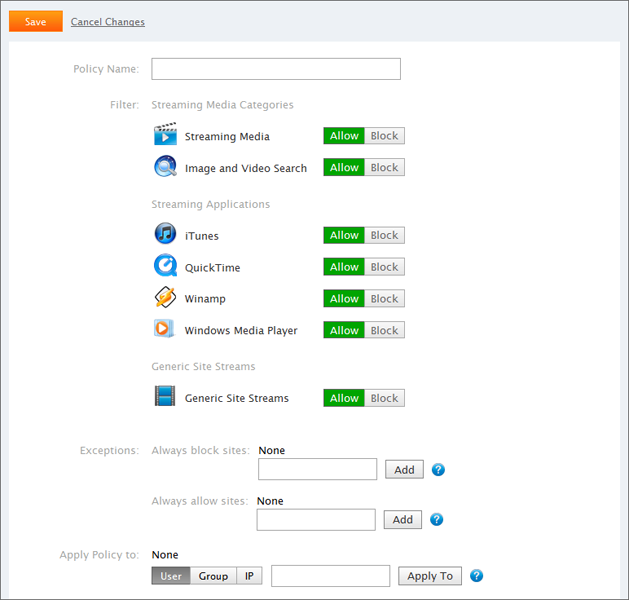
As audio and video streaming has become an integral part of many websites, GFI WebMonitor now allows you to save bandwidth by blocking streaming media. Audio and video content are a routine feature on news, entertainment and sports and this can quickly create a network bottleneck especially in peak times or during events of interest. Policies to block streaming media enable you to allow access to the sites which are providing the media while blocking access to the actual stream, ensuring that a healthy medium is reached. Specific streaming via media applications such as iTunes, Winamp, Quicktime, Windows Media Player can also be blocked. This feature includes an auto-update engine to be able to distribute new signatures as they are discovered. |
Soft blocking – warn and allow
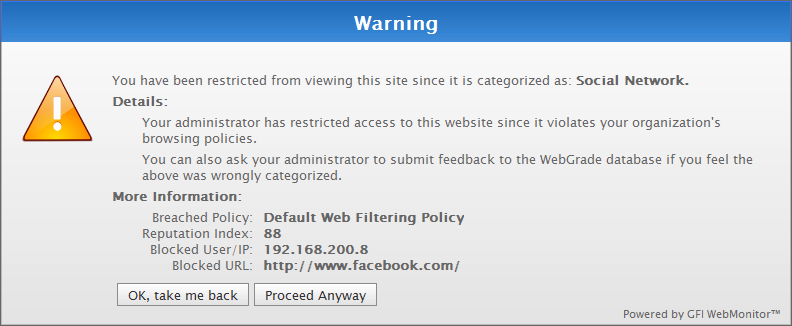
Allow trusted users to override blocking after warning them that a URL is in breach of company policy; putting into practice the concept of self-policing. |
| Access Monitoring Activity Log
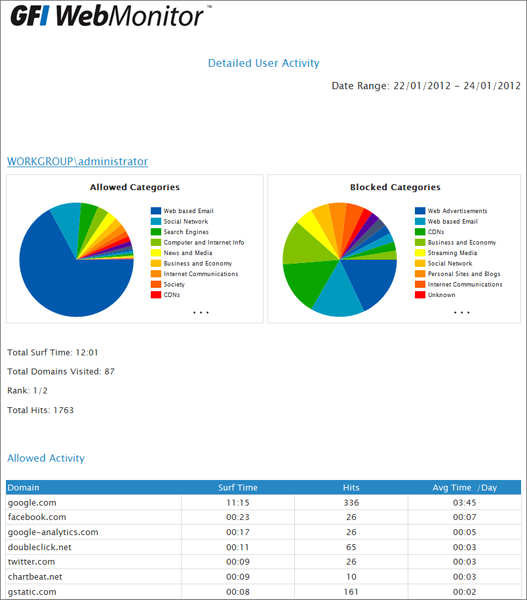
View an exact trail of what a user has done, including the time when a specific website was visited. This log offers an option to view a listing of sites/pages which have been accessed together with the time and date of when they were accessed. |
Flexible policies and policy exceptions
Policies are flexible and allow you to either define generic blocks or to specify more refined rules for particular groups of people. Exceptions can be easily catered for too; GFI WebMonitor has a generic blocklist/whitelist, whilst also allowing specific site exceptions (always block/always deny) for each particular policy. An example would be to block all news sites except www.cnn.com, for instance. |
 NEW! Search engine monitoring
Features of GFI WebMonitor - WebSecurity Edition and Unified Protection Edition
| Manage which file types users can download
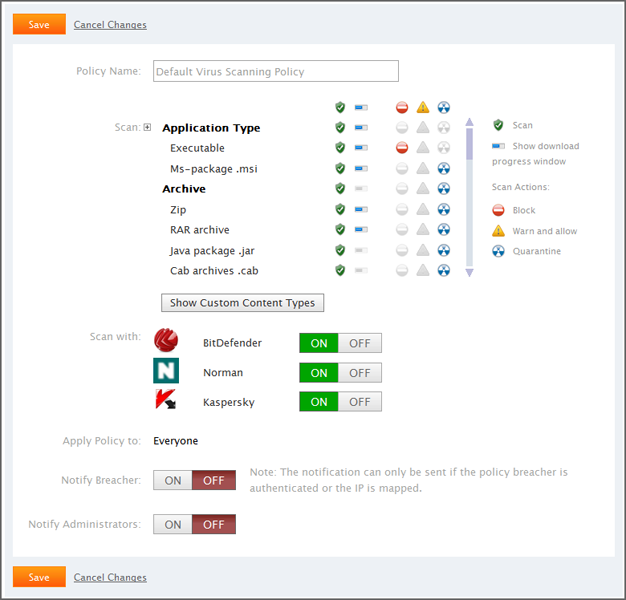
Create multiple user/group/IP-based download control policies to reflect your organization's security policies, blocking the download of particular potentially malicious file types (such as exe, msi and more) for particular users, groups or IP addresses. You can also limit file types which could have legal implications for your business (such as MP3 or MPEG files). Dangerous files, like Trojan downloader programs, often attempt to penetrate a system masked as an innocuous file. GFI WebMonitor analyzes and detects the real file types and acts accordingly. |
Scan downloaded files with multiple antivirus engines
GFI WebMonitor uses multiple virus scanners to protect you against inadvertently downloading malicious files.
To achieve greater security and enhance the benefits gained by scanning via multiple antivirus engines, users can add the Kaspersky SuperSecure antivirus engine, available as an optional add-on. The Kaspersky SuperSecure database includes support for the detection of malicious software that can perform remote administration, key logging, password detection, automatic dial-up to paid sites, and more. GFI WebMonitor automatically checks and updates the Kaspersky definition files as they become available.
|
| Protect against socially engineered phishing websites
Phishing is a social engineering technique that is used by malicious hackers to acquire personal information such as usernames, passwords and credit card details. These sites are designed to lead users to believe that they are passing on their details to a genuine company. Online shopping and credit card companies are among the most targeted phishing websites. GFI WebMonitor protects users from the potential risks of social engineering by blocking access to phishing websites. This is done through the use of an auto-updatable database of phishing URLs. |
Instant messaging (IM) control
Block IM clients, including Live Messenger(MSN), FaceBook Chat, GTalk/Gmail Chat, Yahoo! Messenger, and thin instant messaging portals which are used to circumvent IM blocking policies. This feature includes an auto-update engine to be able to distribute new signatures as soon as they are discovered.
|
| GFI WebMonitor for ISA/TMG
GFI WebMonitor is also available as a dedicated plug-in for Microsoft's Internet Security and Acceleration (ISA) Server and Threat Management Gateway Server (TMG). GFI WebMonitor seamlessly integrates with ISA/TMG, complementing the powerful firewalling features while giving IT Administrators the ability to get a much clearer picture of what type of traffic is being filtered, what type of Internet requests are being sent to the server and the ability to apply policies and rules based on IP, user or groups. |
Blocking of malicious websites – powered by GFI ThreatTrack
GFI WebMonitor provides the ability to proactively block websites serving malware, phishing, rogue software, exploits or other malicious content.
ThreatTrack is powered by GFI Sandbox™, our automated malware analysis tool |

General features
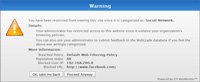 NEW! Action-based alerts NEW! Action-based alerts
With GFI WebMonitor you can receive alerts when specific issues occur. Its alerting features are very flexible and you can set them up based on your choice of triggers. You can, for example, set GFI WebMonitor to automatically notify the IT administrator when somebody is hogging bandwidth; notify HR management if somebody is browsing job-search websites; or to notify a particular manager if somebody in their team is spending too much time on websites which are in the productivity-loss category. |
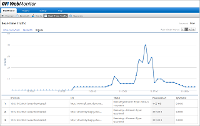 NEW! Smart dashboards NEW! Smart dashboards
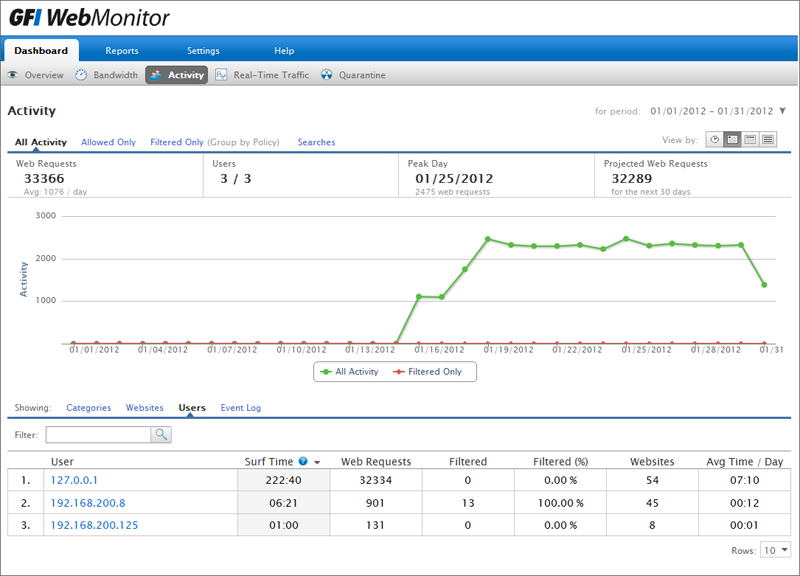
The dashboards and analytical pages allow you to immediately identify problems as they happen: whether it is a specific user who is leading the Top Browser list again, a category which is causing too much productivity loss, a website which is draining all your bandwidth, or a user who is always browsing malicious or potentially malicious websites. To offer the ability to drill down to the necessary information easily, GFI WebMonitor’s ‘Smart Dashboards’ allow interactive filtering based on categories, websites and users. In addition, on-screen sorting of the data is available on the fly. |
| SQL Server support
GFI WebMonitor allows you to use an installation of SQL Server or SQL Server Express as its logging database. Although this is not a requirement, using a new or existing installation of SQL Server or SQL Server Express (which is free) provides improved performance for installations where high volumes of data are generated and retrieved. |
Controlled access to the configuration and monitoring interface
GFI WebMonitor is configured through a web UI which allows you to access it remotely. To control access, IT administrators can select which users can access the program's configuration and monitoring interfaces. Access rights can be assigned based either on the IP of the computer or the domain-authenticated username. Access will only be granted to users in GFI WebMonitor's authorized users or IP list. |
| Monitor or block a connection in real time
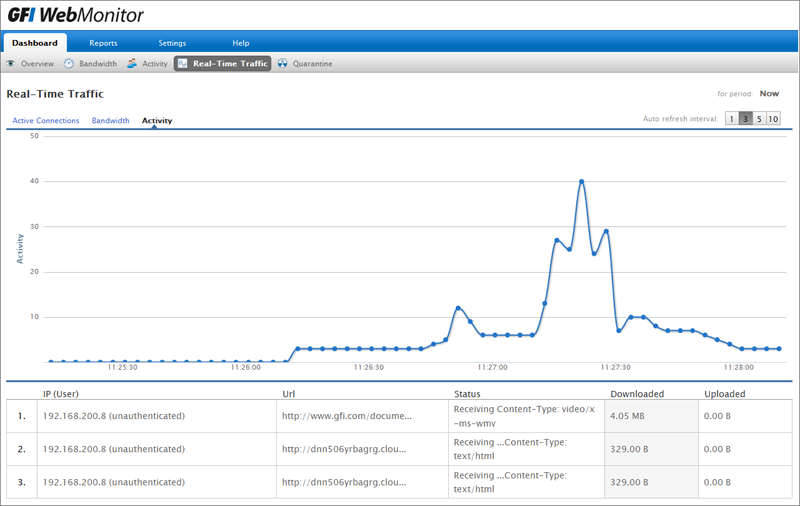
Administrators can see what websites users are currently browsing and what files are being downloaded. An active connection, browsing session or download can easily be blocked, simply by clicking the block connection icon. This proves very useful if you need to interrupt the unauthorized download of an oversize file. |
Easy interactive access to monitoring information
GFI WebMonitor issues detailed reports on all user access and blocked access by users, by sites, by categories. Users can drill down attain the required information, whilst interactive sorting allows administrators to quickly determine information such as Top Surfers, Top Downloaders, Top Uploaders, Top Policy Breakers, Top Sites Visited, Top Blocked users. This allows administrators to easily see who is breaching the company's Internet Usage Policy. Other information includes browsing restricted sites, downloading of malware infected files or file types that are blocked through download control policies. |
| Monitor hidden downloads
GFI WebMonitor can be configured to display a download progress window while a file is being downloaded and scanned. The file can then be obtained by clicking the ‘Save’ button in the download progress window. Some pieces of malware rely on the ability to download further files from the web to complete their infection of a computer. Not being aware of the GFI WebMonitor download progress window and not being able to get past it, such pieces of malware are blocked in their tracks. Download progress windows for which the file is not retrieved can be monitored so as to identify infections with such malicious applications performing “hidden downloads” – which can include Trojans, spyware and others. |
Allow exceptions through whitelist and blacklist
Any URL or user or IP can be added permanently or temporarily to the whitelist or blacklist which will supersede all web filtering and web security policies. For example, you could temporarily grant access to a particular user for his or her personal webmail account for a specified period of time, say over employee lunch breaks. |
| Proxy caching
GFI WebMonitor implements caching, such that files and other objects/resources are delivered to the end-user from a cache on the GFI WebMonitor machine when possible, thus improving performance and reducing bandwidth consumption. |
HTTPS scanning
GFI WebMonitor can decrypt SSL-encrypted web traffic, scan its contents for malware, and re-encrypt it. This stops users from bypassing your blocking policies by accessing sites over HTTPS. This extends the granularity of filtering and control offered by GFI WebMonitor through filtering, download control and virus scanning policies to such encrypted traffic. |
| Anonymization of personal data
In some countries, notably Italy and Germany, the law requires that any personally identifiable information is not easily available, and should be revealed only under certain circumstances (e.g., investigation by relevant authorities). GFI WebMonitor helps comply with this law – there is an option to enable anonymization of personal data, which makes all personal data in reports visible only by using the four-eye principle (which requires at least two people to witness/approve a certain activity). |
Support for virtual environments
Organizations that are currently using or plan to use virtualization on their network can still install and use a range of GFI products with confidence. GFI WebMonitor supports and runs on the most common virtualization technologies in use, namely VMware, Microsoft Virtual Server and Microsoft Hyper-V. |
ISA/TMG Server:
GFI WebMonitor™ for ISA/TMG is an internet monitoring software, web security and access control solution that gives users comprehensive control of the use of the Internet by employees in an organization.
Designed as a plug-in for Microsoft's Internet Security and Acceleration (ISA) Server and and Threat Management Gateway (TMG) Server, GFI WebMonitor provides an outstanding level of management to IT administrators who want to monitor, control and report on what employees are doing on the Internet.
GFI WebMonitor gives small and medium-sized businesses the tools they need to ensure a safer browsing experience, reduce the risk of malware attacks from web-borne threats, boosting employee productivity by reducing cyber-slacking as well as lowering the risk of legal liabilities because of inappropriate browsing.
Plug-in integrates seamlessly with ISA and TMG Server
GFI WebMonitor, which seamlessly integrates with ISA and TMG Server, complements the powerful firewalling features while giving IT Administrators the ability to get a much clearer picture of what type of traffic is being filtered, what type of Internet requests are being sent to the server and the ability to apply policies and rules based on IP, user or groups.
Internet monitoring, categorization and web filtering coverage of over 205m URLs
GFI WebMonitor for ISA/TMG Server provides users with excellent Internet monitoring, categorization and web filtering coverage of over 205m URLs. This allows you to manage what sites users can browse and block access to websites in particular categories, such as adult material, online gaming, personal email, peer-to-peer, Facebook, MySpace and more.
Web security to protect against viruses, spyware, malware and phishing scams
GFI WebMonitor's powerful security features ensure that Internet users do not put the organization at risk of malware attacks, spyware and phishing attacks. The security edition of GFI WebMonitor for ISA/TMG allows IT administrators to monitor what files employees are downloading, to block file-types such as MP3s and to scan all files for viruses, spyware and malware using up to five multiple antivirus engines.
GFI WebMonitor for ISA/TMG lowers the risk of social engineering by blocking access to phishing websites through the use of an auto-updatable database of phishing URLs. The web monitoring features also allow you to monitor and block Live Messenger (MSN) chat sessions and file transfers.
GFI WebMonitor for ISA/TMG has won ISAserver.org Readers' Choice Awards for four years running - a continued vote of confidence in our technology.
Screenshots:
System Requirements:
System requirements: Hardware
Minimum hardware requirements depend on the GFI WebMonitor edition - All editions:
- Two Network Interface Cards (for Gateway mode only)
- Router\gateway that supports traffic forwarding or port blocking (for Simple Proxy mode only)
- Processor: 2.0 GHz
- RAM: 1 GB (Recommended 4GB)
- Hard disk: 2 GB of available disk space.
- Processor: 2.0 GHz
- RAM: 1 GB (Recommended 4GB)
- Hard disk: 10 GB of available disk space.
- Processor: 2.0 GHz
- RAM: 2 GB (Recommended 4GB)
- Hard disk: 12 GB of available disk space.
NOTE:Allocation of hard disk space depends on your environment. The size specified in the requirements is the minimum required to install and use GFI WebMonitor. The recommended size is from 150-250GB.
System requirements for GFI WebMonitor: Software
Supported operating systems - GFI WebMonitor can be installed on (x86/x64):
- Microsoft Windows Server 2003
- Microsoft Windows Server 2008
- Microsoft Windows Server 2008 (R2)
- Microsoft Windows XP (SP3)
- Microsoft Windows Vista (SP2)
- Microsoft Windows 7
- Microsoft Internet Explorer 8 or later
- Microsoft .NET Framework 4.0
- Microsoft Messaging Queuing Service (MSMQ)
- IIS Express
- Routing and Remote Access service on Microsoft Windows Server 2003/2008 (for Gateway mode only)
- Microsoft SQL Server Express 2005 or later
- Microsoft SQL Server 2005 or later (for reporting purposes)
System requirements for GFI WebMonitor for ISA/TMG: Software
Supported operating systems - GFI WebMonitor for Microsoft ISA/TMG can be installed on:
- Microsoft Windows Server 2003 SP2
- Microsoft Windows Server 2008
- Microsoft Windows Server 2008 R2
- Microsoft ISA Server 2004 (SP3)
- Microsoft ISA Server 2006
- Microsoft Forefront TMG 2010 (Microsoft Windows Server 2008 R2)
- Microsoft Internet Explorer 8 or later
- Microsoft .NET Framework 4.0
- TCP/IP port 1007
- Microsoft SQL Server Express 2005 or later
- Microsoft SQL Server 2005 or later (for reporting purposes)
- (Recommended) Microsoft Firewall Client for ISA Server
- (Recommended) Microsoft Firewall Client for Microsoft Forefront TMG
- Microsoft IIS Express
FAQs:
What is the difference between the versions of GFI WebMonitor?
See the GFI WebMonitor features area.
What types of authentication options are available in the standalone version of GFI WebMonitor?
See webmon2011gsg.pdf for information on authentication.
How are users counted in GFI WebMonitor?
Licensing is based on users when authentication is enabled or IP addresses if it is not.
How do we configure clients to use GFI WebMonitor as the proxy and how do we prevent them from bypassing it?
The user's Internet browser must be configured to use the GFI WebMonitor server as the proxy to enforce web filtering. With Internet Explorer, this can be configured with Group Policy. With other browsers, it is best to use the port blocking or traffic forwarding options found in section 2.2.4 of webmon2011gsg.pdf.
What type of reporting is available?
From within the product, the user has access to extensive real-time drill-down reporting/monitoring data such as the top policy breakers, hidden downloads and so on. In addition, all customers get access to the free GFI WebMonitor ReportPack which is a full-featured reporting companion to both editions of GFI WebMonitor. It assists systems administrators in understanding what network users are up to on the Internet. Amidst other info, the reports show the browsing history including the most frequently accessed websites, bandwidth usage trends, and the number of viruses that were blocked by GFI WebMonitor's antivirus engines.
Documentation:
Download the GFI WebMonitor Data Sheet (PDF).
Pricing Note:
GFI WebMonitor™ is a subscription-based product which can be licensed and/or renewed on a 1-, 2-, or 3-year basis. It is licensed by Seats accessing the internet. A subscription for GFI WebMonitor includes the Main Product, maintenance and the base Update Component*. There are three (3) editions of GFI WebMonitor:
WebFilter edition: Subscription includes URL filtering and website categorization.
WebSecurity edition: Subscription includes Base Antivirus* and Anti-Phishing.
UnifiedProtection edition: A product Suite composed of both the WebFilter Edition and the WebSecurity Edition.*The Base Antivirus Update Component includes: Norman and BitDefender. The prices listed below apply to both the standard version of GFI WebMonitor and to GFI WebMonitor for ISA/TMG, a dedicated plug-in for Microsoft ISA/TMG only.