

GFI MailEssentials
Email opens you up to threats - Protect yourself against malware and time-wasting spam
*Price per mailbox. Quantity must be 10 or greater.
Get a Quote!
*Price per mailbox. Quantity must be 50 or greater.
Get a Quote!
Click here to jump to more pricing!
Overview:
Get 14 anti-spam filters, 4 anti-virus engines plus malware scanning in one email security package
With billions of emails sent and received each day, email is frequently an intruder’s means to attack your organization. GFI MailEssentials is easy-to-use and o!ers a comprehensive set of defences to protect your company and improve email productivity.
Block email-borne viruses and malware
-
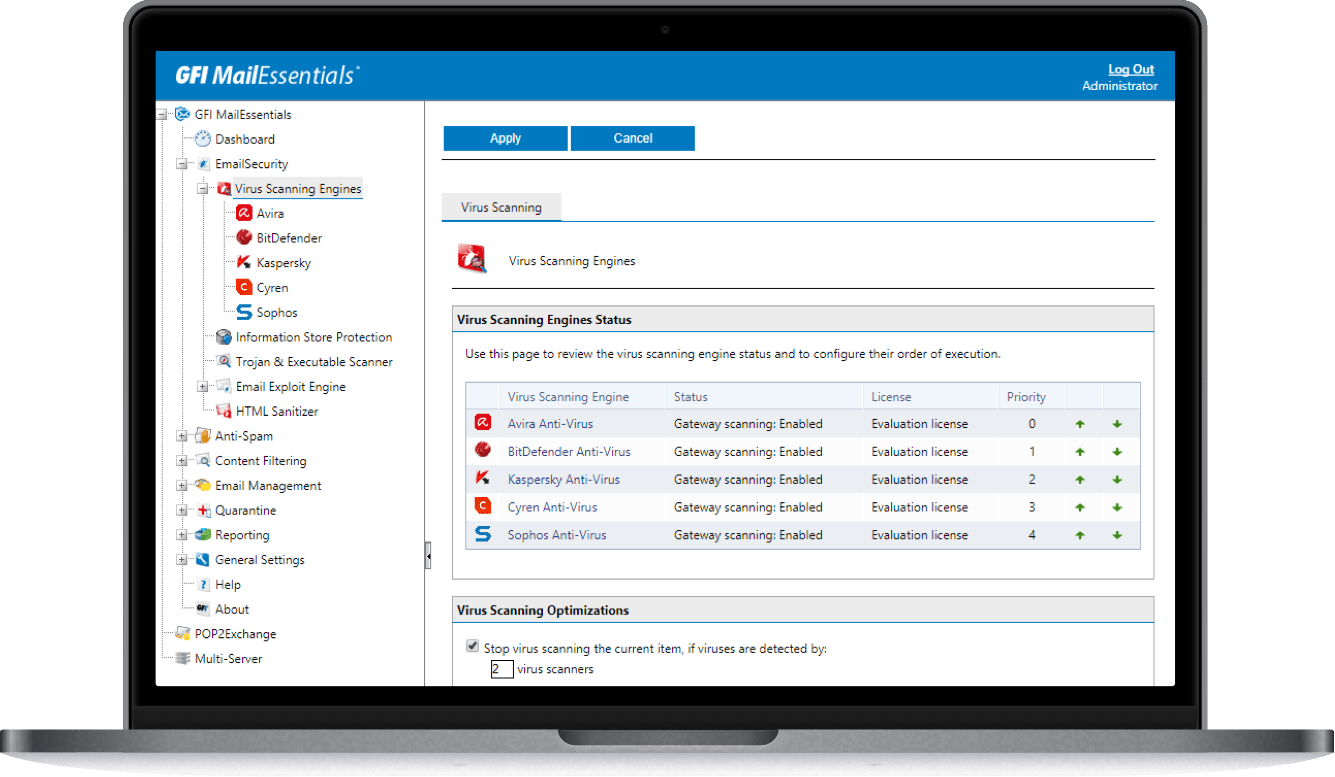
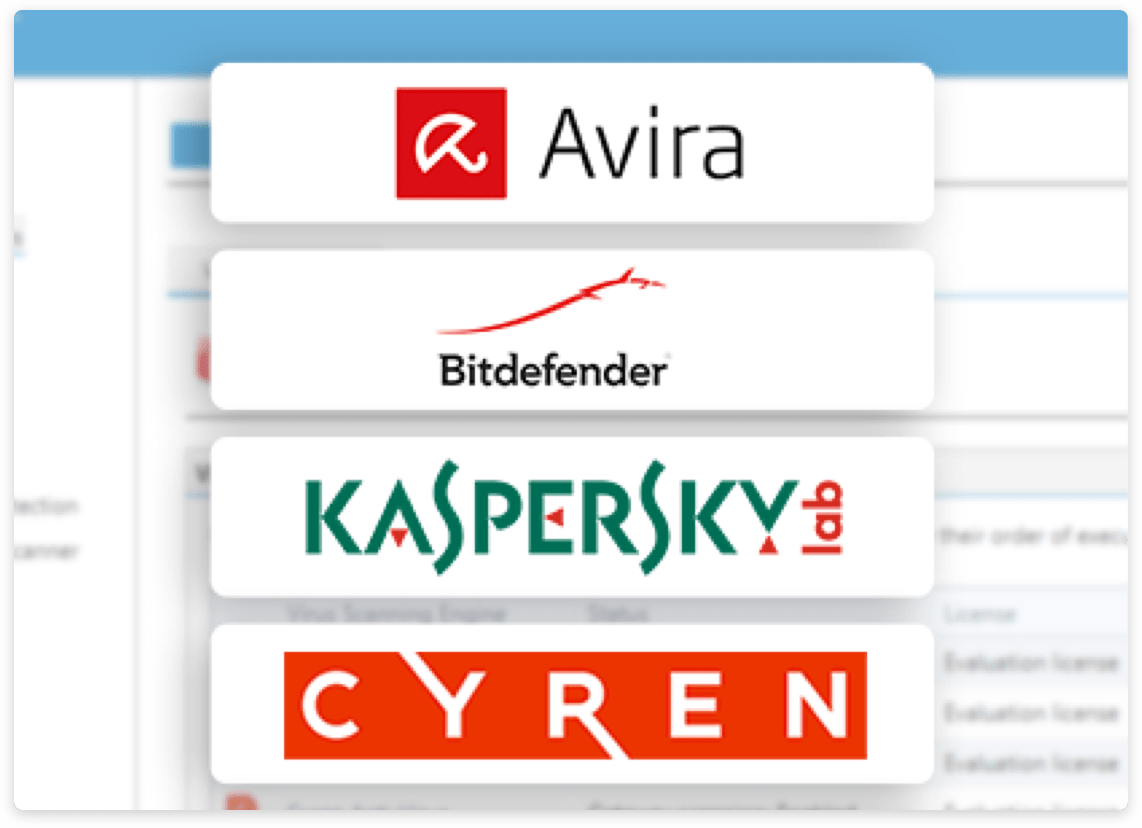
Why trust email security to one antivirus engine when you can have the combined power of four? GFI MailEssentials can engage the power of leading brands including BitDefender, Avira, Kaspersky, and Cyren.
-
Each engine features its own heuristics and detection methods. You gain maximum protection for your email environment to block email-borne viruses and other malware more effectively.
Filter spam to cut wasted time and server space
-
Spam is estimated to be 45% of your email volume. GFI MailEssentials uses 14 advanced email filtering technologies you can see in action. Filter spam out before it hits email boxes to save your server space and productive time.
-
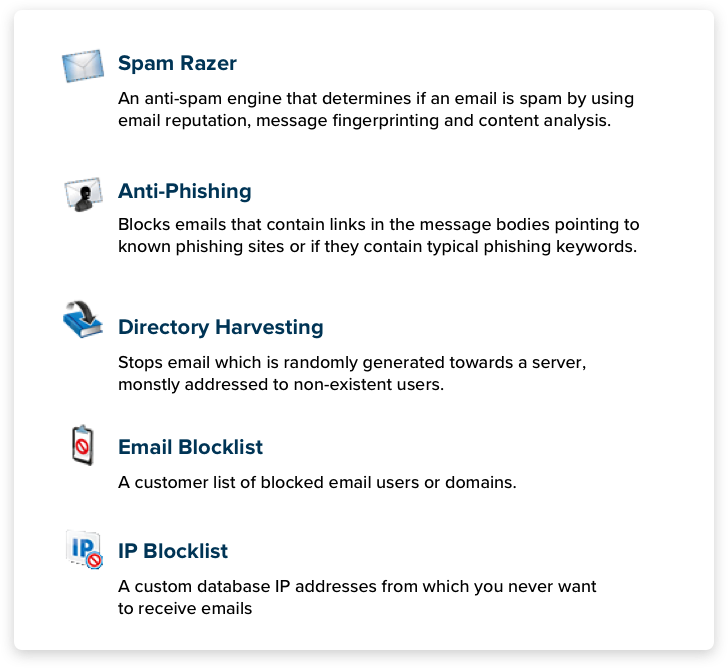
Block spoofed emails, stop emails from blacklisted DNSs or those that link to known problem URLs or phishing sites, remove non-RFC compliant emails, detect emails from forged senders and more techniques to slash the spam waste.
Make email safe and productive…simply
-
GFI MailEssentials is compatible with different email servers, not just Exchange. It fits seamlessly into your current setup—whether on-premise, virtual, or hosted in your cloud infrastructure. IT admins are in full control of their email security.
-
You can also extend control to users. Provide reports and ongoing access to quarantined emails to enable them to release what they want to receive. They can also customize their own black and whitelists.
Features:
Up to four anti-virus engines
GFI MailEssentials ships with the powerful Avira and BitDefender Antivirus engines, offering advanced technology stack that provides strong email protection against viruses and other malware with minimal impact on system performance.
However for even greater business email protection you can also add in the Kaspersky and Cyren antivirus engines for the ultimate protection. This enables you to take advantage of the strengths of each engine. Antivirus engine vendors have different response times to new viruses and malware. This capability ensures your system can always detect new threats in the shortest possible time.
Advanced malware protection
GFI MailEssentials features advanced malware protection that enables IT admins to secure their email infrastructure from the new breed of malware that creates different variants of itself to avoid detection.
This is done via our scanning engines that can connect to a cloud service whenever it finds unknown executable attachments. These attachments are thoroughly scanned through the intelligent Kaspersky cloud engine to determine if the attachment is malicious or not.
An arsenal of anti-spam filters
GFI MailEssentials features a variety of anti-spam technologies designed to put your mind at rest and make life difficult for spammers.
SPF blocks spoofed emails. Greylisting blocks emails sent with non RFC compliant techniques used by spammers. Directory harvest protection blocks emails sent using random and exhaustive email address-generation techniques. And DNS blacklists utilize a wealth of information gathered from distributed community data collection techniques to fend off botnet spamming.
Furthermore spam razor determines if an email is spam utilizing email reputation, bulk email detection, spamming technique detection and extensive content analysis, while Bayesian filtering uses a mathematical approach based on spam and ham (legitimate email).
GFI MailEssentials also includes a 'Language Detection' plugin, that detects and blocks spam in specific languages. Combining these technologies yields a spam detection rate of more than 99 percent.
Make email safe and productive…simply
GFI MailEssentials is compatible with different email servers, not just Exchange. It fits seamlessly into your current setup—whether on-premise, virtual, or hosted in your cloud infrastructure. IT admins are in full control of their email security.
You can also extend control to users. Provide reports and ongoing access to quarantined emails to enable them to release what they want to receive. They can also customize their own black and whitelists.
Web console with integrated reporting
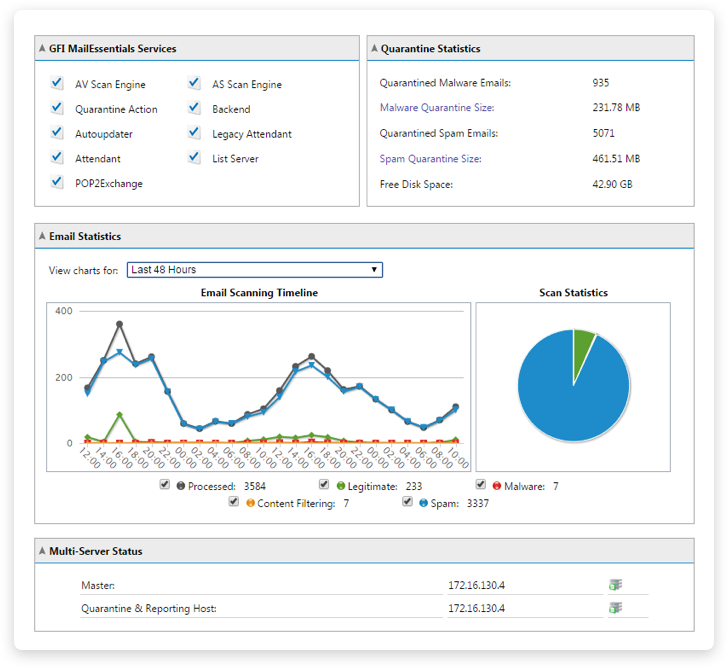
You can handle all your anti-spam and email security functionality including spam and malware quarantine, as well as reporting from a single web-based console. The console includes the dashboard that gives you a graphic view in real time of the software status as well as the email flow on the server.
Information shown on the dashboard includes: Status of key GFI MailEssentials services, email flow statistics, blocked spam and malware, as well as email processing results that can be filtered by sender, recipient, subject and more.
The web-based console includes integrated reporting capabilities that enable you to quickly customize and generate reports on the emails being sent and received by your organization.
Quarantine management
GFI MailEssentials gives you the flexibility to choose what to do with spam and malware emails.
With the GFI MailEssentials spam tag add-on for Outlook, users can mark individual emails as 'spam' or 'not spam' directly from Outlook. You can delete, move to a folder on disk, forward to an email address, quarantine, or, in the case of spam, send to individual customizable folders, for example a junk mail folder in the end user's inbox.
GFI MailEssentials gives administrators the option of quarantining emails to a malware quarantine where access can be controlled. Flexible options for managing this quarantine include web-based access which enables you to approve and reject emails from any location where you can use a browser, for example an Internet connection, phone network with data plan, .etc, as well as email-based quarantine access forms and RSS feeds with links for reviewing, approving or deleting quarantined emails. This eliminates the need to log on to the quarantine store to manually check for new quarantine emails, simplifying the task of keeping an eye on your email quarantine store.
GFI MailEssentials can also be configured to quarantine spam emails and send a regular report or digest to end users listing the spam blocked for them and enabling them to manually release emails that they want to receive from the quarantine. End users can also access their own spam quarantine at any time through a web-based interface. Furthermore, end users can manage their own personalized blacklist and whitelist. You can also use automatic whitelist functionality to add outgoing email recipients to your whitelist which greatly reduces false positives without any need for any additional administration.
Email content enforcement & data leakage prevention
The keyword-checking functionality in GFI MailEssentials can be used to scan inbound and outbound emails for keywords, and the attachment-checking functionality scans emails for attachments.
Advanced user-based filtering rules enable flexible and granular filtering of any part of the email message - including message headers, subject, body, attachment name and attachment content using different types of pattern matching methods, including regular expressions.
You could for example use the keyword checking functionality to scan emails for keywords that are inappropriate, vulgar, racial, sexual or offensive. This can also serve as another spam filter if configured to block common spam keywords.
Attachment checking functionality ensures that sent and received attachments are of a file type that is in line with company policy and it uses real file type detection technology so that techniques such as file extension renaming cannot be used to bypass checks. You can choose to block all incoming emails with potentially malicious attachment types, or block bandwidths and productivity wasters such as mp3 and Mpeg files.
Advanced user-based email filtering rules enable you to block emails based on patterns that you define, such as regular expressions. This is far more powerful than simple keyword checking. You can use one of the pre-defined content filtering rules to block outgoing emails with credit card numbers or social security numbers for example.
In all cases rules can be defined on a user or group basis, and exclusions can be configured. Actions that can be triggered include forwarding or quarantining of emails for administrative review or stripping of blocked content before forwarding to the intended recipient.
Protect your company against email exploits and Trojans
Protect your company from attacks that target vulnerabilities which can use email as a threat vector, and malicious email-based Trojan executables.
GFI's email exploit engine builds on our research into email exploits, safeguarding you from attacks that specifically target vulnerabilities that can use email as a threat vector. This technology is specifically built to protect against email-based attacks, unlike various email protection technologies on the market that were originally built to protect against file-based or other endpoint based attacks.
The GFI MailEssentials Trojan and executable scanner detects unknown malicious executables by analyzing what they do. A Trojan is a computer program which offers some functionality that might be useful to a user, while performing other malicious actions under the hood. For example, granting an attacker unrestricted access to data. The scanner uses built-in intelligence to rate the risk level by disassembling the executable, detecting what it might do and comparing its actions to a database of malicious actions. The scanner then quarantines any executables that perform suspicious actions for example making network connections or accessing the address book.
Protect your users against phishing and spyware
The GFI MailEssentials anti-phishing module detects and blocks threats posed by phishing emails by comparing the content of the spam with a constantly updated database and phishing URLs. This ensures all the latest phishing emails are captured. As extra protection, it also checks for typical phishing keywords in every email sent to your organization.
GFI MailEssentials also protects you against spyware through its unique battery of email protection technologies including multiple antivirus engines, as well as other technologies built specifically to protect against email-based attacks, such as its email exploit engine, Trojan and executable scanner and HTML sanitization.
GFI MailEssentials also detects email-borne spyware via its antivirus engine, which incorporates a dedicated spyware and adware definition file that has an extensive database of known spyware, trojans and adware.
Centralized management console
Larger organizations have multiple email gateway and servers that could be difficult and expensive to manage without the GFI MailEssentials' centralized management console.
GFI MailEssentials can be installed on different servers and synchronizes the configuration across all of the servers bringing your management tasks down to a minimum. Important settings from your GFI MailEssentials servers are synchronized across all the network making it easier for you to manage the day to day tasks of maintaining your email security.
Synchronized data include the attachment, keyword and advanced filtering rules, black/white lists. Quarantined emails from different GFI MailEssentials scanning servers are stored in a central server of your choice and this gives you one central quarantine to maintain for all of your organization.
GFI MailEssentials logs all mail flow activity to a central reporting database so that you can consolidate all your email flow reports and easily detect any mail flow trends or issues. These unified settings are highly customizable giving you total flexibility in how you deploy GFI MailEssentials on your network.
The quarantine can be centralized or standalone, similarly you choose which settings are synchronized giving you a totally flexible way on how you control your email security.
Disclaimers and other Email Management tools
With GFI MailEssentials, you can add company-wide disclaimers to the top or bottom of an email. Text and HTML formats are supported. You can include fields and variables to personalize the disclaimer. You can even create multiple disclaimers and associate them with a user, group or domain.
The GFI MailEssentials list server offers an easy way to implement an opt-in email discussion list with automated subscribe and unsubscribe links. Similarly, it enables email newsletter distribution with equal ease.It integrates with Microsoft Exchange and can use Microsoft Access or Microsoft SQL Server as the backend for its subscriber list.
The email monitoring feature enables you to keep the central store of the email communications for a particular person or department by configuring their email to be copied to an email address. These emails can then be stored in Exchange or Outlook also making it possible to search within them.
The POP2Exchange feature in GFI MailEssentials gives companies using external POP3 email accounts a practical way to receive emails without the need for a dedicated email server.
Screenshots:
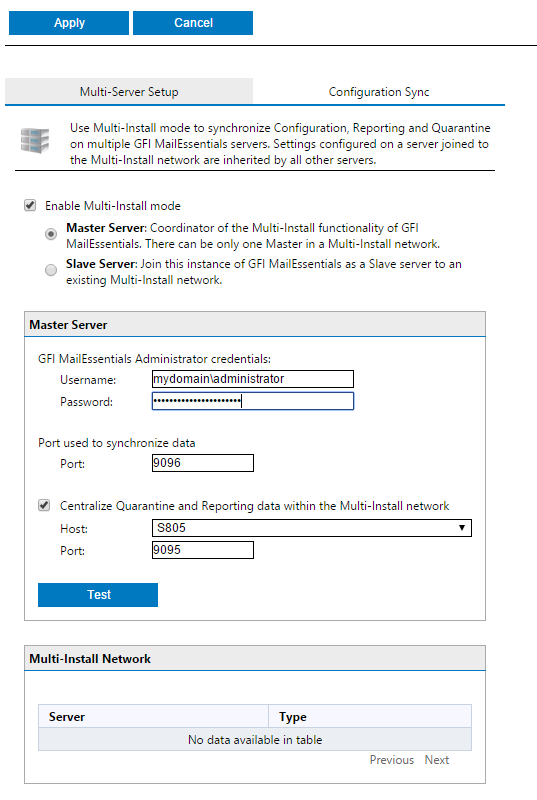
Multi server setup
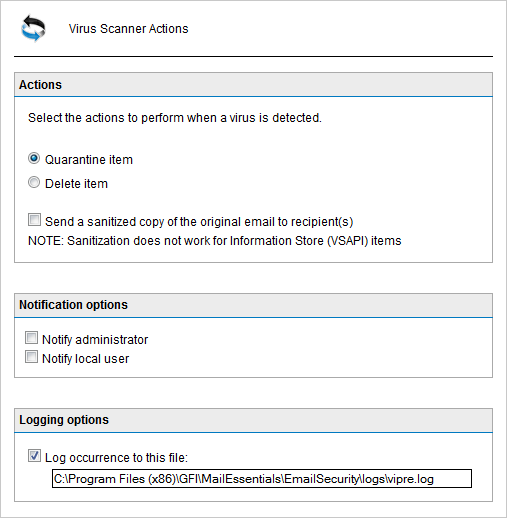
Anti-malware actions
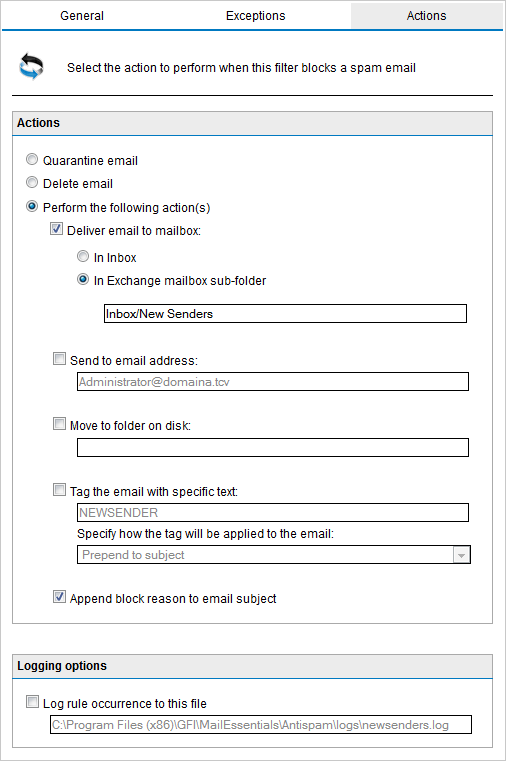
Anti-spam actions
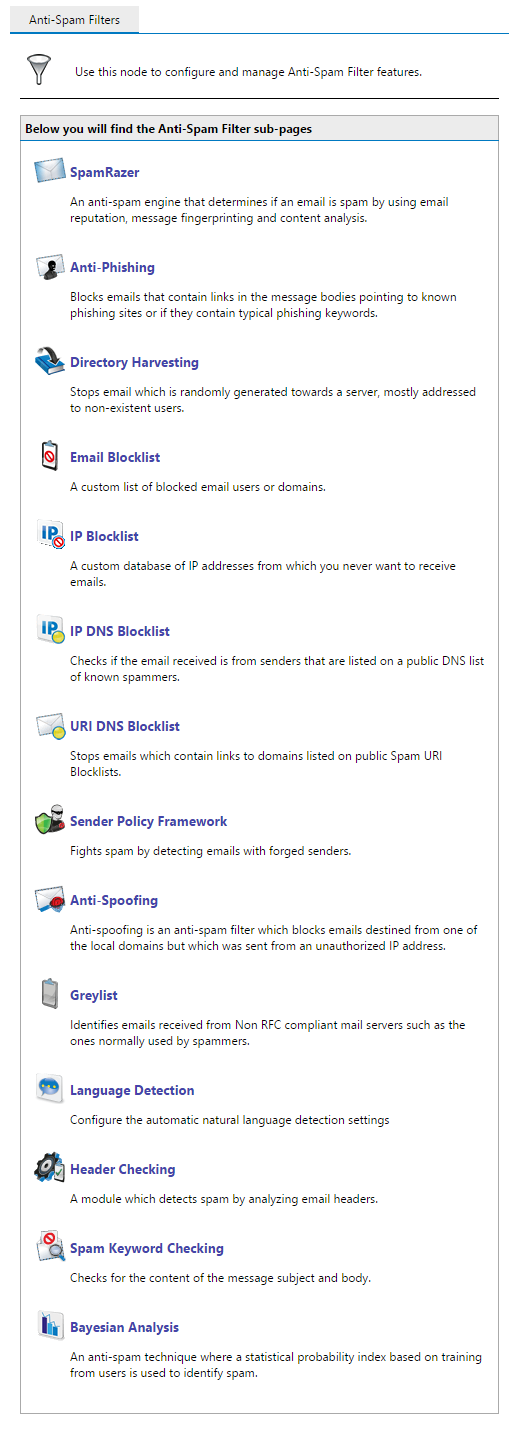
Anti-spam filters
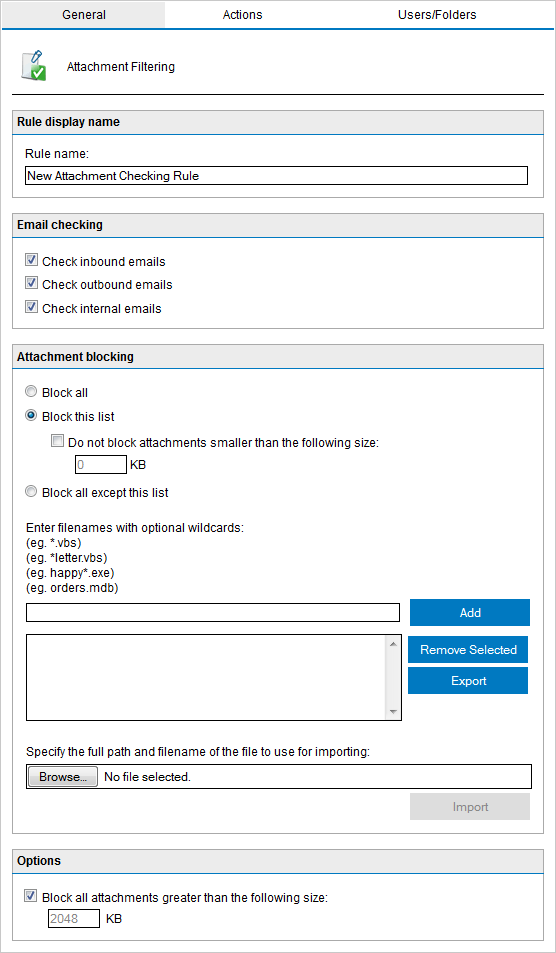
Attachment filtering
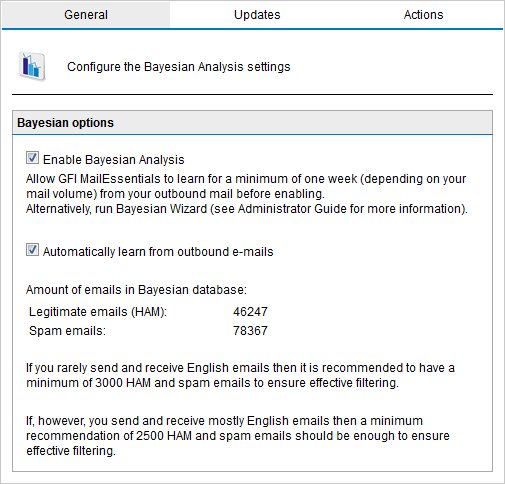
Bayesian analysis
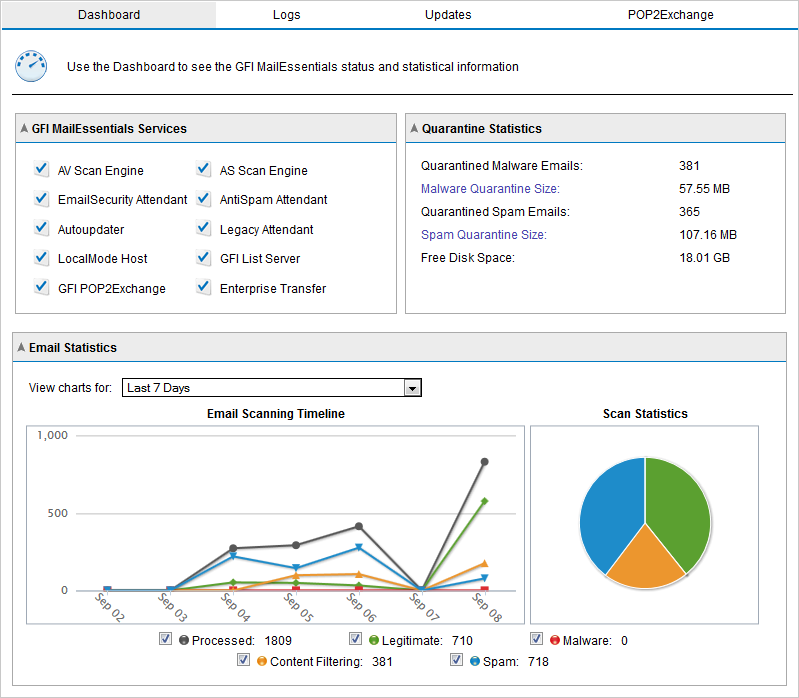
Dashboard
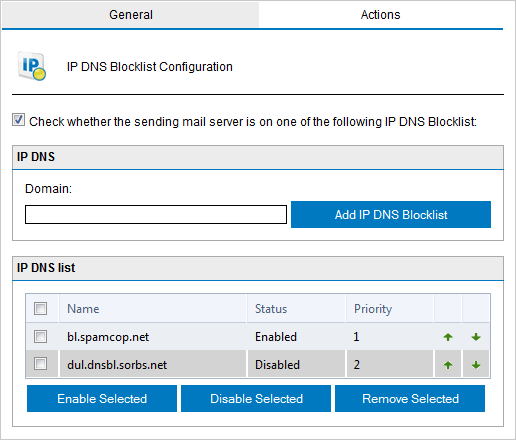
IP DNS Blocklist
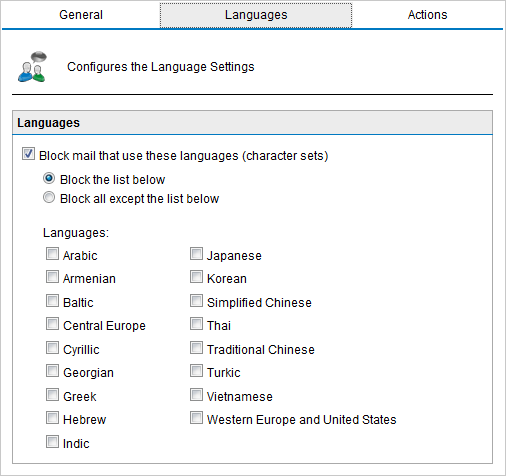
Language detection
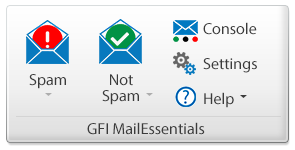
Spam Tag
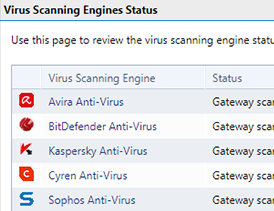
Multiple virus scanning engines
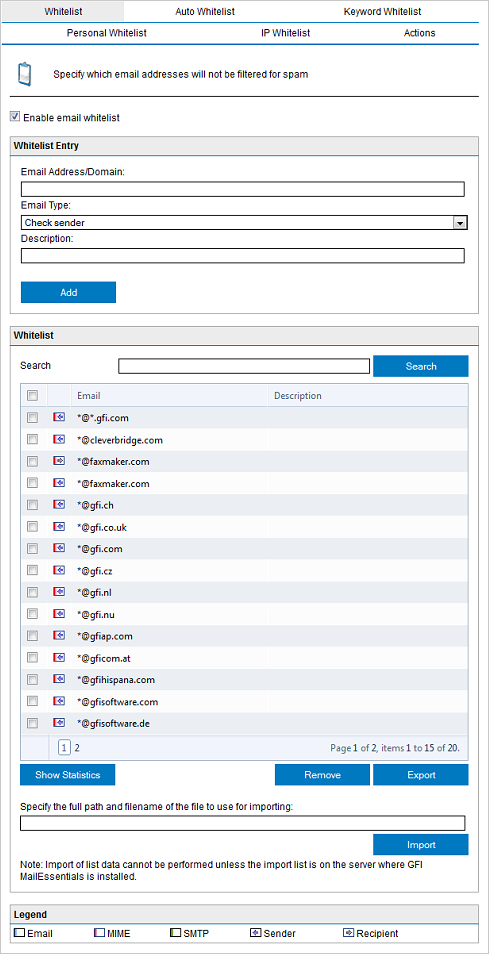
Whitelist
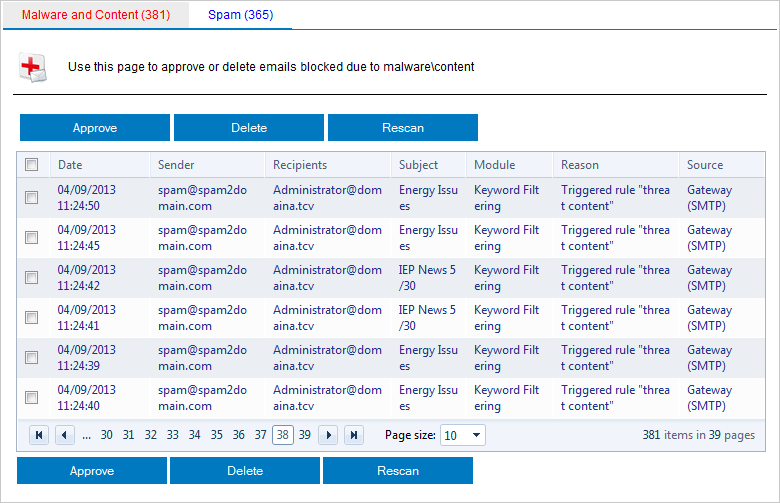
Quarantined emails
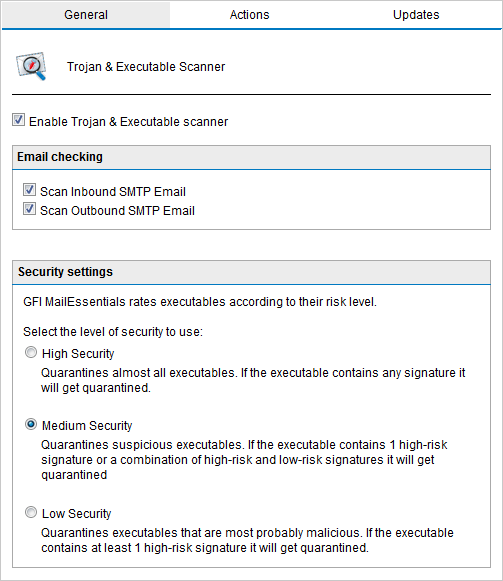
Trojan and executable scanner
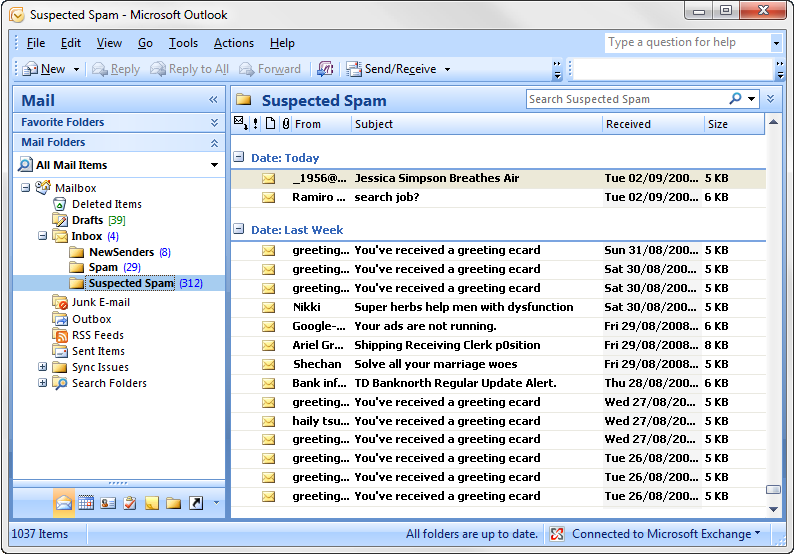
Users review spam
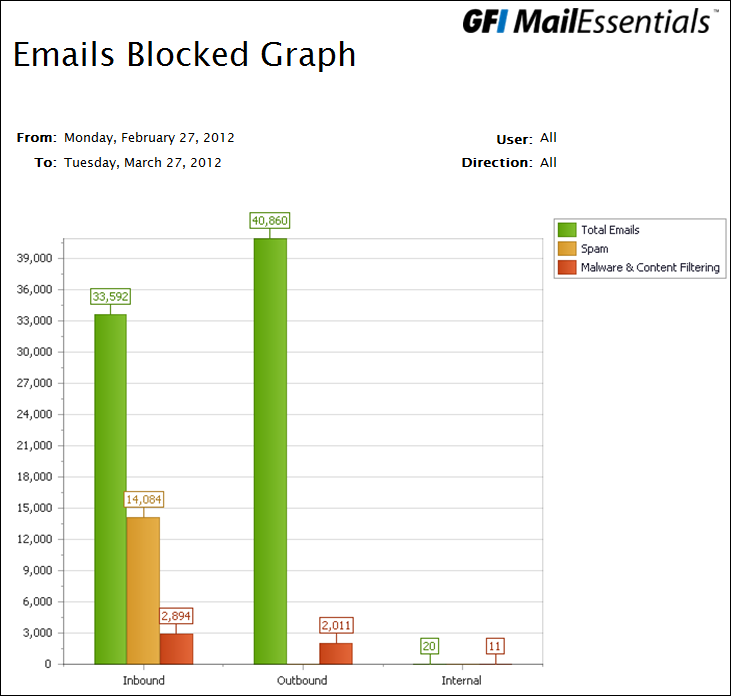
Reports
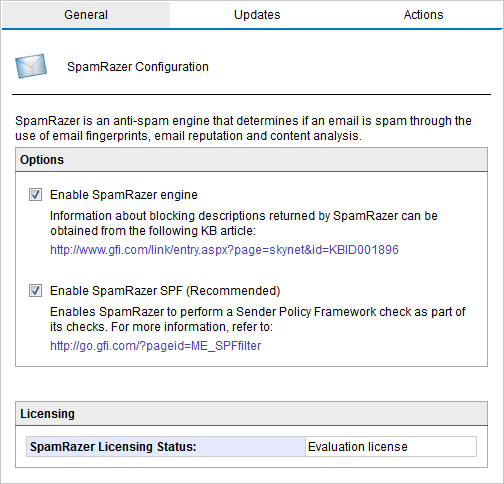
SpamRazer
System Requirements:
System requirements: Hardware
The minimum hardware requirements for GFI MailEssentials are:
Processor:
- Processor: 2GHz with multiple cores
- Memory (RAM): 2GB dedicated for GFI MailEssentials
- Disk space: 10GB dedicated for GFI MailEssentials
Note that the above requirements depend on a range of factors including email volume and number of Anti Virus engines enabled.
System requirements: Software
- Any version of Microsoft Windows Server (64-bit) from 2008 R2 onwards. (excluding Server Core)
- Microsoft IIS SMTP service or Microsoft Exchange Server 2010/2013/2016
- Microsoft IIS World Wide Web service
- Microsoft Messaging Queuing Service (MSMQ)
- Microsoft .NET Framework 4/4.5
- ASP.NET & Windows Authentication role services when installing on Windows Server 2008 R2 onwards
- Microsoft SQL Server/Microsoft SQL Server Express (free) is suggested for the Reporting engine database for installs with more than 100 mailboxes.
Discontinued
- McAfee and VIPRE AVs have been discontinued.
- Microsoft Exchange 2007 is no longer supported.
- Microsoft Windows 2008 is no longer supported.
Documentation:
Download the GFI MailEssentials Data Sheet (PDF).
Pricing Note:
- *Includes subscription through the term of the main subscription. Where multiple subscription years were purchased on the main product; the subscription ends with the first year anniversary of the main product subscription.
- To order an upgrade, additional users or other add-ons not listed here to an existing product, please contact us.
*Price per mailbox. Quantity must be 10 or greater.
Get a Quote!
*Price per mailbox. Quantity must be 50 or greater.
Get a Quote!
*Price per mailbox. Quantity must be 250 or greater.
Get a Quote!
*Price per mailbox. Quantity must be 10 or greater.
Get a Quote!
*Price per mailbox. Quantity must be 50 or greater.
Get a Quote!
*Price per mailbox. Quantity must be 250 or greater.
Get a Quote!
*Price per mailbox. Quantity must be 10 or greater.
Get a Quote!
*Price per mailbox. Quantity must be 50 or greater.
Get a Quote!